Skip to main content.

Dual Output

Stream vertically and horizontally at the same time. Create layouts for each format and reach viewers across more platforms.

Desktop をダウンロード
Windows用ダウンロード
無料
ウィンドウズ 10+
MacOS 12+
~ 500 メガバイト
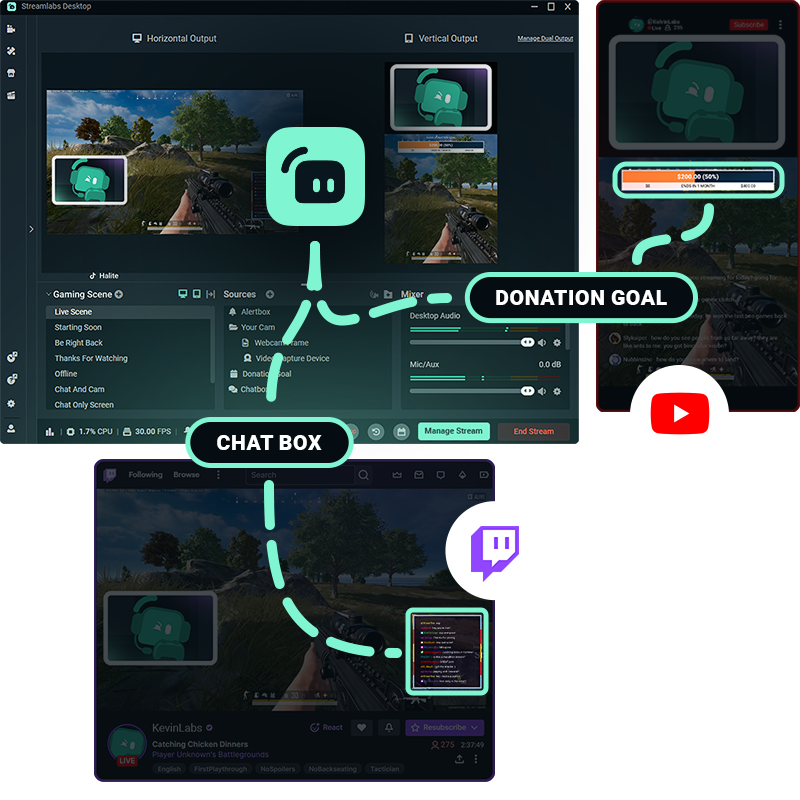
Streamlabs dual output multi layout graphic

One setup.
Multiple platforms.

Give viewers a tailored experience designed for how they’re watching. Dual Output lets you edit separate horizontal and vertical canvases and stream both at the same time.

Customize your scenes, sources, and layouts for each format—all from Streamlabs Desktop.

Easy to set up and go live

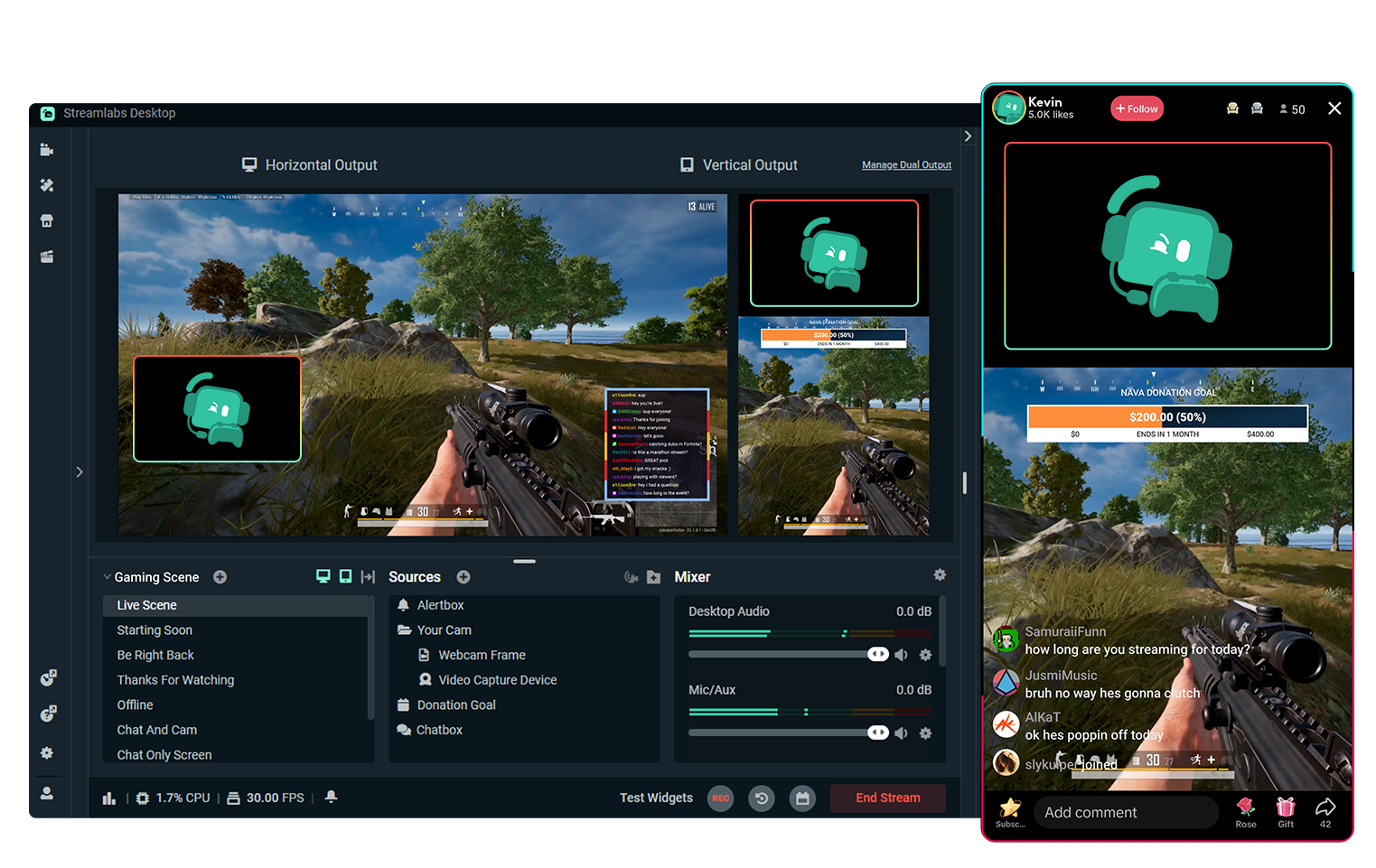
Set up your horizontal and vertical layouts once, then turn Dual Output on or off in just one click whenever you want.

When you’re ready to go live, choose orientations for each platform and manage all outputs from the same Streamlabs Desktop workflow.

Screenshot of Streamlabs Desktop with live stream on TikTok on side

Free multistreaming with Dual Output

Stream to one horizontal platform and one vertical platform at the same time, completely free.

Want to stream to even more destinations? Upgrade to Streamlabs Ultra for the complete multistream experience.

50 5回のクリックでライブ配信 - あらゆるプラットフォームにストリーミング可能

時間 分単位であらゆるプラットフォームにライブ配信

定期的にマルチストリーミングを行う新規クリエイター*は、同時視聴者数5人以上を獲得する可能性が2倍になります。

* ストリーミングを最大6ヶ月間継続し、マルチストリーミングを7回以上実行した新規ユーザー

Twitch logoYouTube logoTikTok logoInstagram logoX logoKick logoFacebook logoPatreon logoSmall box with text RTMP
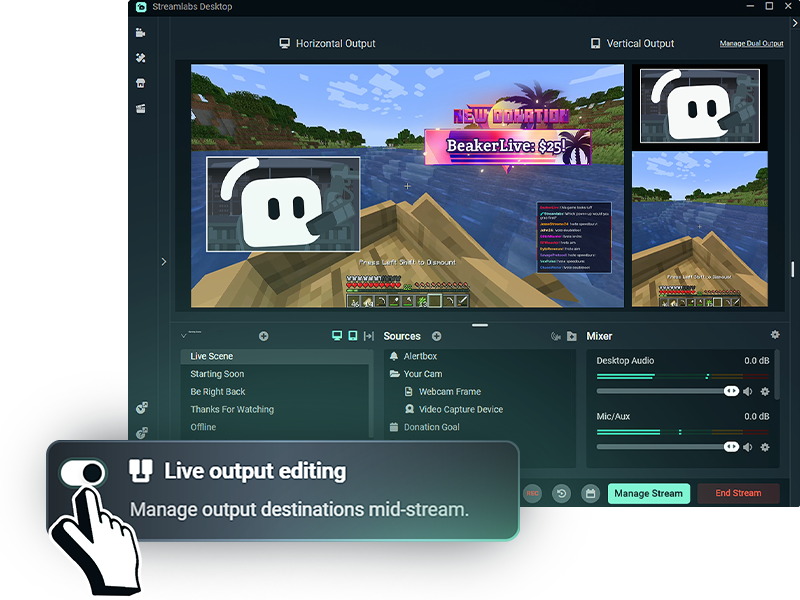
desktop view of dual output horizontal and vertical in streamlabs desktop

More flexibility while streaming

With Live Output Editing enabled, you can add or remove streaming destinations without ending your entire stream.

Enable Dual Output before you go live to manage all your platform layouts, horizontal or vertical, while you're live.

よくある質問

What is Dual Output?

Dual Output lets you create separate horizontal and vertical layouts and stream them simultaneously from Streamlabs Desktop. You can stream to one horizontal and one vertical destination for free, or use Multistreaming with Streamlabs Ultra to reach additional platforms.

Can I customize my vertical and horizontal layouts separately?

Yes. You can customize your scenes and sources for each orientation, giving viewers a layout designed for the platform they’re watching on instead of simply cropping one stream to fit both.

Which platforms can I use with Dual Output?

Dual Output works with supported streaming destinations like TikTok, YouTube, Twitch, KICK, Facebook, and more. For example, you can stream vertically to TikTok while sending a horizontal stream to YouTube or Twitch.

Is Dual Output free?

Yes. You can stream to one horizontal destination and one vertical destination at the same time for free. Streaming to three or more platforms, or multiple platforms in the same orientation, requires Streamlabs Ultra.

Can I change streaming destinations while I’m live?

With Streamlabs Ultra, Live Output Editing lets you add or remove destinations without ending your entire stream. When Dual Output is enabled before going live, you can manage both horizontal and vertical destinations during the same stream session.

Do I need two separate streaming setups?

No. Dual Output lets you manage both your horizontal and vertical layouts from Streamlabs Desktop, so you don’t need separate streaming software or separate broadcasts for each orientation.

Streamlabs を入手して、数分でライブ配信を開始しましょう!

Desktop をダウンロード
Windows用ダウンロード
無料
ウィンドウズ 10+
MacOS 12+
~ 500 メガバイト