

Dual Output
Transmite na vertical e na horizontal ao mesmo tempo. Cria esquemas para cada formato e chega a espectadores em várias plataformas.
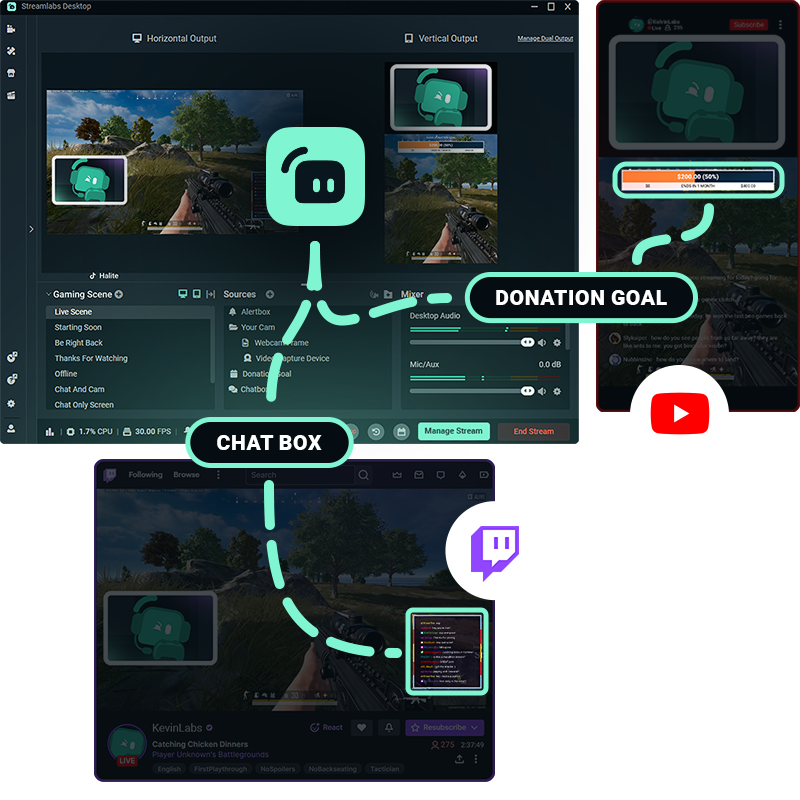
Uma configuração.Várias plataformas.
Dá aos espectadores uma experiência personalizada concebida para a forma como eles estão a ver. A Dual Output permite-te editar telas horizontais e verticais separadas e transmitir ambas ao mesmo tempo.
Personaliza as tuas cenas, fontes e esquemas para cada formato—tudo a partir do Streamlabs Desktop.
Fácil de configurar e de transmitir em direto
Configura os teus esquemas horizontais e verticais uma vez, depois liga ou desliga a Dual Output com apenas um clique sempre que quiseres.
Quando estiveres pronto para entrar em direto, escolhe as orientações para cada plataforma e gere todas as transmissões a partir do mesmo fluxo de trabalho do Streamlabs Desktop.
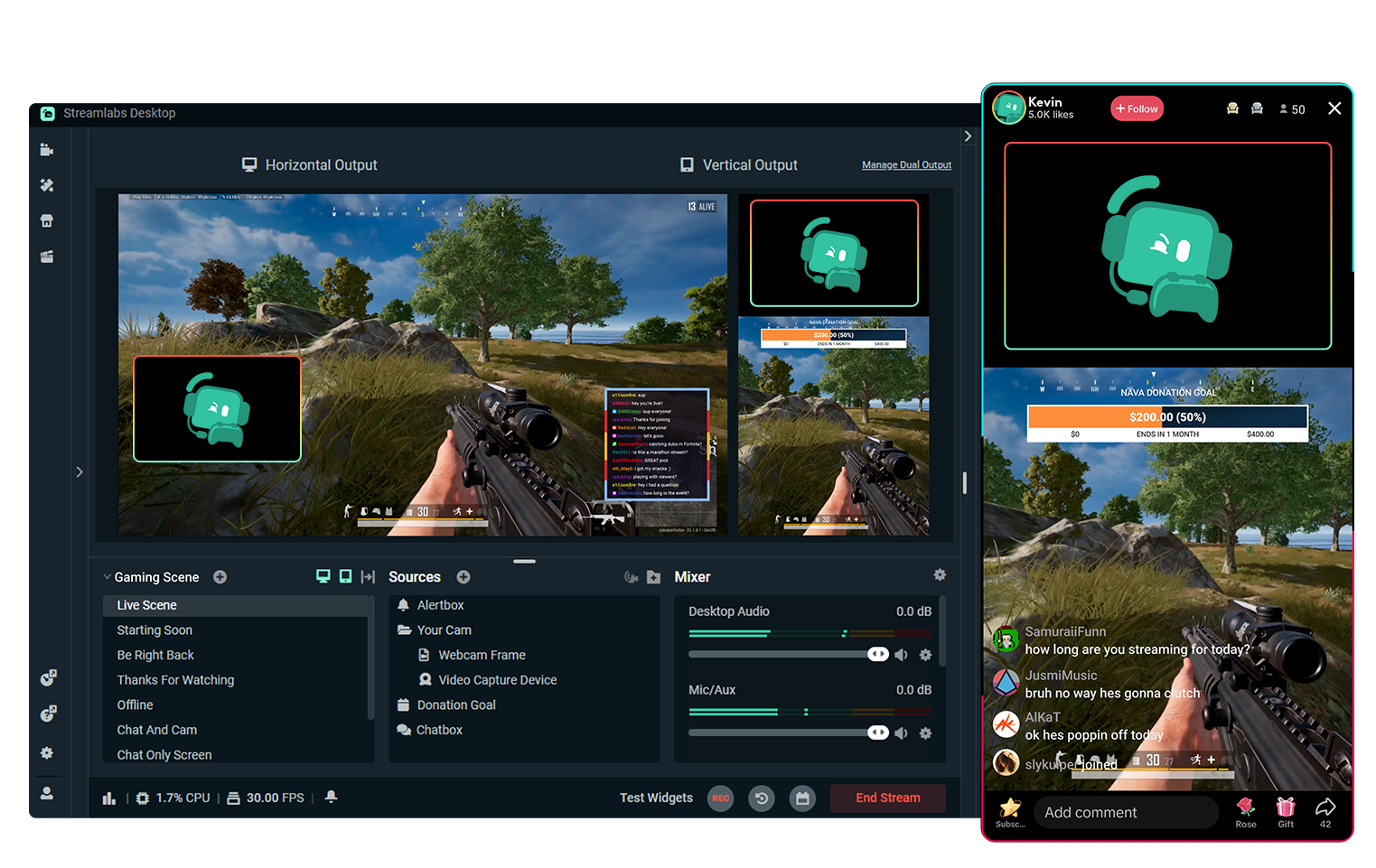
Multitransmissão grátis com Dual Output
Transmite para uma plataforma horizontal e uma plataforma vertical ao mesmo tempo, totalmente grátis.
Queres transmitir para ainda mais destinos? Faz o upgrade para o Streamlabs Ultra para a experiência de multistream completa
Começa a transmitir em direto em 50 5 cliques – transmite para qualquer plataforma
Começa a transmitir em direto em horas minutos para qualquer plataforma
Os novos criadores que fazem multitransmissão regularmente* têm duas vezes mais probabilidade de atrair mais de cinco espectadores simultâneos.
* novos utilizadores que estiveram a fazer transmissão até seis meses e que fizeram multitransmissão mais de sete vezes


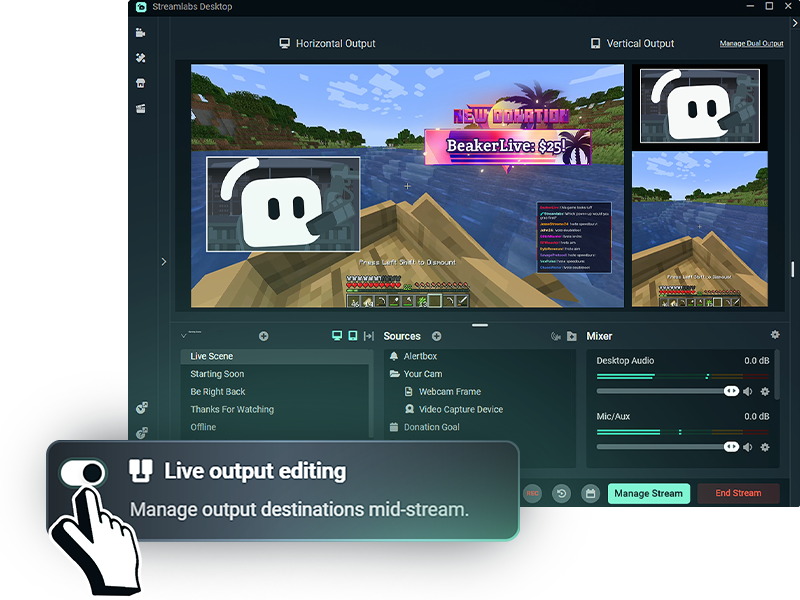
Mais flexibilidade enquanto transmites
Com a Edição de Transmissão em Direto ativada, podes adicionar ou remover destinos de transmissão sem terminares toda a tua transmissão.
Ativa a Dual Output antes de entrares em direto para gerires todos os teus esquemas de plataforma, horizontais ou verticais, enquanto estás em direto.
Perguntas frequentes
O Dual Output permite-te criar esquemas horizontais e verticais separados e transmiti-los simultaneamente a partir do Streamlabs Desktop. Podes fazer streaming para um destino horizontal e um vertical gratuitamente, ou usar o Multistreaming com o Streamlabs Ultra para chegares a plataformas adicionais.
Sim! Podes personalizar as tuas cenas e fontes para cada orientação, dando aos espetadores um layout concebido para a plataforma em que estão a ver, em vez de simplesmente cortar um stream para servir para ambos.
O Dual Output funciona com destinos de streaming suportados como o TikTok, YouTube, Twitch, KICK, Facebook e outros. Por exemplo, podes fazer streaming na vertical para o TikTok enquanto envias um stream horizontal para o YouTube ou Twitch.
Sim! Podes transmitir para um destino horizontal e um destino vertical ao mesmo tempo, gratuitamente. Transmitir para três ou mais plataformas, ou para várias plataformas com a mesma orientação, requer Streamlabs Ultra.
Com o Streamlabs Ultra, a Edição de Saída em Direto permite-te adicionar ou remover destinos sem terminares todo o teu stream. Quando o Dual Output está ativado antes de entrares em direto, podes gerir destinos horizontais e verticais durante a mesma sessão de stream.
Não. O Dual Output permite-te gerir os teus esquemas horizontais e verticais a partir do Streamlabs Desktop, por isso não precisas de software de streaming separado ou de transmissões separadas para cada orientação.