

STREAMLABS VISION 搭載
Streamlabs Sidekick
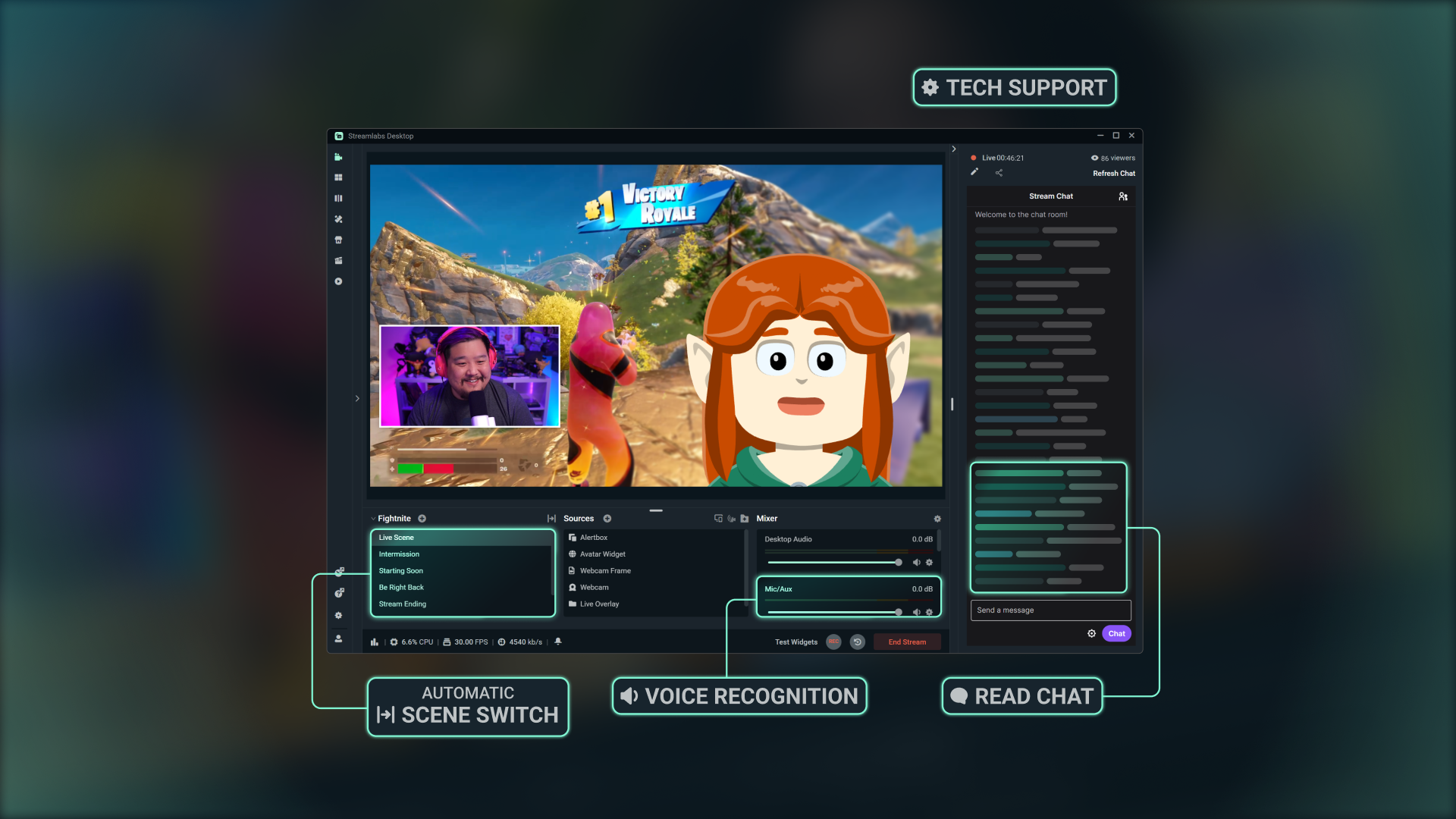
バーチャル共同ホスト、ライブプロデューサー、技術サポートとして機能するIntelligent Streaming Agent。連携して動作するため、制作に集中できます。
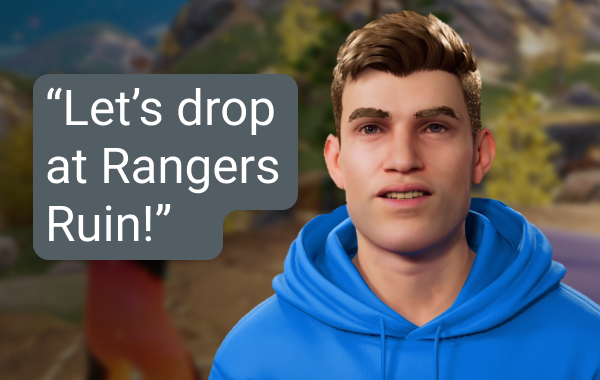
ライブプロデューサー
シンプルな音声コマンドを使用して、指一本動かすことなく、シーンの切り替え、オーディオの制御、チャットへの対応、実況などを行うことができます。
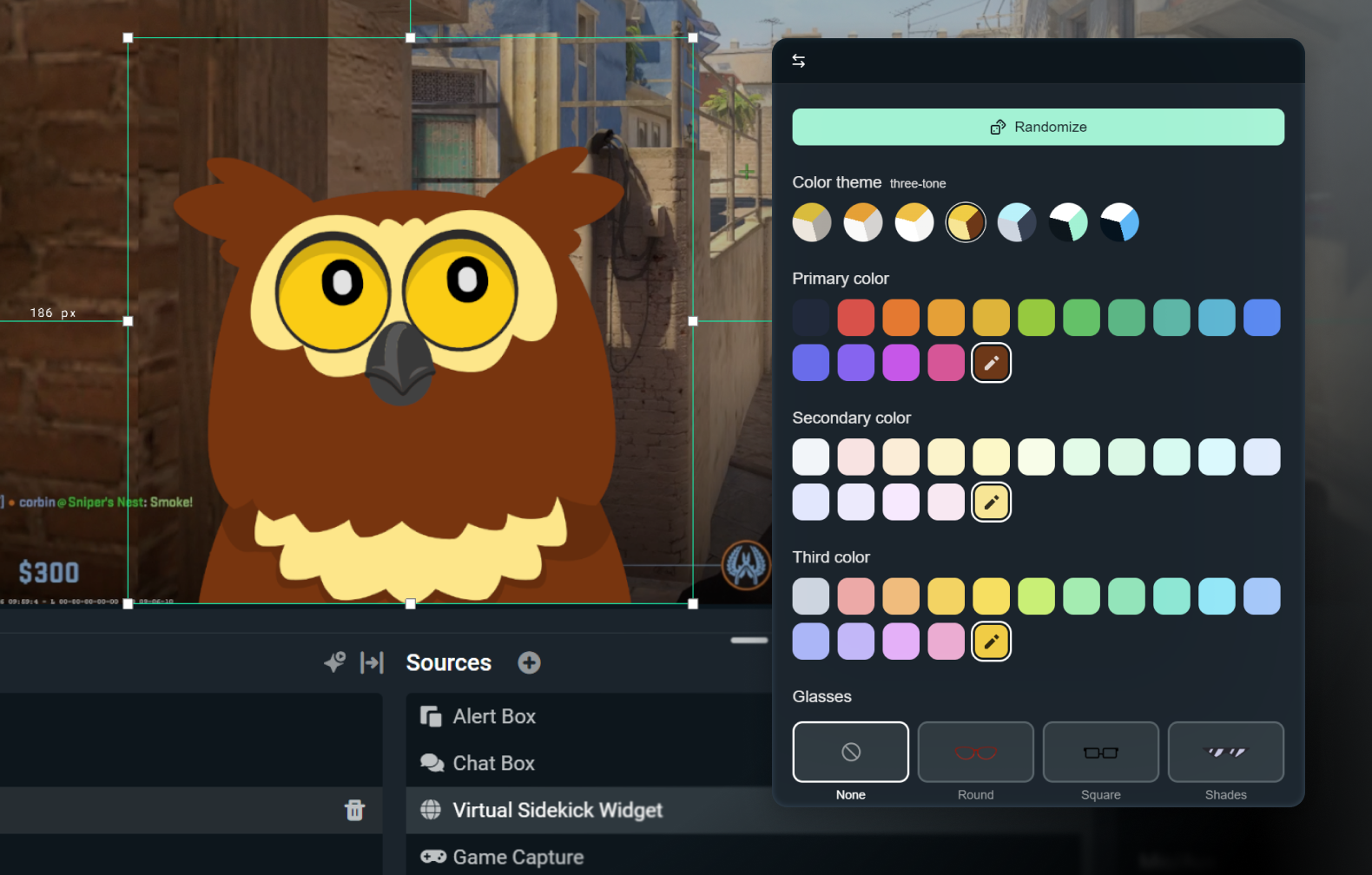
2D または 3D アバターをカスタマイズ
音声のみで控えめにすることも、3D または 2D アバターで生き生きとさせることもできます。 2D アバターなら、CPU に大きな負荷をかけることなく、画面上に相棒を表示させることができます。
アクセサリー、名前、好みの声でアバターをカスタマイズしましょう。

技術サポート
リアルタイムのトラブルシューティングにより、設定ではなくストリーミングに集中できます。
最高の AI 技術で構築
NVIDIA と Inworld の技術を用いて開発され、本物そっくりの 3D アバターとリアルタイムのインテリジェンスを実現しました。
仕組み
Streamlabs Desktop にアプリをインストールします。 Sidekickを画面上に表示するか、バックグラウンドモードにするかを選択します。
設定をカスタマイズし、ブランドに合った 2D または 3D アバターを選択してください。
Sidekickがシーン切り替え、話題の提供、技術サポートなどを支援するため、通常通り配信しながら視聴者との交流に集中できます。
シンプルな利用ベースのアクセス
無料
合計100回のインタラクション
Sidekickアバター
共同ホスト&技術サポート機能
Ultra
月1,000回のインタラクション
利用可能な場合の優先使用
Ultra Plus
月5,000回のインタラクション
利用可能な場合の優先使用
主な仕様
共同ホスト、プロデューサー、技術サポート機能はローカルで実行され、システムへの影響を最小限に抑えます(社内テストでの GPU は3%以下)。オプションの3Dアバターには追加のリソースが必要ですが、2Dアバターは低負荷です。
Fortnite、Valorant、PUBG、Counter-Strike 2は完全対応です。
今後追加される対応ゲームにもご注目ください。
配信で3Dまたは2Dアバターを使用するか、Sidekickをバックグラウンドモードで実行してサイレントアシスタントとして活用できます。

Streamlabs Vision で構築
Sidekick と呼ばれる Intelligent Streaming Agent は、強力なリアルタイム AI モデルである Streamlabs Vision を搭載しています。開発者は同じビジョン、音声、オートメーションモデルを活用し、あらゆるストリーマーに向けた新たな体験を構築できます。
よくある質問
Sidekick は当社のインテリジェントなストリーミングエージェントであり、Streamlabs Desktop に組み込まれたバーチャル共同ホスト、ライブプロデューサー、そしてテクニカルアシスタントとして機能します。音声コマンドによる制作タスクのサポート、視聴者とのエンゲージメント、ストリームの健全性の監視を行うため、コンテンツ制作に集中できるようになります。
いいえ。アバターはオプションです。 Sidekick をバックグラウンドモードでプロデューサーやテクニカルアシスタントとして利用できます。
以下のゲームは Sidekick に対応しています:
- 7 Days to Die
- エーペックスレジェンズ
- ARC レイダー
- Arena Breakout:Infinite
- Battlefield 6
- Bloodborne
- Call of Duty:Black Ops 6
- Call of Duty:Black Ops 7
- Call of Duty:Modern Warfare 4
- Call of Duty:Warzone
- Counter-Strike 2
- Dark Souls Remastered
- Dark Souls II
- Dark Souls III
- DayZ
- Dead by Daylight
- Deadlock
- Delta Force
- Dota 2
- EA Sports FC 26
- Elden Ring
- Enshrouded
- Escape From Tarkov
- F1® 25
- Fortnite
- Forza Horizon 6
- Halo Infinite
- Helldivers 2
- Heroes of the Storm
- Hunt:Showdown 1896
- League of Legends
- Left 4 Dead 2
- Madden NFL 27
- Marathon
- Marvel Rivals
- Minecraft
- Mortal Shell 2
- NBA 2K26 + 2K27
- Overwatch 2
- Palworld
- Path of Exile 2
- PUBG:BATTLEGROUNDS
- Rocket League
- Rust
- Sekiro:Shadows Die Twice
- Teamfight Tactics
- Tom Clancy's Rainbow Six Siege X
- Valheim
- Valorant
- War Thunder
- Wardogs
- World of Warcraft:Solo Shuffle
今後も対応ゲームを拡大していきますので、最新情報でご確認ください!
はい。ただし、制限があります。画面上のアバターは AMD GPU ではサポートされていません。ただし、その他の機能(オーディオ専用モードなど)はすべて動作します。
はい。無料プランでは、限定的なインタラクションとオートメーション機能が利用できます。 Ultra と Ultra Plus では、利用上限が引き上げられます。より高いインタラクション上限を求めるストリーマー向けに設計されています。
インタラクションとは、テキストまたは音声による Sidekick からの応答です。たとえば、チャットに質問を入力すると、Sidekick の回答はインタラクションとしてカウントされます。 Agent にシーンを変更するように指示した場合もカウントされます。ただし、アバターがコメントせずにオートメーションによって変更された場合はカウントされません。シーンの切り替えやハイライトの切り抜きなどのアクションは、Sidekick が口頭またはテキストで応答しない限り、インタラクションではありません。
いいえ。カウンターは各暦月の初日にリセットされます。
はい、アバターはさまざまな種類から選ぶことができ、ご自身のブランドに合わせて個性や見た目をカスタマイズ可能です。
以下は画面上の 3D アバターを使用するための最小システム要件です。 Sidekick を音声のみのモードで使用している場合、または当社の 2D アバターのいずれかを使用している場合は、Streamlabs Desktop の最小要件を満たすだけで済みます。
単一 PC のセットアップ
- GPU:
- NVIDIA GeForce RTX™ 3090、3090 TI、5090またはそれ以上
- Quadro RTX™ 4000以上
- TITAN RTX™
- VRAM:フルワークロードで24GB(Agent + アバター +制作)
- オペレーティングシステム:Windows 11
- ドライバー:常に最新の NVIDIA Game Ready ドライバーをインストールすることをお勧めします。
2台の PC のセットアップ
- GPU:
- NVIDIA GeForce RTX™ 3060、3080、3080 Ti、3090、3090 Ti、4070、4070 SUPER、4070 Ti SUPER、4080 SUPER、4090、5070、5070 Ti、5080、5090、またはそれ以上
- Quadro RTX™ 4000以上
- TITAN RTX™
- VRAM:12GB
- オペレーティングシステム:Windows 11
- ドライバー:常に最新の NVIDIA Game Ready ドライバーをインストールすることをお勧めします。
VRAM の容量を確認する方法がわからない場合は、こちらのガイドをご覧ください。
こちらのリンクのサポートまでご連絡ください。