

Dual Output:
Streame gleichzeitig vertikal und horizontal. Erstelle Layouts für jedes Format und erreiche Viewer auf mehr Plattformen.
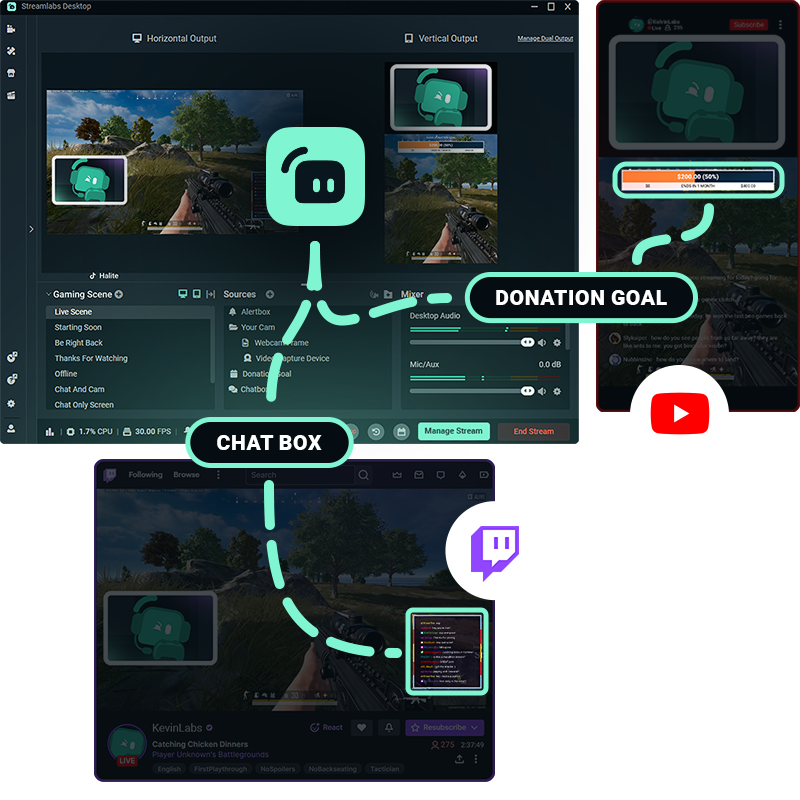
Ein Setup.Mehrere Plattformen.
Biete Viewern ein maßgeschneidertes Erlebnis, das genau auf ihre Art des Zuschauens ausgelegt ist. Mit Dual Output kannst du separat horizontal und vertikal arbeiten und beide Formate gleichzeitig streamen.
Passe deine Szenen, Quellen und Layouts für jedes Format an – alles direkt in Streamlabs Desktop.
Einfach einrichten und live gehen
Richte deine horizontalen und vertikalen Layouts einmal ein und schalte Dual Output dann mit nur einem Klick ein oder aus, wann immer du willst.
Wenn du bereit bist, live zu gehen, wähle die Ausrichtungen für jede Plattform und verwalte alle Ausgaben über denselben Streamlabs Desktop-Workflow.
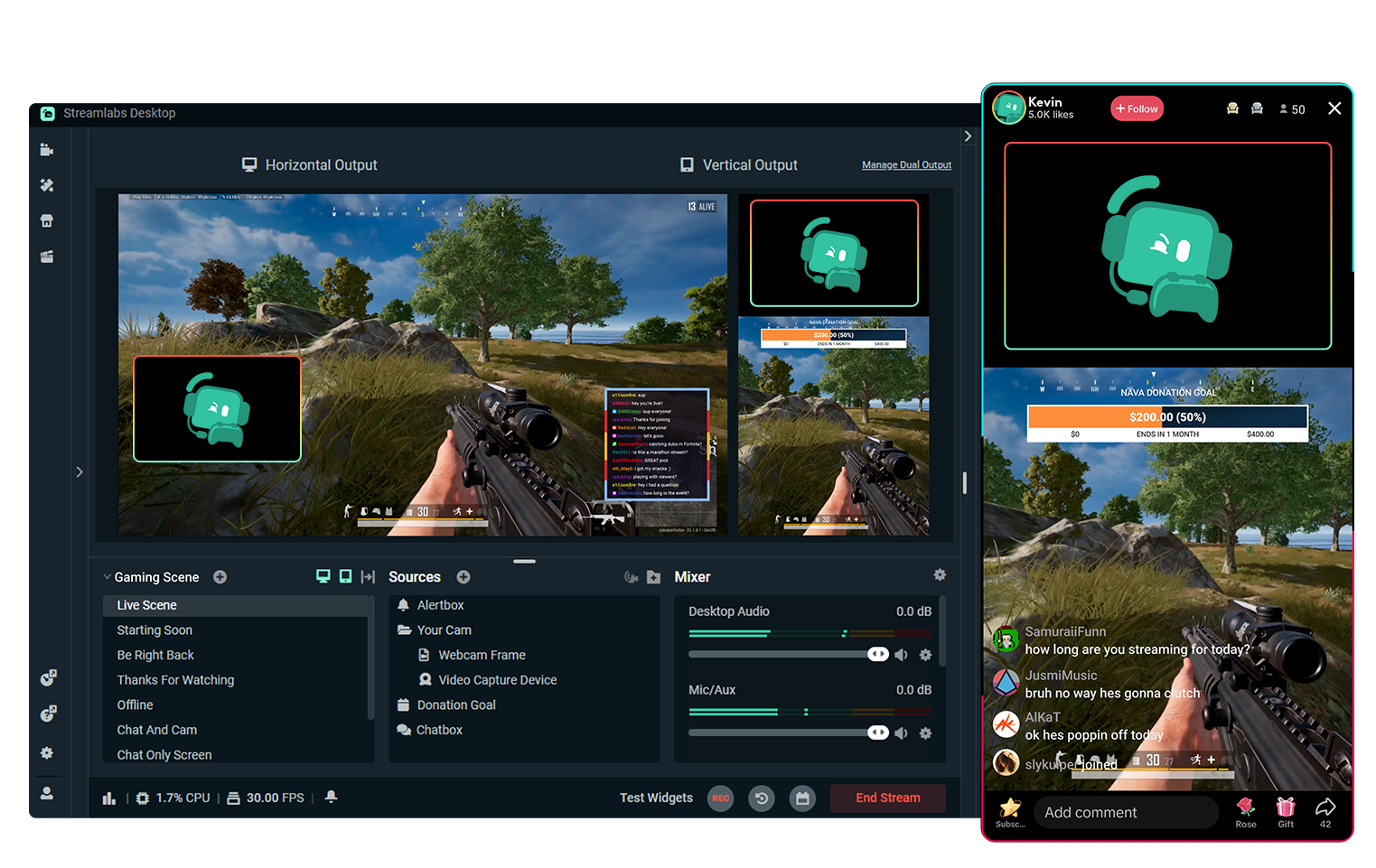
Kostenloses Multistreaming mit Dual Output
Streame komplett kostenlos gleichzeitig auf eine horizontale und eine vertikale Plattform.
Möchtest du an noch mehr Ziele streamen? Upgrade auf Streamlabs Ultra für das komplette Multistream-Erlebnis
Auf Sendung in 50 5 Klicks – Streamen auf jede Plattform
Auf Sendung in Stunden Minuten auf jeder Plattform
Neue Creator, die regelmäßig multistreamen*, haben eine doppelt so hohe Wahrscheinlichkeit, mehr als fünf gleichzeitige Viewer anzulocken.
* Neue Nutzer, die bis zu sechs Monate gestreamt haben und mehr als sieben Mal multigestreamt haben


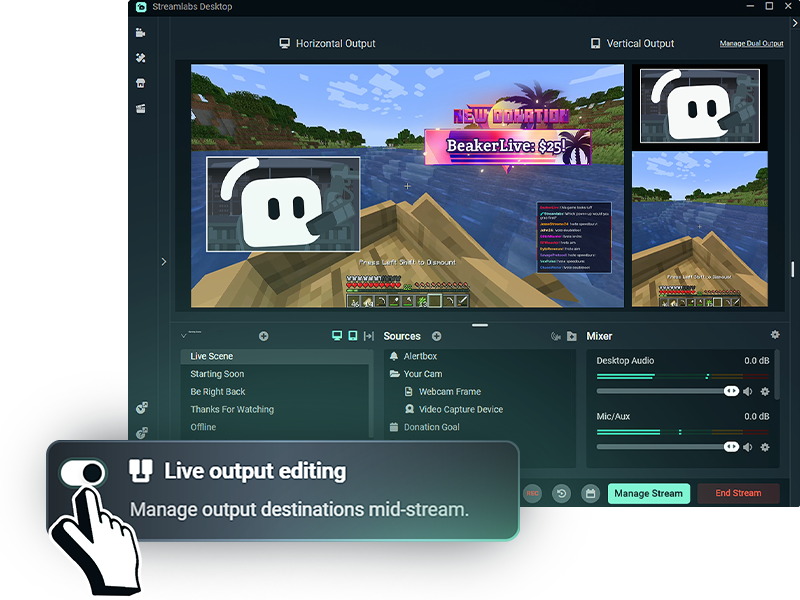
Mehr Flexibilität beim Streaming
Mit aktivierter Live-Output-Bearbeitung kannst du Streaming-Ziele hinzufügen oder entfernen, ohne deinen gesamten Stream zu beenden.
Aktiviere Dual Output, bevor du live gehst, um während der Live-Übertragung alle deine Plattform-Layouts – ob horizontal oder vertikal – zu verwalten.
Häufig gestellte Fragen
Mit Dual Output kannst du separate horizontale und vertikale Layouts erstellen und sie gleichzeitig von Streamlabs Desktop aus streamen. Du kannst kostenlos an ein horizontales und ein vertikales Ziel streamen oder Multistreaming mit Streamlabs Ultra nutzen, um weitere Plattformen zu erreichen.
Ja. Du kannst deine Szenen und Quellen für jede Ausrichtung anpassen und den Zuschauern so ein Layout bieten, das für die Plattform optimiert ist, auf der sie zuschauen, anstatt einfach einen Stream für beide Formate zuzuschneiden.
Dual Output funktioniert mit unterstützten Streaming-Zielen wie TikTok, YouTube, Twitch, KICK, Facebook und mehr. Du kannst zum Beispiel vertikal auf TikTok streamen, während du gleichzeitig einen horizontalen Stream an YouTube oder Twitch sendest.
Ja. Du kannst kostenlos gleichzeitig an ein horizontales Ziel und ein vertikales Ziel streamen. Das Streamen auf drei oder mehr Plattformen oder auf mehreren Plattformen in derselben Ausrichtung erfordert Streamlabs Ultra.
Mit Streamlabs Ultra kannst du dank Live Output Editing Ziele hinzufügen oder entfernen, ohne deinen gesamten Stream zu beenden. Wenn Dual Output vor dem Live-Gehen aktiviert ist, kannst du während derselben Streamsitzung sowohl horizontale als auch vertikale Ziele verwalten.
Nein Mit Dual Output kannst du sowohl deine horizontalen als auch deine vertikalen Layouts von Streamlabs Desktop aus verwalten, sodass du keine separate Streaming-Software oder separate Übertragungen für jede Ausrichtung benötigst.