

STREAMLABS VISION 기반
Streamlabs Sidekick
가상 공동 진행자, 라이브 프로듀서 및 기술 도우미 역할을 하는 Intelligent Streaming Agent로, 함께 작동하여 콘텐츠 제작에 집중할 수 있습니다.
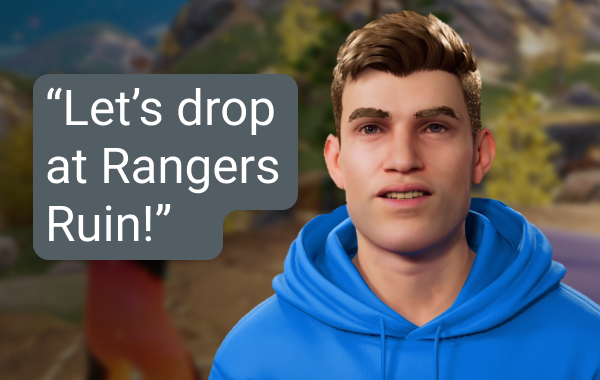
라이브 프로듀서
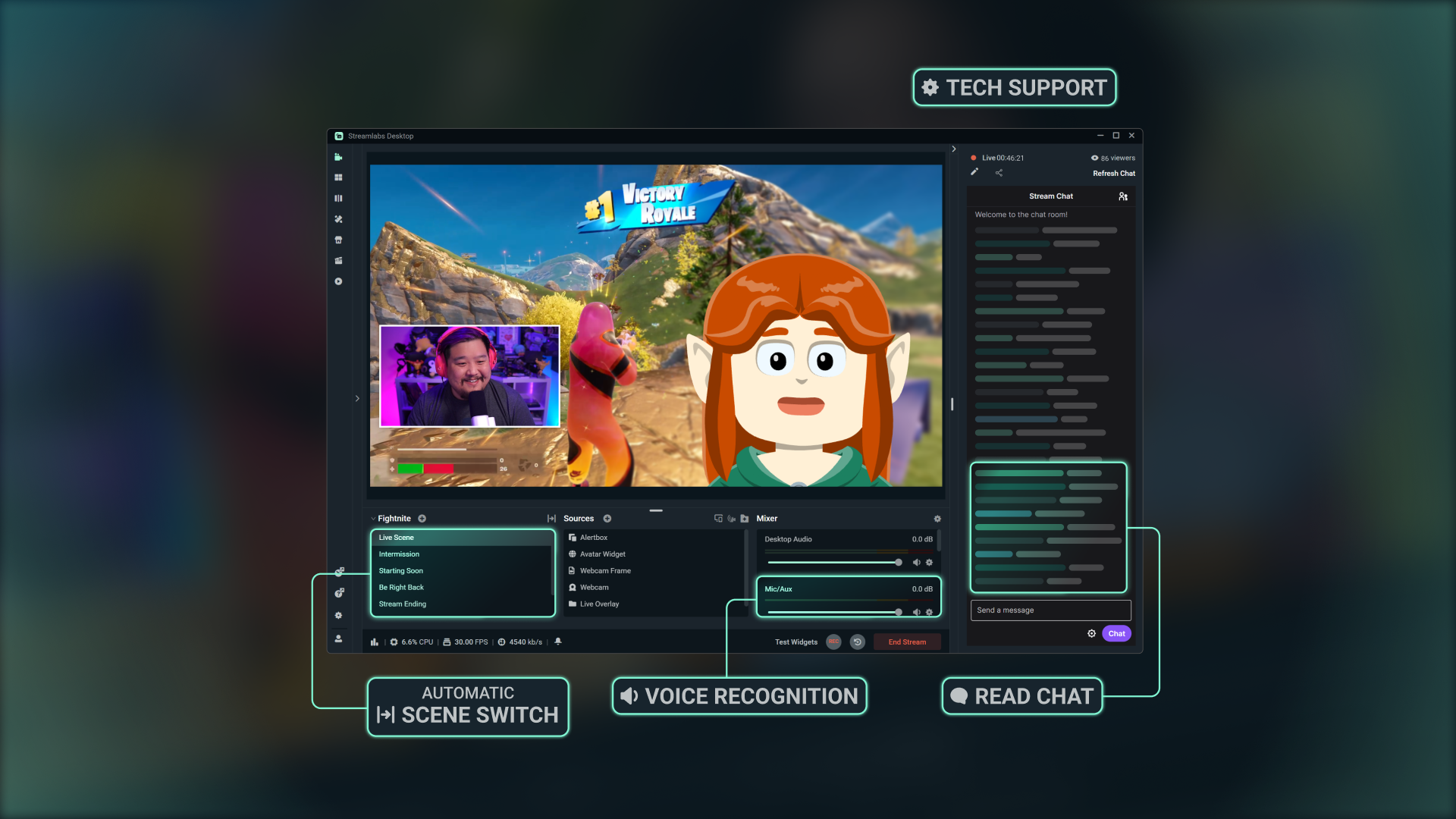
간단한 음성 명령을 사용하여 손가락 하나 까딱하지 않고 장면 전환, 오디오 제어, 채팅 참여, 해설 제공 등을 수행하세요.
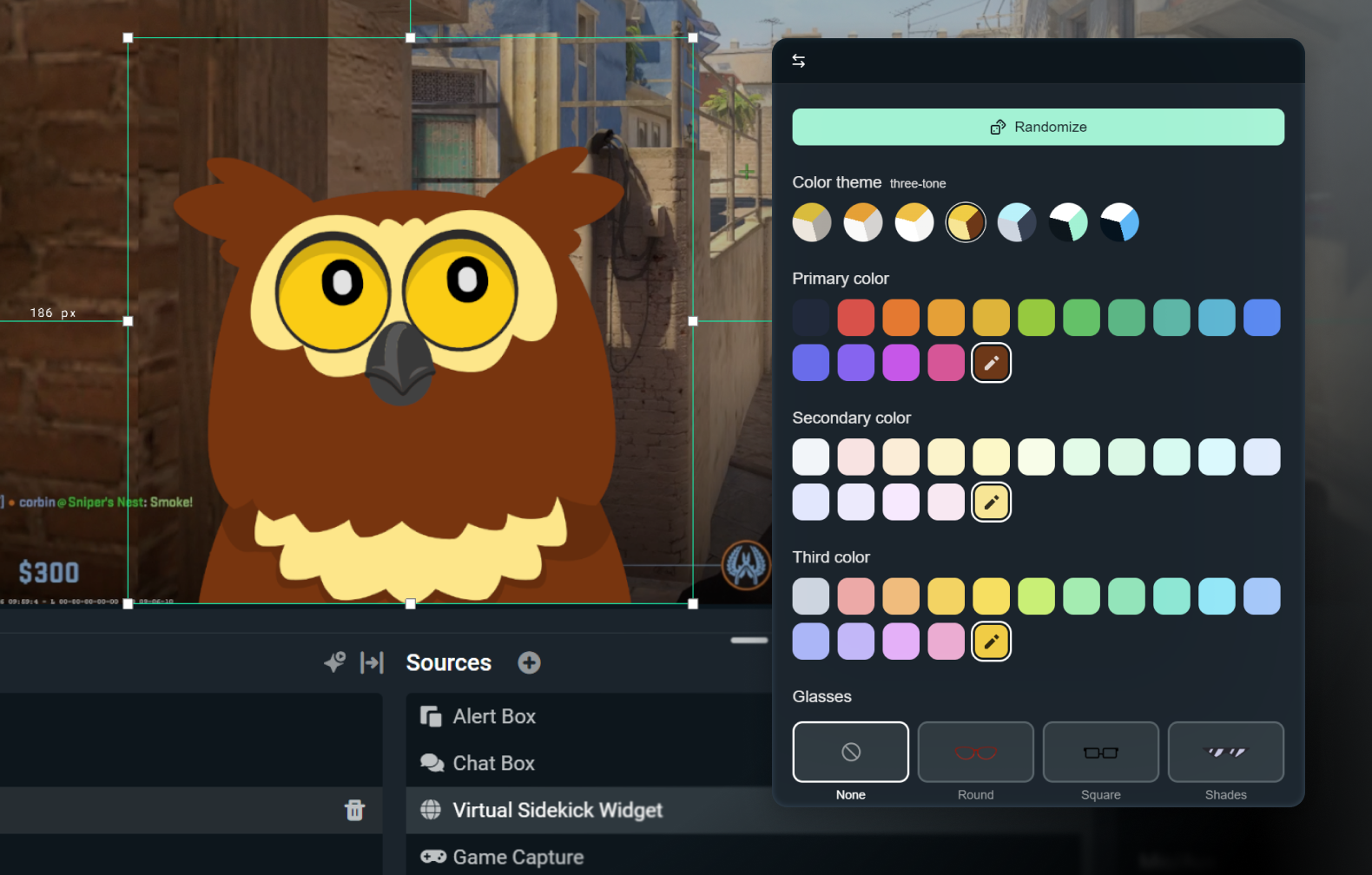
2D 또는 3D 아바타 사용자 지정
음성 전용으로 은밀하게 유지하거나 3D 또는 2D 아바타로 생동감을 불어넣으세요. 2D 아바타를 사용하면 CPU에 큰 부담을 주지 않으면서 화면에 사이드킥을 표시할 수 있습니다.
액세서리, 이름, 원하는 목소리로 아바타를 사용자 지정하세요.

기술 도우미
실시간으로 문제를 해결하여, 설정이 아닌 스트리밍에 집중할 수 있습니다.
최고의 AI로 구축
NVIDIA와 Inworld의 기술을 이용하여 사실적인 3D 아바타와 실시간 인텔리전스를 구현했어.
작동 방식
Streamlabs Desktop에 앱을 설치합니다. Sidekick 온스크린 또는 백그라운드 모드 중 하나를 선택하세요.
설정을 커스텀하고 브랜드에 맞는 2D 또는 3D 아바타를 선택해 봐.
평소처럼 스트리밍하면서 Sidekick이 장면 전환, 토론 주제, 기술 도우미 등의 도움을 주어 시청자에게 집중할 수 있도록 합니다.
간단한 사용량 기반 액세스
무료
총 100건의 상호 작용
Sidekick 아바타
공동 진행자 및 기술 도우미 기능
Ultra
매달 1,000회 상호 작용
가능한 경우 우선 사용
Ultra Plus
매달 5,000회 상호 작용
가능한 경우 우선 사용
주요 사양
공동 진행자, 프로듀서 및 기술 도우미 기능은 로컬로 실행되어 시스템에 최소한의 영향(내부 테스트 시 GPU 사용량 3% 이하)만 미칩니다. 옵션인 3D 아바타는 추가 리소스가 필요하지만, 2D 아바타는 영향이 적습니다.
Fortnite, Valorant, PUBG, Counter-Strike 2를 모두 완벽하게 지원합니다.
추가 게임 지원 소식을 계속 지켜봐 주세요.
스트림에서 3D 또는 2D 아바타를 사용하거나, Sidekick을 배경 모드로 실행하여 조용한 어시스턴트로 활용하세요.

Streamlabs Vision으로 구축
Sidekick으로 알려진 Intelligent Streaming Agent는 강력한 실시간 AI 모델인 Streamlabs Vision을 기반으로 해. 개발자들은 동일한 비전, 음성 및 자동화 모델을 활요하여 각지의 스트리머들을 위한 새로운 경험을 구축할 수 있습니다.
자주 묻는 질문
Sidekick은 우리의 지능형 스트리밍 에이전트이며, Streamlabs Desktop에 내장된 가상의 공동 주최자, 생방송 프로듀서 및 기술 도우미 역할을 해. 음성 명령을 통해 프로듀싱 작업을 돕고, 시청자와 소통하며, 스트리밍 상태를 모니터링하여 콘텐츠 제작에만 집중할 수 있게 해 줍니다.
아니요. 아바타는 선택 사항이야. 배경 모드에서 Sidekick을 프로듀서 혹은 기술 도우미로 활용할 수 있어.
이 게임들은 Sidekick에서 지원해.
- 7 Days to Die
- Apex Legends
- ARC Raiders
- Arena Breakout: Infinite
- Battlefield 6
- Bloodborne
- Call of Duty: Black Ops 6
- Call of Duty: Black Ops 7
- Call of Duty: Modern Warfare 4
- Call of Duty: Warzone
- Counter-Strike 2
- Dark Souls Remastered
- Dark Souls II
- Dark Souls III
- DayZ
- Dead by Daylight
- Deadlock
- Delta Force
- Dota 2
- EA Sports FC 26
- Elden Ring
- Enshrouded
- Escape From Tarkov
- F1® 25
- Fortnite
- Forza Horizon 6
- Halo Infinite
- Helldivers 2
- Heroes of the Storm
- Hunt: Showdown 1896
- League of Legends
- Left 4 Dead 2
- Madden NFL 27
- Marathon
- Marvel Rivals
- Minecraft
- Mortal Shell 2
- NBA 2K26 + 2K27
- Overwatch 2
- Palworld
- Path of Exile 2
- PUBG: BATTLEGROUNDS
- Rocket League
- Rust
- Sekiro: Shadows Die Twice
- Teamfight Tactics
- Tom Clancy's Rainbow Six Siege X
- Valheim
- Valorant
- War Thunder
- Wardogs
- World of Warcraft: Solo Shuffle
지원 게임을 계속 확장하고 있으니 업데이트를 계속 확인하세요!
예, 다만 제한이 있습니다. AMD GPU에서 화면 아바타는 지원되지 않습니다. 그러나 다른 모든 기능(예: 오디오 전용 모드 등)은 계속 작동합니다.
예. 무료 플랜에서 제한된 상호 작용 및 자동화 기능을 이용하실 수 있습니다. Ultra 및 Ultra Plus는 더 많은 사용량을 이용할 수 있으며 상호 작용에 대해 더 높은 한도를 원하는 스트리머들을 위해 설계되었어.
상호 작용이란 Sidekick이 텍스트 또는 음성으로 답변하는 것을 말해. 예를 들어, 채팅창에 질문을 입력했을 때 Sidekick이 답변하는 경우는 상호 작용에 포함돼. 장면을 변경하도록 요청한 경우도 상호 작용으로 간주됩니다. 다만, 아바타의 답변 없이 자동화 기능을 통해 이루어진 경우는 제외됩니다. Sidekick이 음성 또는 텍스트를 통해 답변하지 않았다면, 장면 전환이나 하이라이트 클리핑과 같은 동작은 상호작용이 아니야.
아니요. 매월 초에 횟수가 초기화됩니다.
예, 다양한 아바타 중에서 골라 본인 브랜드에 맞게 아바타의 성격과 외모를 커스터마이징 할 수 있습니다.
다음은 온스크린 3D 아바타를 사용하기 위한 최소 시스템 요구 사항이야. 음성 전용 모드에서 Sidekick을 사용하거나 2D 아바타를 사용하는 경우, Streamlabs Desktop 최소 요구 사항만 충족하면 돼.
단일 PC 설정
- GPU:
- NVIDIA GeForce RTX™ 3090, 3090 TI 또는 5090 이상
- Quadro RTX™ 4000 이상
- TITAN RTX™
- VRAM: 전체 워크로드(에이전트 + 아바타 + 프로덕션) 기준 24GB
- 운영 체제: Windows 11
- 드라이버: 항상 최신 NVIDIA Game Ready 드라이버를 설치하는 것을 권장합니다.
듀얼 PC 설정
- GPU:
- NVIDIA GeForce RTX™ 3060, 3080, 3080 Ti, 3090, 3090 Ti, 4070, 4070 SUPER, 4070 Ti SUPER, 4080 SUPER, 4090, 5070, 5070 Ti, 5080, 5090 이상
- Quadro RTX™ 4000 이상
- TITAN RTX™
- VRAM: 12GB
- 운영 체제: Windows 11
- 드라이버: 항상 최신 NVIDIA Game Ready 드라이버를 설치하는 것을 권장합니다.
현재 VRAM 용량이 얼마인지 확인하는 데 도움이 필요하면 여기에서 가이드를 확인하세요.
이 링크를 통해 지원팀에 문의하세요.