

Live streaming software for everyone
Streamlabs Desktop has everything you need to stream and create a memorable brand.
Go live in 50 5 clicks — stream to any platform
Go live in hours minutes to any platform
Broadcast your live stream to Twitch, YouTube, TikTok, and more.


Everything you need to stream for free
Streamlabs Desktop comes built-in with everything you need to stream to the top platforms. Optimized for the best video and audio quality—capture your webcam, games, desktop, music and microphone in one place. Create custom scenes for getting started, BRB, stream ending, and more.
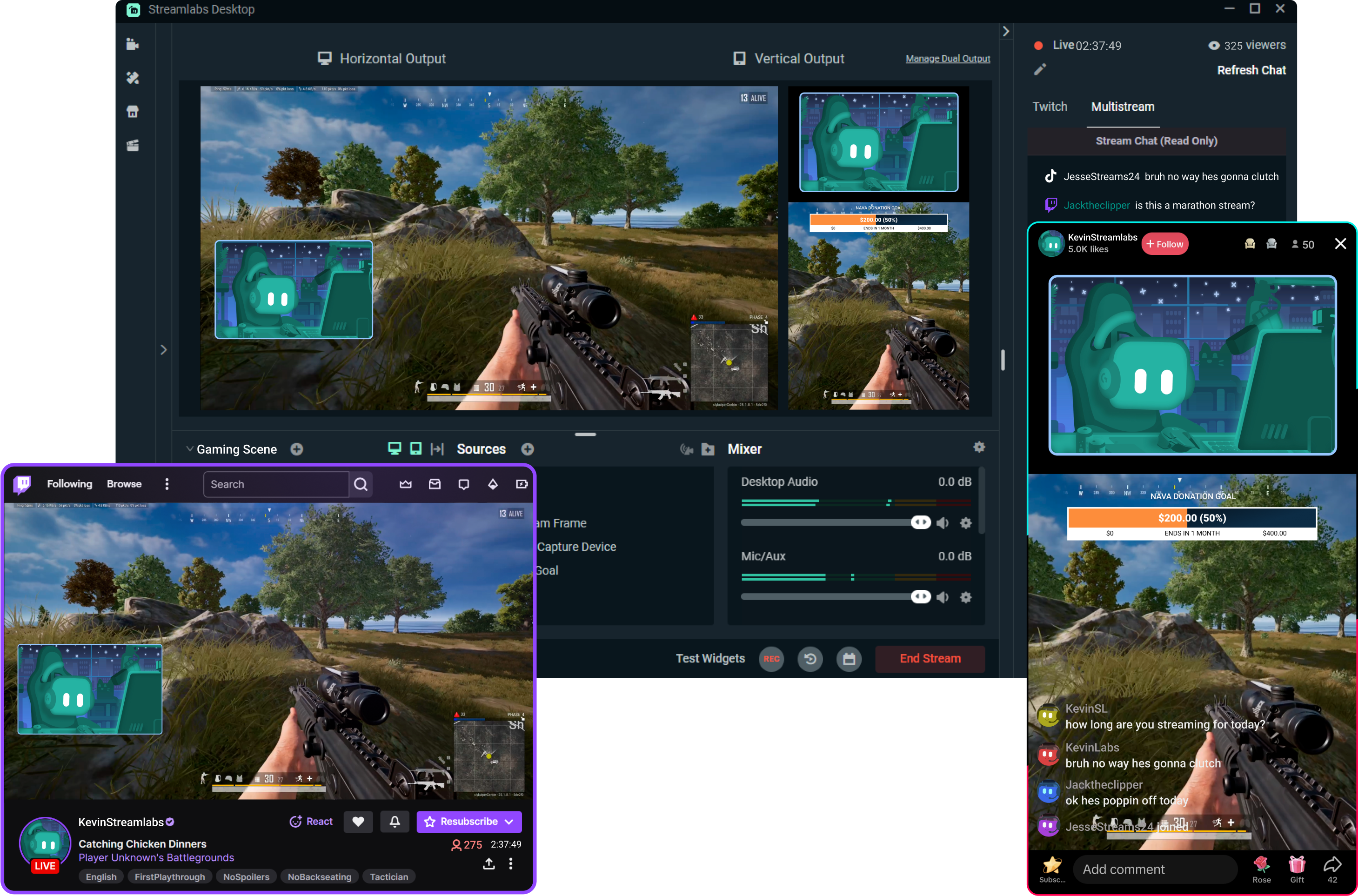
Expand your reach with Dual Output
Stream to multiple destinations in vertical and horizontal format simultaneously. Set and customize resolutions, scenes, and sources for both layouts. Enjoy streaming to mobile-friendly platforms like YouTube, TikTok, and more. Go live to one of each format for free or more with Ultra.
Get Streamlabs Desktop - go live in minutes!
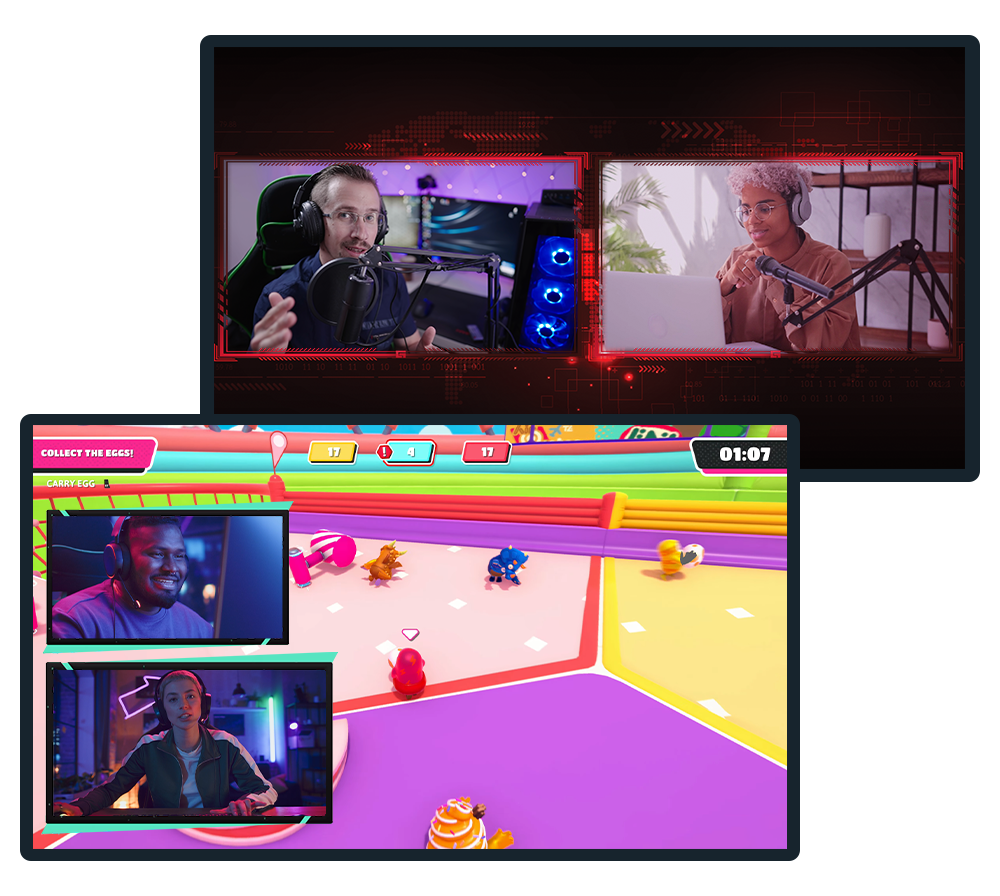
Invite guests with Collab Cam
Live streaming with another person is easy. Simply share a link to add a guest or additional camera. They hear and see you and your chat while you stream. Invite a friend to chat or game or show off your pet, keyboard, or art. The possibilities are endless.
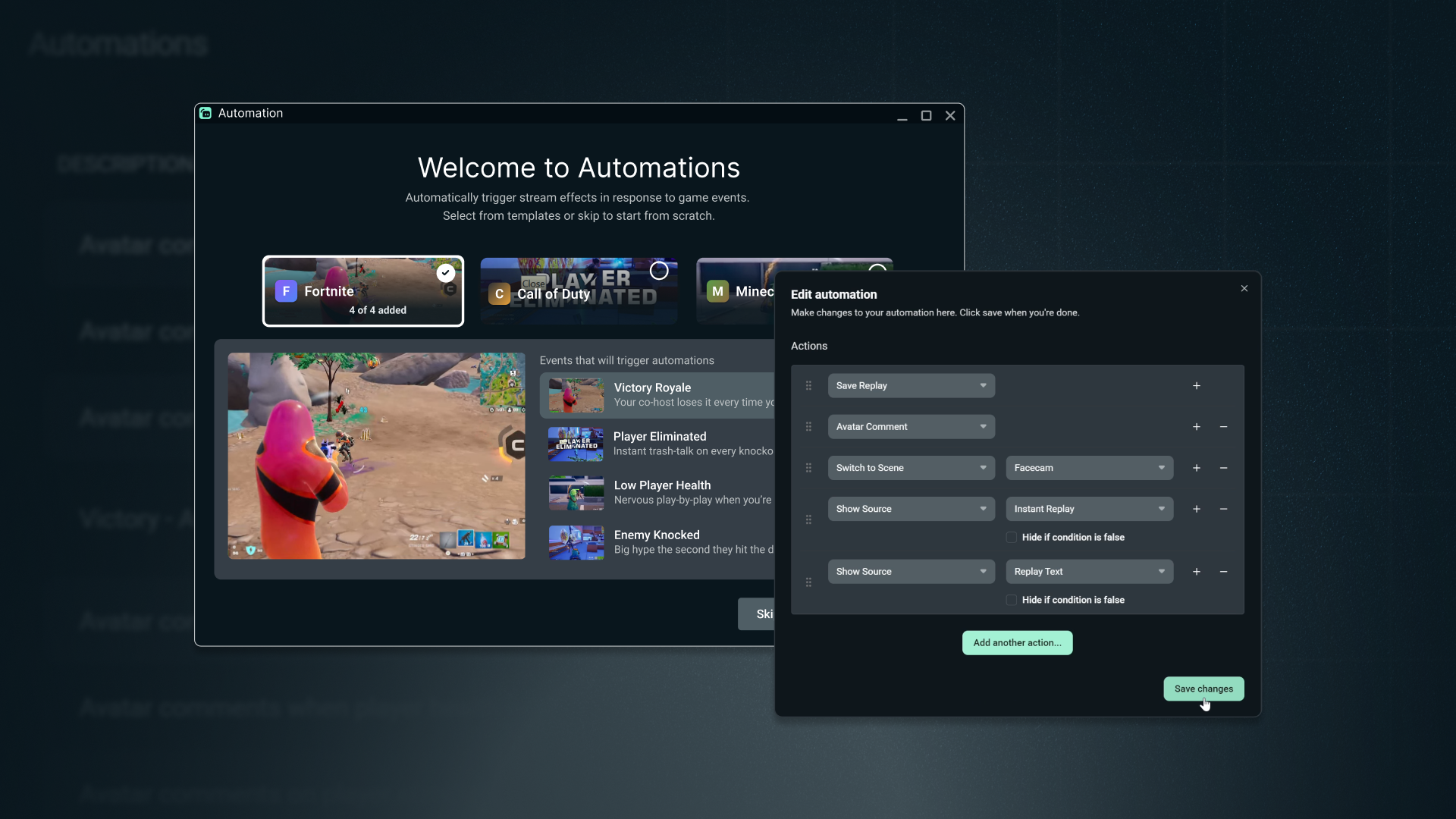
Stream on autopilot with Automations
Automations read your gameplay in real-time to automatically trigger visuals, scene switches, clipping, replays of your favorite moments, and more.
Stay 100% focused on dominating the game and engaging with chat instead of fumbling with scene switches or hotkeys.
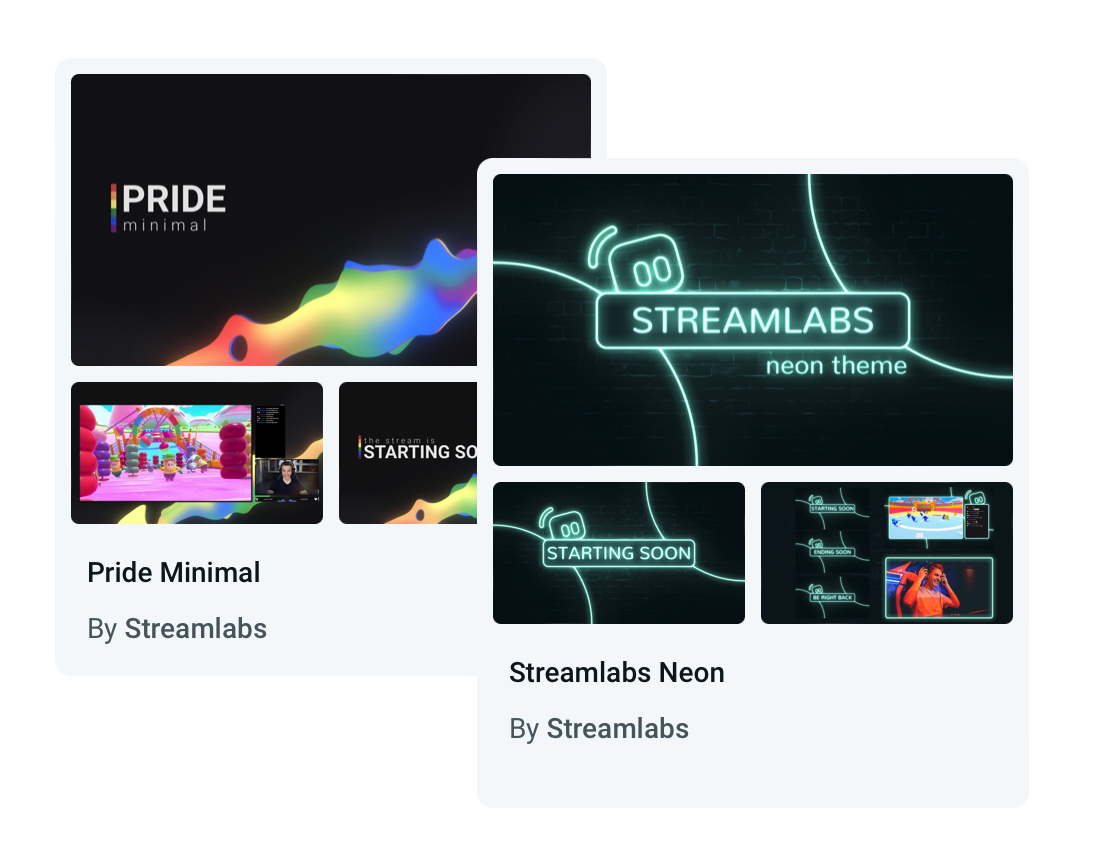
Make your stream look awesome
Choose from hundreds of free, beautiful, and professionally-designed overlays. From casual to modern to badass, you'll find something to fit your personality and brand.
Work your way
Easily personalize your Streamlabs Desktop layout with video, audio, chat, and recent events where you want it.

Create custom alerts
Set up dynamic notifications for the ultimate interaction. Alerts can be set for new followers, subscribers, tips, cheers, hosts, charity donations, and much more.
Drive engagement with fun widgets
Have fun with your audience with fully customizable tip trackers, polls, interactive games, follower/sub goals, chat overlay, and more.
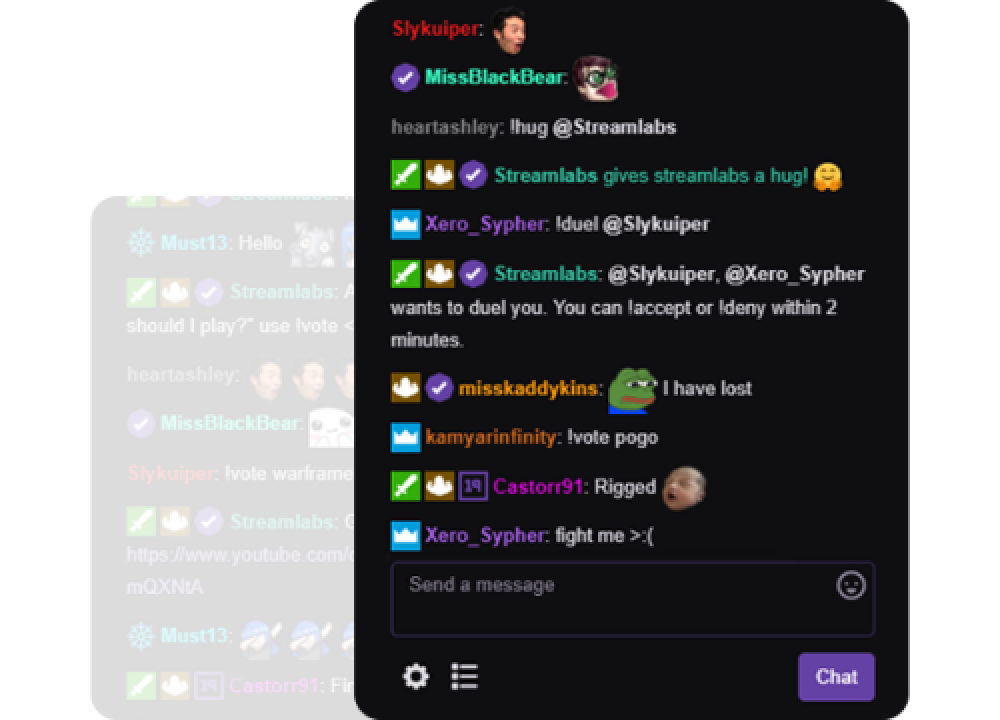
Cloudbot is your new best friend
Our free chatbot provides entertainment and moderation features to protect your chat from trolls while also offering fun games, customizable commands, and more for your growing audience.
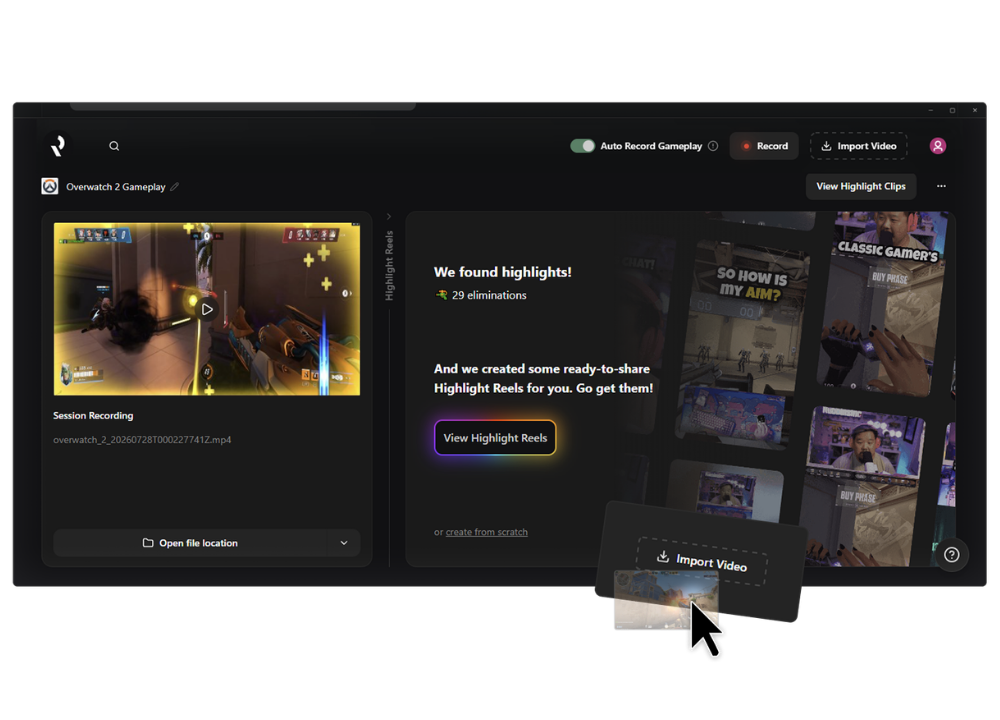
Record and post highlights in a snap
Easily edit and create highlight videos from replays for YouTube, TikTok, Reels, and more.
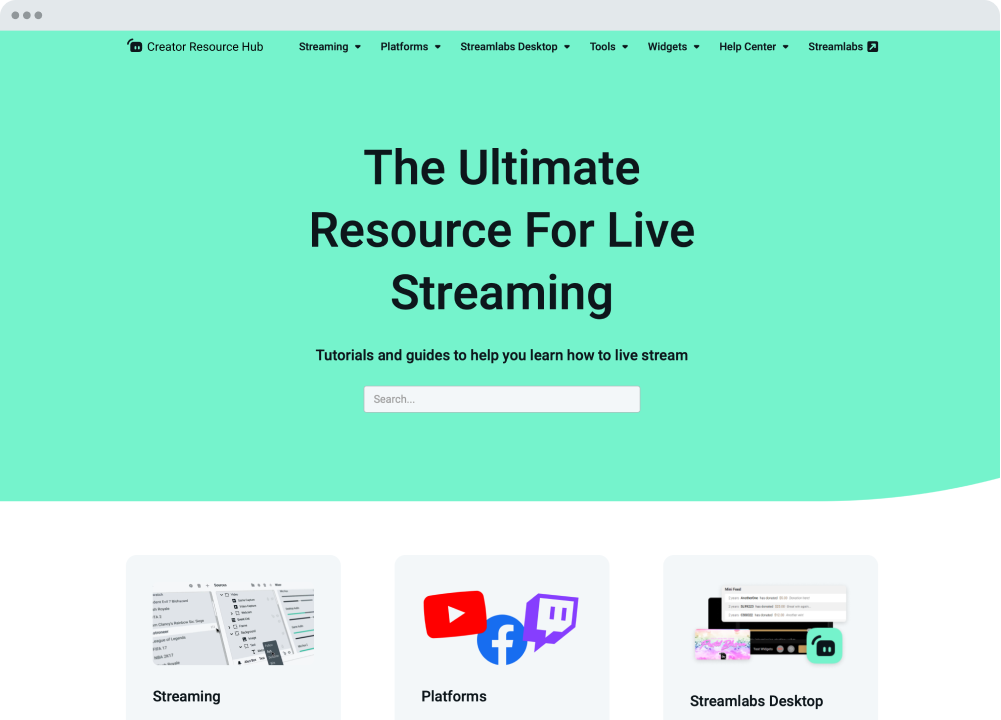
We're here to help
Streamlabs University and Creator Resource Hub offer step-by-step tutorials, videos, and more to get you started and advanced to the next level. Our 24/7 support team is also available via Discord or email to answer any of your questions.
Compare plans
Frequently asked questions
Streamlabs Desktop is a free streaming software that helps creators capture, customize, and broadcast their live stream content to their preferred platforms. It’s designed for streamers, gamers, and creators who want powerful tools to go live, record content, and engage their audience.
Simply download Streamlabs Desktop, connect your streaming platform(s), customize your scenes and sources, and click Go Live. You can customize your stream with overlays, alerts, and widgets before streaming, if you wish. Check out our in-depth guide on Desktop for more information on getting started.
Streamlabs Desktop is free to download and includes core streaming tools like alerts, some overlays, widgets, scenes, recording capabilities, and Dual Output. Optional features like multistreaming, premium overlays, and additional tools are available with Streamlabs Ultra. Visit the official Streamlabs Ultra page for a full breakdown.
OBS is a powerful open-source streaming tool that lets creators build their setup from scratch. Streamlabs Desktop, built on top of OBS, is also open-source and offers an easy setup with built-in alerts, overlays, widgets, and other creator-focused features designed to simplify streaming.
No. Streamlabs Desktop does not add watermarks or impose time limits on local recordings. You can record your content freely using the built-in recording tools.
Streamlabs Desktop runs on Windows and macOS and requires a computer capable of real-time video encoding.
Minimum Requirements
Operating System: Either Windows 10 or Mac OS 12 and higher.
RAM: 8GB
Recommended Requirements
Operating System: Either Windows 10 or Mac OS 13 and higher
CPU:
- Intel® Core™ i5 or higher (11th or 12th gen)
- AMD Ryzen 5000 series or higher
GPU:
RAM: 16GB+
Storage: 512GB SSD or more
Internet: Ethernet connection. Also review what upload speeds you need for live streaming (3.6 Mbps or better for 720p at 30 fps for most platforms) and our tips on bitrate settings.
Streamlabs Desktop supports popular platforms like Twitch, YouTube, Kick, TikTok, X (Twitter), Trovo, Facebook, and Instagram via native integrations. Plus many others through custom RTMP connections.
Yes! With multistreaming, you can broadcast your stream to multiple platforms at the same time while using other Streamlabs Desktop features and customizations. You can go live to one horizontal and one vertical output for free with Dual output or explore expanded multistreaming features with Streamlabs Ultra. Our multistream feature operates on our servers, saving your PC’s resources.
Your bitrate and encoder settings depend on your internet speed and the platform you’re streaming to. Most creators stream at 4500–6000 kbps using hardware encoders like NVENC or AMF when available. Check out our blog to learn more about bitrate settings when live streaming.
You can use Streamlabs tools like alerts, widgets, overlays, and tipping with OBS through Streamlabs Plugin for OBS. This plugin allows you to add your favorite Streamlabs features directly to your OBS setup.
A Streamlabs account is not required if you are using Streamlabs Desktop for recording only. However, signing in allows you to access features like alerts, widgets, cloud backups, and integrations.
Please contact support at this link.
Get Streamlabs
- go live in minutes!
Streamlabs Desktop is built on top of the core OBS engine. We want to thank Jim and the developers who contributed to the OBS project. Without their years of hard work Streamlabs Desktop would not have been possible. Much love and appreciation.