

تعزيز الشبكة
اتصالان (أو أكثر) أفضل من اتصال واحد. استخدم تعزيز الشبكة للحفاظ على استمرار بثك في الواقع (IRL) عندما ينقطع اتصالك الرئيسي أو يضعف.
حصريًا لتطبيق Streamlabs للهاتف المحمول.
حافظ على اتصال بثك في الواقع (IRL)
استخدم شبكات WiFi وبيانات الهاتف المحمول معاً للمساعدة في تقليل الإطارات المفقودة، وتجنب الاتصالات غير المستقرة، والبقاء على الهواء مباشرة في ظروف العالم الحقيقي بثقة.
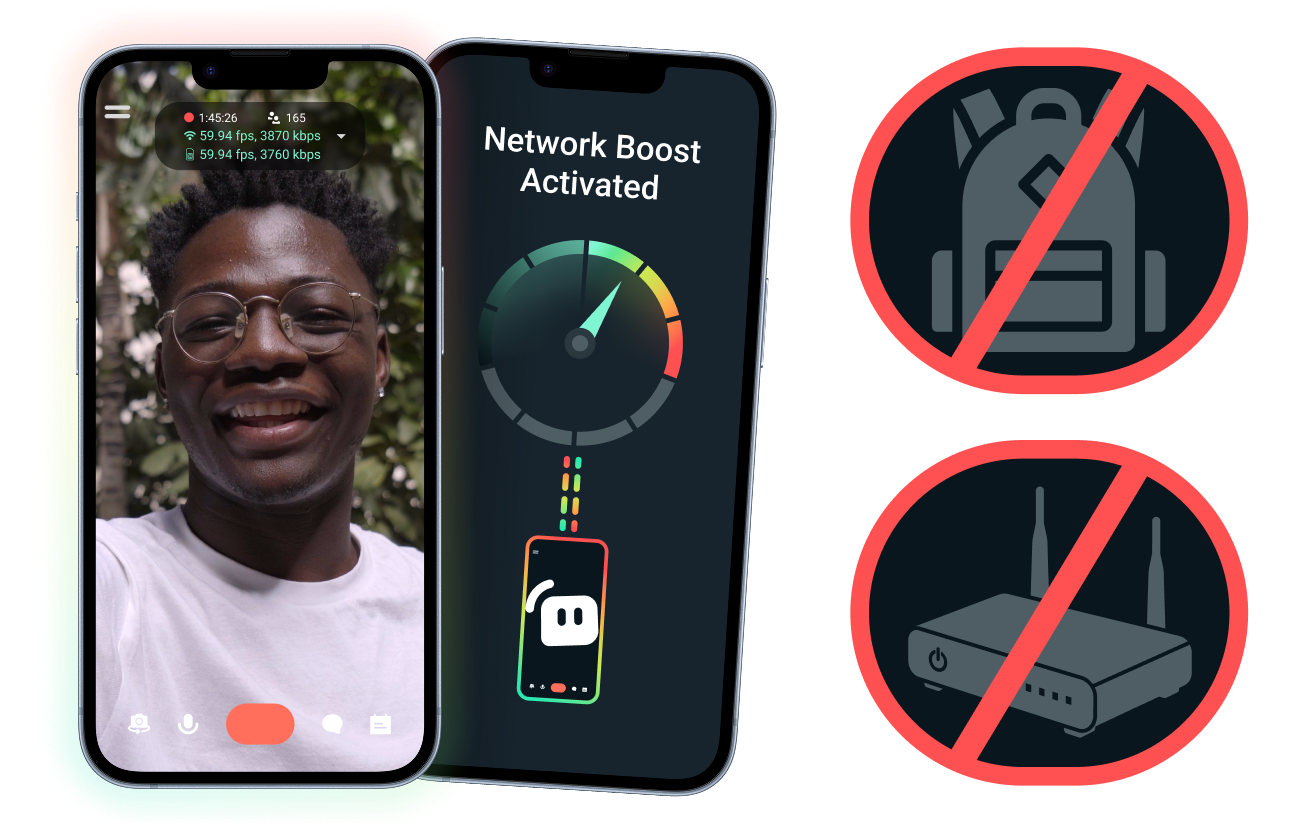
إعداد سهل. لا توجد أجهزة إضافية.
قم بتثبيت بثك عبر الهاتف المحمول باستخدام الاتصالات التي تمتلكها بالفعل. لا حاجة إلى أجهزة توجيه باهظة الثمن، أو حقائب ظهر للبث، أو معدات معقدة. ومع ذلك، يتم دعم الإعدادات المتقدمة أيضاً.
بث مباشر بعيداً عن مكتبك
سواء كنت تبث من فعاليات، أو فنادق، أو حدائق، أو أماكن عامة مزدحمة، تساعدك ميزة Network Boost على تقوية اتصالك حتى تتمكن من البث المباشر بعيداً عن إعداد البث الثابت في منزلك.
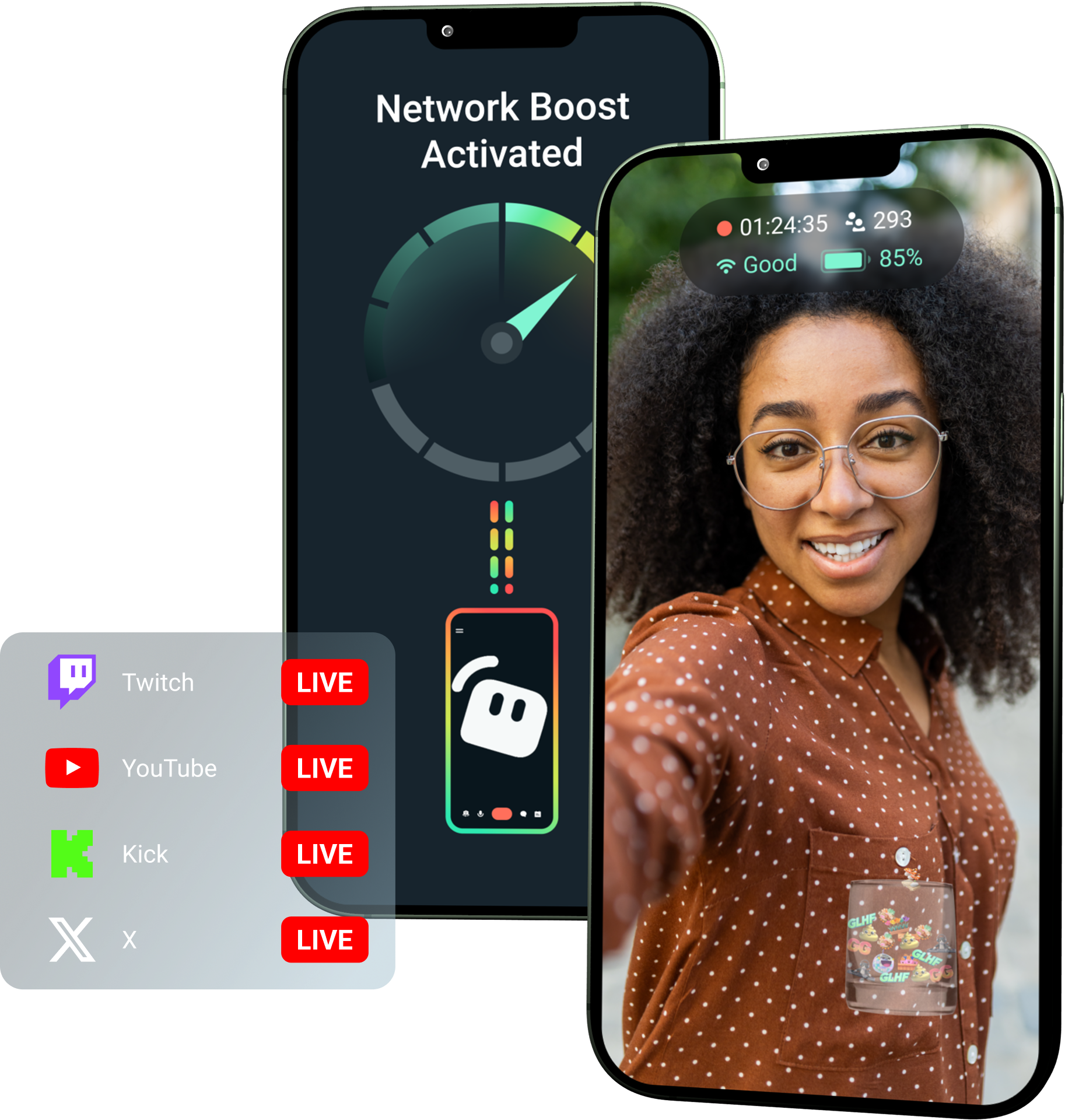
افتح ميزة Network Boost مع Streamlabs Ultra!
تمنح Ultra منشئي المحتوى عبر الهاتف المحمول إمكانية الوصول إلى ميزات متميزة مثل Network Boost، وMultistreaming، وDisconnect Protection لمساعدتهم على إنشاء بث أفضل وأكثر استقراراً من أجهزتهم المحمولة.
آلية العمل
استخدم WiFi وبيانات الهاتف المحمول معاً للمساعدة في إبقاء بثك عبر الهاتف المحمول مباشراً، حتى عندما يصبح اتصالك غير مستقر.
افتح Streamlabs Mobile وقم بتشغيل Network Boost لبدء الإعداد. بالنسبة للإعدادات المتقدمة التي تحتوي على أجهزة ترحيل متعددة، افتح Streamlabs Controller للبدء.
امسح رمز QR ضوئياً أو أدخل تفاصيل الاتصال يدوياً لإقران أجهزتك.
بمجرد الاتصال، ابدأ البث المباشر في Streamlabs Mobile. يعمل Network Boost في الخلفية للحفاظ على اتصال بثك!
Network Boost مقابل حلول أخرى
| تعزيز الشبكة | أجهزة وحقائب البث | حلول برمجية أخرى | Other | |
|---|---|---|---|---|
الأفضل لـ | منشئو المحتوى الذين يريدون طريقة أبسط لتحسين موثوقية البث عبر الهاتف المحمول/IRL بدون أجهزة إضافية | منشئو محتوى IRL المتقدمون ذوو الاحتياجات الاحترافية وميزانيات المعدات الأكبر | منشئو المحتوى الذين يفضلون إضافة أداة منفصلة للمساعدة في إدارة اتصالات الإنترنت | Customizable tip page |
تتطلب أجهزة إضافية | لا | نعم، غالبًا ما يتطلب أجهزة تشفير، أو أجهزة مودم، أو أجهزة توجيه، أو حقائب ظهر، أو ملحقات إضافية | لا يتطلب أجهزة بث مخصصة، ولكنه قد يتطلب تطبيقًا أو خدمة منفصلة | Customizable tip page |
إعداد سهل | إعداد مباشر - يعمل من خلال تطبيق Streamlabs Mobile وتطبيق Streamlabs Controller (للاتصالات الإضافية) | يتطلب إعداد الأجهزة، وتهيئتها، وشحنها، ونقلها | يتطلب إعدادًا خارج تطبيقات البث | |
التكلفة | مشمول مع Streamlabs Ultra/Ultra+ كميزة واحدة فقط من العديد من المزايا المميزة لمنشئي المحتوى | قد يتطلب مئات أو آلاف الدولارات مقدمًا، بالإضافة إلى تكاليف البيانات/الخدمة المستمرة المحتملة | غالبًا ما تكون أقل من إعدادات الأجهزة ولكنها قد تتطلب اشتراكًا منفصلًا | Customizable tip page |
مصمم لمنشئي البث المباشر في الواقع (IRL) | نعم؛ مصمم لمنشئي البث عبر الهاتف المحمول من أي مستوى | نعم، ولكنها عادة ما تُبنى حول إعدادات إنتاج IRL أكثر تقدمًا | قد تدعم إدارة الاتصال ولكنها ليست مصممة دائمًا خصيصًا لاحتياجات البث عبر الهاتف المحمول | Customizable tip page |

يمكنك ترقية بثك المباشر، والعلامة التجارية، والتحرير، والمزيد مع Streamlabs Ultra
يمكنك الوصول إلى الميزات المميزة عبر المجموعة الكاملة، بما في ذلك Streamlabs Desktop وMobile وConsole وTalk Studio وPodcast Editor وCross Clip والمزيد، متاحة بسعر واحد معقول. معرفة المزيد
الأسئلة الشائعة
تساعد ميزة Network Boost القائمين على البث عبر الهاتف المحمول في تحسين موثوقية البث من خلال استخدام اتصالات إنترنت متعددة، مثل شبكة WiFi وبيانات الهاتف المحمول. عندما يضعف أحد الاتصالات أو يصبح غير مستقر، تساعد ميزة Network Boost في تقليل الإطارات المفقودة والانقطاعات حتى يتمكن المبدعون من البقاء على الهواء بثقة أكبر.
يتم إعداد Network Boost من خلال Streamlabs Mobile (أو تطبيق Streamlabs Controller للاتصالات المتقدمة) وهو مصمم لمنشئي المحتوى الذين يبثون مباشرة باستخدام Streamlabs Mobile. يمكن لمنشئي المحتوى تفعيل Network Boost، وتوصيل مصادر الإنترنت المتاحة، وبدء البث كالمعتاد. يعمل Network Boost في الخلفية للمساعدة في دعم البث عند تغير ظروف الشبكة.
غالبًا ما يبدأ صنّاع المحتوى عبر الجوال وفي الواقع (IRL) البث من بيئات غير متوقعة، بما في ذلك الفعاليات، والفنادق، والمساحات الخارجية، ووجهات السفر، وشبكات WiFi العامة. عندما يضعف الاتصال أو ينقطع، يخاطر صنّاع المحتوى بفقدان الإطارات، وانقطاع البث، وخسارة المشاهدين، وانخفاض التفاعل.
يمكن أن يؤدي ذلك أيضًا إلى تعطيل تجربة صنّاع المحتوى في الواقع (IRL) عندما يضطرون إلى إيقاف البث مؤقتًا بشكل متكرر، أو استكشاف الأخطاء وإصلاحها، أو تعديل إعداداتهم أثناء البث المباشر.
نعم. تتوفر ميزة Network Boost حصريًا لمشتركي Streamlabs Ultra وUltra+ النشطين أو أولئك الذين لديهم فترة تجريبية نشطة لأي منهما.
- يحصل مشتركو Ultra على 10 ساعات من Network Boost شهرياً
- يحصل مشتركو Ultra+ على 80 ساعة من Network Boost شهرياً.
تفتح Streamlabs Ultra أيضًا أدوات إضافية للبث عبر الهاتف المحمول، بما في ذلك Stream Shift، والبث المتعدد، والمزيد.
تتوفر أجزاء أخرى من تجربة Streamlabs Mobile، بما في ذلك مرشح الخصوصية (Privacy Filter)، لجميع مستخدمي Streamlabs Mobile.
إذا كنت تبث في منطقة ذات اتصال ضعيف، فاستخدم Network Boost الذي يجمع بين شبكات متعددة للحصول على اتصال أكثر استقراراً، وميزة حماية من انقطاع الاتصال التي تبقي بثك مباشراً إذا انقطعت خدمتك تماماً. كلاهما متاح على Streamlabs Mobile حصريًا لأعضاء Ultra.
حاليًا، يجب أن يكون جهاز البث الأساسي بنظام iOS (مثل iPad أو iPhone) بينما يمكن أن يكون الجهاز الثانوي/جهاز الترحيل بنظام iOS أو Android. يعتمد الأداء على قوة وتوفر الشبكات المستخدمة.
لا. لا يتطلب Network Boost أجهزة إضافية، مثل حقيبة ظهر للبث أو جهاز توجيه (راوتر). لقد صُمم ليعمل مع الاتصالات والأجهزة التي يمتلكها المبدعون بالفعل.
يُرجى الاتصال بالدعم على هذا الرابط.