

Network Boost
Twee (of meer) verbindingen zijn beter dan één. Gebruik Network Boost om je IRL-stream draaiende te houden wanneer je hoofdverbinding wegvalt of zwakker wordt.
Exclusief voor Streamlabs Mobile.
Houd je IRL-stream verbonden
Gebruik beschikbare wifi- en mobiele datanetwerken samen om haperende beelden te verminderen, onstabiele verbindingen te voorkomen en vol vertrouwen live te blijven in alledaagse omstandigheden.
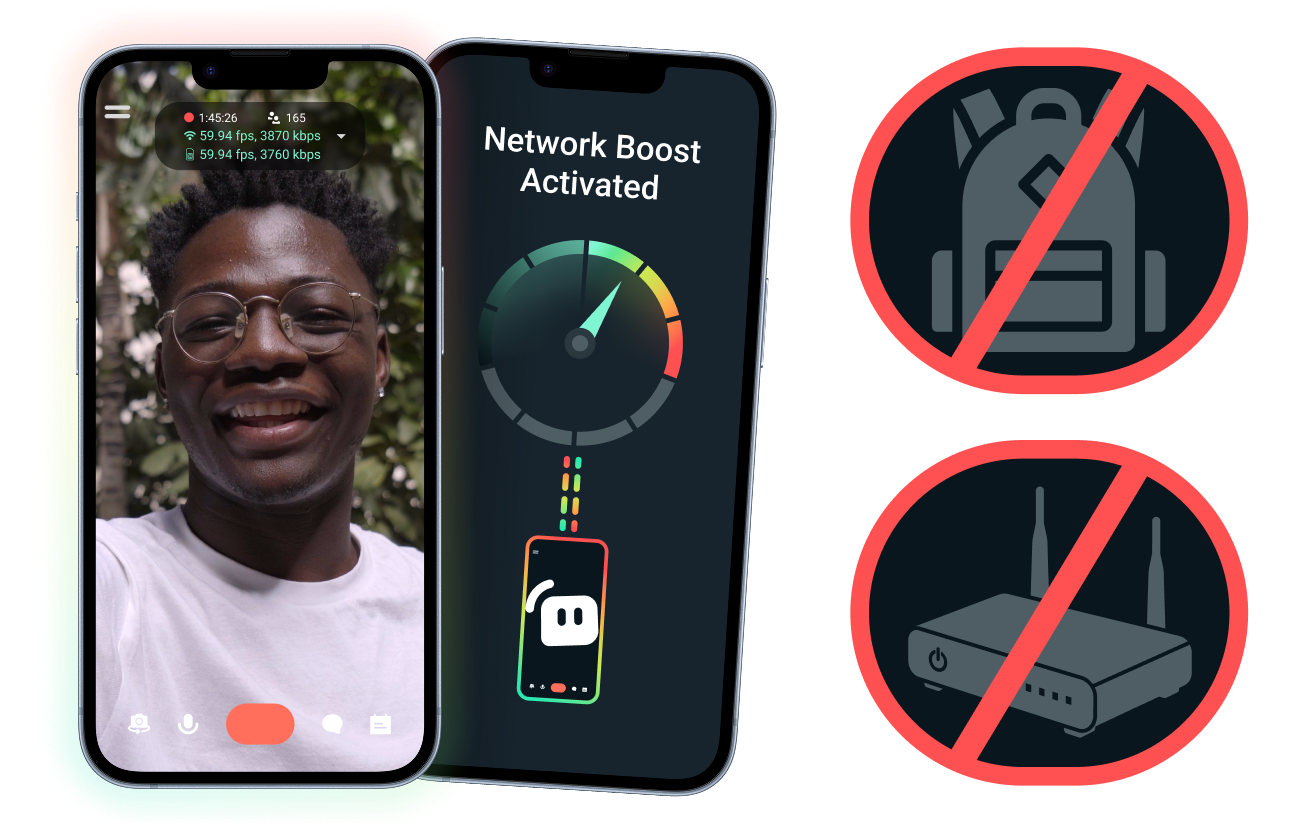
Eenvoudige installatie. Geen extra hardware.
Stabiliseer je mobiele stream met de verbindingen die je al hebt. Geen dure routers, streaming-rugzakken of ingewikkelde apparatuur vereist. Geavanceerde opstellingen worden echter ook ondersteund.
Stream live vanaf elke plek
Of je nu streamt vanaf evenementen, hotels, parken of drukke openbare ruimtes, Network Boost helpt je verbinding te versterken zodat je live kunt gaan buiten je vaste stream-opstelling thuis.
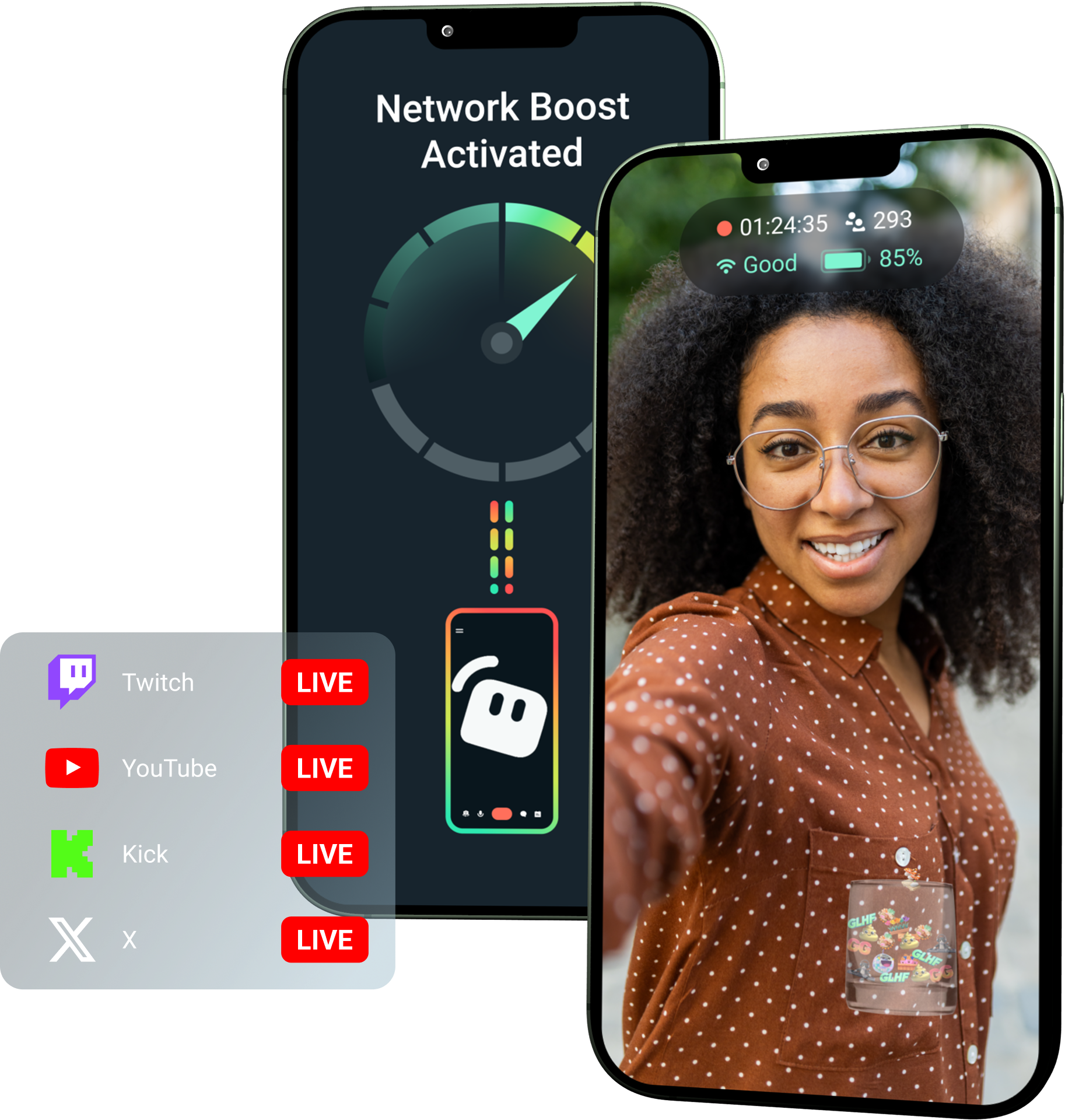
Ontgrendel Network Boost met Streamlabs Ultra!
Ultra geeft mobiele creators toegang tot premiumfuncties zoals Network Boost, Multistreaming en Disconnect Protection om hen te helpen betere, stabiele streams te maken vanaf hun mobiele apparaten.
Zo werkt het
Gebruik wifi en mobiele data samen om je mobiele stream live te houden, zelfs als je verbinding onbetrouwbaar wordt.
Open Streamlabs Mobile en schakel Network Boost in om de configuratie te starten. Voor geavanceerde opstellingen met meerdere relay-apparaten open je Streamlabs Controller om aan de slag te gaan.
Scan de QR-code of voer handmatig de verbindingsgegevens in om je apparaten te koppelen.
Zodra je verbonden bent, ga je live in Streamlabs Mobile. Network Boost draait op de achtergrond om je stream verbonden te houden!
Network Boost vs. Andere oplossingen
| Network Boost | Streaming-rigs & rugzakken | Andere softwareoplossingen | Other | |
|---|---|---|---|---|
Beste voor | Creators die een eenvoudigere manier willen om de betrouwbaarheid van mobiele/IRL-streams te verbeteren zonder extra hardware | Geavanceerde IRL-creators met behoeften op professioneel niveau en grotere budgetten voor apparatuur | Creators die het prettig vinden om een aparte tool toe te voegen om internetverbindingen te helpen beheren | Customizable tip page |
Extra hardware vereist | Nee | Ja, vereist vaak encoders, modems, routers, rugzakken of accessoires | Geen speciale streaminghardware, maar vereist mogelijk een aparte app of dienst | Customizable tip page |
Eenvoudige installatie | Rechttoe-rechtaan installatie—werkt via Streamlabs Mobile en de Streamlabs Controller-app (voor extra verbindingen) | Vereist hardware-installatie, configuratie, opladen en transport | Vereist installatie buiten de streaming-apps om | |
Kosten | Inbegrepen bij Streamlabs Ultra/Ultra+ als slechts een van de vele premium extra's voor creators | Kan honderden of duizenden dollars vooraf kosten, plus mogelijke doorlopende data-/servicekosten | Vaak lager dan hardware-opstellingen, maar vereist mogelijk een apart abonnement | Customizable tip page |
Gebouwd voor IRL-streamers | Ja; ontworpen voor mobiele streamers van elk niveau | Ja, maar meestal gebouwd rond geavanceerdere IRL-productieopstellingen | Ondersteunt mogelijk verbindingsbeheer, maar is niet altijd specifiek gebouwd voor mobiele streamingbehoeften | Customizable tip page |

Maak professionele livestreams, branding en montage met Streamlabs Ultra
Krijg toegang tot alle premium functies van de volledige suite, zoals Streamlabs Desktop, Mobile, Console, Talk Studio, Podcast Editor, Cross Clip en meer, voor één betaalbare prijs. Meer info
Veelgestelde vragen
Network Boost helpt mobiele streamers de betrouwbaarheid van hun stream te verbeteren door meerdere internetverbindingen te gebruiken, zoals wifi en mobiele data. Wanneer een verbinding zwakker of instabiel wordt, helpt Network Boost om verloren frames en onderbrekingen te verminderen, zodat creators met meer vertrouwen live kunnen blijven.
Network Boost wordt ingesteld via de Streamlabs Mobile-app (of de Streamlabs Controller-app voor geavanceerde verbindingen) en is gebouwd voor creators die live gaan met Streamlabs Mobile. Creators kunnen Network Boost inschakelen, beschikbare internetbronnen koppelen en zoals gewoonlijk live gaan. Network Boost draait op de achtergrond om de stream te ondersteunen wanneer de netwerkomstandigheden veranderen.
Mobiele en IRL-streamers gaan vaak live vanuit onvoorspelbare omgevingen, waaronder evenementen, hotels, buitenruimtes, reisbestemmingen en openbare wifi-netwerken. Wanneer een verbinding zwakker wordt of wegvalt, riskeren makers haperende beelden, streamonderbrekingen, verlies van kijkers en minder betrokkenheid.
Het kan ook de IRL-ervaring van de maker verstoren wanneer ze tijdens een livestream herhaaldelijk moeten pauzeren, problemen moeten oplossen of hun setup moeten aanpassen.
Ja. Network Boost is exclusief beschikbaar voor actieve Streamlabs Ultra- en Ultra+-abonnees of voor degenen met een actieve proefversie van een van beide.
- Ultra-abonnees krijgen 10 uur Network Boost per maand
- Ultra+-abonnees krijgen 80 uur Network Boost per maand.
Streamlabs Ultra ontgrendelt ook extra mobiele streamingtools, waaronder Stream Shift, multistreaming en meer.
Andere onderdelen van de Streamlabs Mobile-ervaring, waaronder Privacy Filter, zijn beschikbaar voor alle Streamlabs Mobile-gebruikers.
Als je streamt in een gebied met een slechte verbinding, gebruik dan Network Boost, dat meerdere netwerken combineert voor een stabielere verbinding, en Disconnect Protection, dat je stream in de lucht houdt als je verbinding volledig wegvalt. Beide zijn exclusief beschikbaar op Streamlabs Mobile voor Ultra-leden.
Momenteel moet het primaire streamingapparaat iOS zijn (bijv. iPad of iPhone), terwijl het secundaire/relay-apparaat zowel iOS als Android kan zijn. De prestaties zijn afhankelijk van de sterkte en beschikbaarheid van de gebruikte netwerken.
Nee Network Boost vereist geen extra hardware, zoals een streaming-rugzak of router. Het is ontworpen om te werken met de verbindingen en apparaten die makers al hebben.
Neem contact op met ondersteuning via deze link.