

Aumento de red
Dos (o más) conexiones son mejor que una. Usa aumento de red para mantener tu stream de IRL activo cuando tu conexión principal falle o se debilite.
Exclusivo para Streamlabs Mobile.
Mantén tu stream de IRL conectado
Usa redes wifi y de datos móviles conjuntamente para contribuir a la reducción de la pérdida de fotogramas, evitar conexiones inestables y mantenerte en directo en condiciones reales con total confianza.
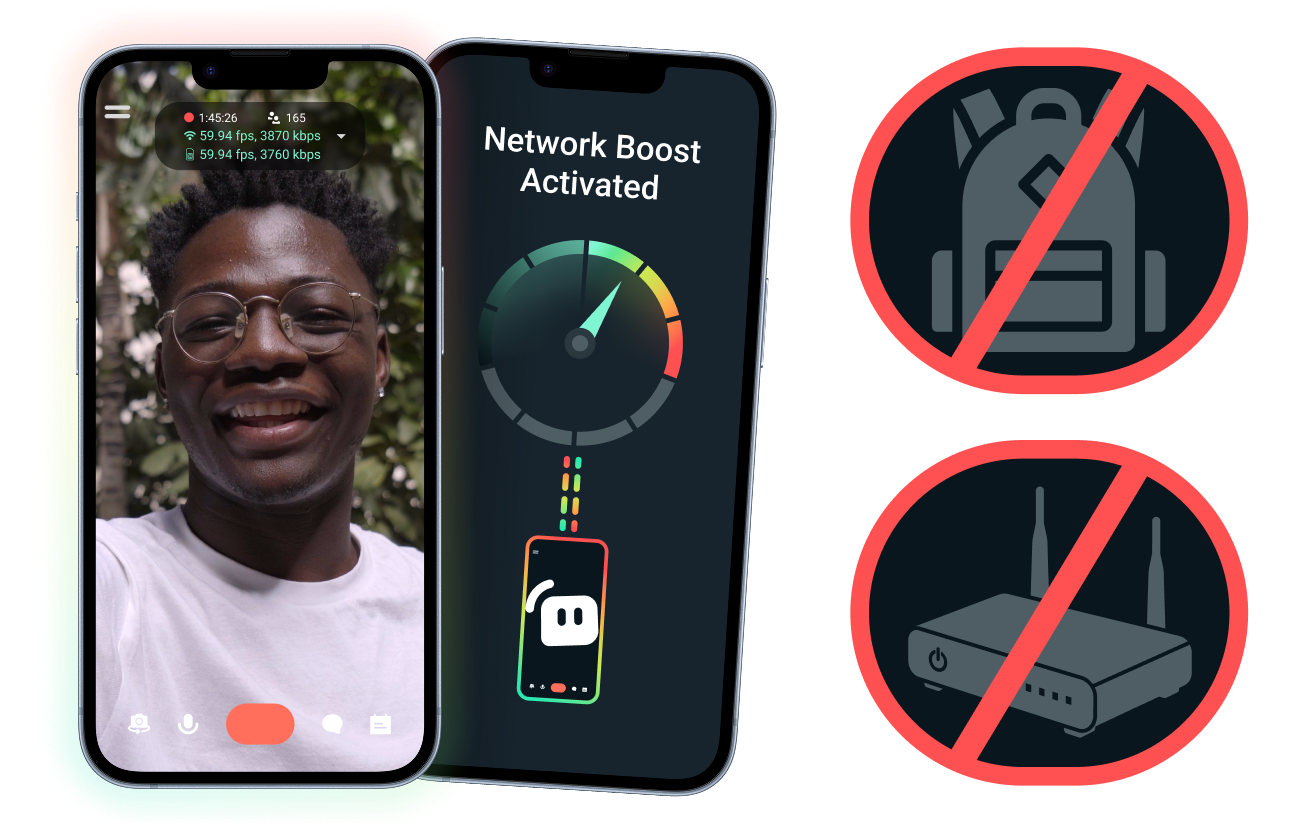
Setup sencillo, sin hardware adicional.
Estabiliza tu stream móvil usando las conexiones que ya tienes. No necesitas enrutadores caros, mochilas de streaming ni equipos complicados. Sin embargo, también se admiten setups avanzados.
Transmite en directo lejos de tu escritorio
El aumento de red ayuda a reforzar tu conexión para que puedas emitir en directo desde eventos, hoteles, parques o espacios públicos concurridos, lejos del equipo fijo de transmisión que tienes en casa.
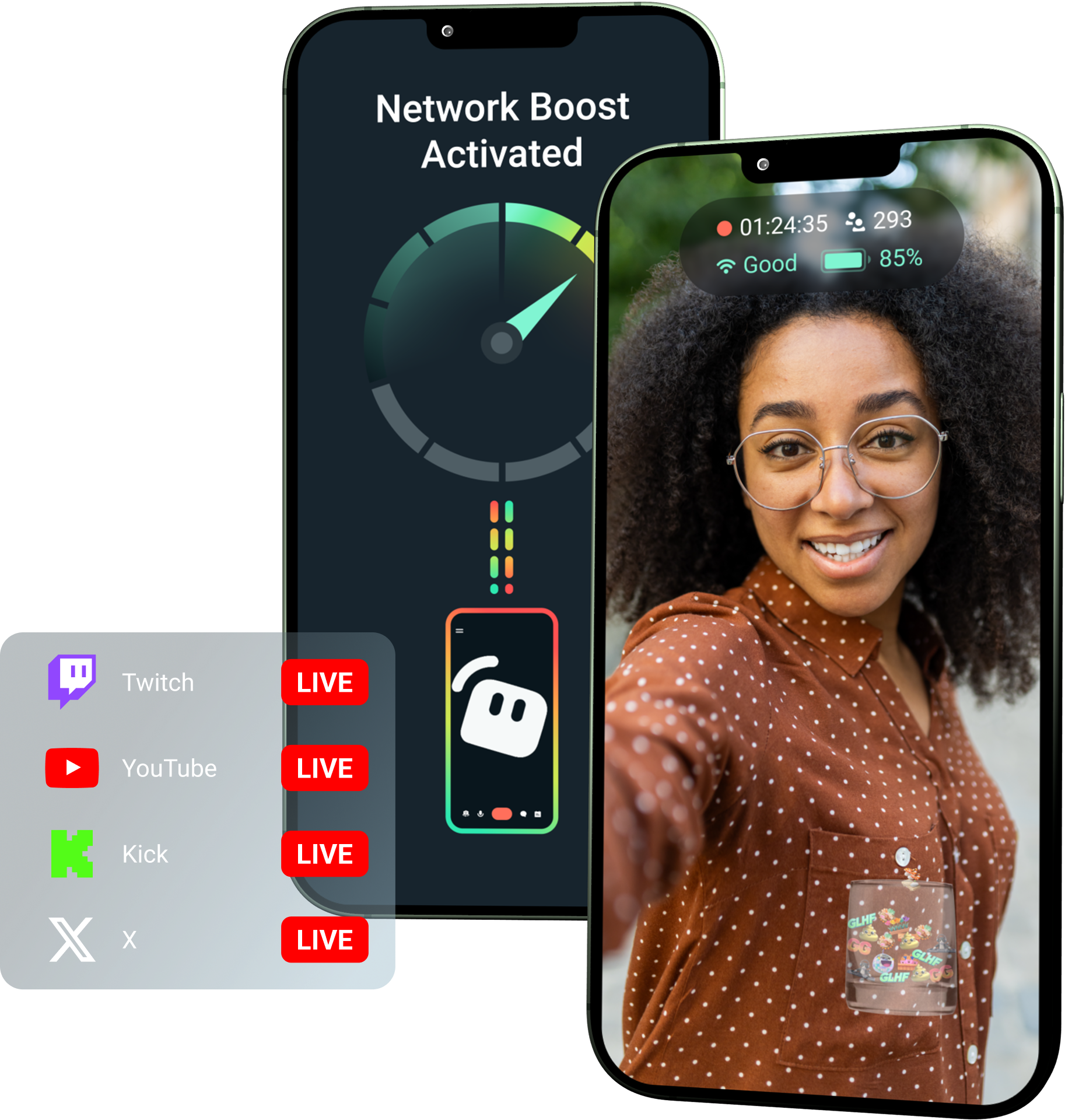
¡Consigue el aumento de red con Streamlabs Ultra!
Ultra da a los creadores móviles acceso a funciones avanzadas, como aumento de red, multistreaming y protección contra desconexiones, para ayudarles a crear streams mejores y más estables desde sus dispositivos móviles.
Cómo funciona
Usa wifi y datos móviles conjuntamente para ayudar a mantener tu stream móvil en directo, incluso cuando tu conexión sea inestable.
Abre Streamlabs Mobile y activa el aumento de red para empezar con la configuración. Para configuraciones avanzadas con múltiples dispositivos de retransmisión, abre Streamlabs Controller para empezar.
Escanea el código QR o introduce manualmente los datos de la conexión para emparejar tus dispositivos.
Cuando te conectes, puedes empezar a emitir en directo en Streamlabs Mobile. El aumento de red se ejecuta en segundo plano para mantener tu stream siempre activo.
El aumento de red frente a otras soluciones
| Aumento de red | Equipos y mochilas de streaming | Otras soluciones de software | Other | |
|---|---|---|---|---|
Ideal para | Creadores que quieren una forma más sencilla de mejorar la fiabilidad de sus streams móviles y de IRL sin hardware adicional. | Creadores de contenidos avanzados de IRL con necesidades de nivel profesional y presupuestos de equipo más grandes. | Creadores a los que no les importa incorporar una herramienta independiente que les ayude a gestionar las conexiones a internet. | Customizable tip page |
Hardware adicional necesario | No | Sí, a menudo requiere codificadores, módems, enrutadores, mochilas o accesorios. | No requiere hardware de streaming específico, pero puede necesitar una aplicación o servicio independiente. | Customizable tip page |
Configuración sencilla | Fácil de configurar a través de Streamlabs Mobile y la aplicación Streamlabs Controller (para conexiones adicionales). | Requiere instalación, configuración, carga y transporte de equipos de hardware. | Requiere configuración fuera de las aplicaciones de streaming | |
Coste | Se incluye con Streamlabs Ultra/Ultra+ como solo una de las muchas ventajas extraordinarias para creadores | Puede requerir cientos o miles de dólares de inversión inicial, además de posibles costes continuos de datos o servicios. | Suele ser más económico que los setups de hardware, pero puede requerir una suscripción independiente. | Customizable tip page |
Creado para streamers IRL | Sí; diseñado para streamers móviles de cualquier nivel. | Sí, pero normalmente diseñado en torno a configuraciones de producción IRL más avanzadas. | Puede que admita la gestión de conexiones, pero no siempre están diseñadas específicamente para las necesidades de streaming móvil. | Customizable tip page |

Mejora tus streams en tiempo real, tu marca, edición y mucho más con Streamlabs Ultra
Accede a funciones prémium de toda la suite, como Streamlabs Desktop, Mobile, Console, Talk Studio, Podcast Editor, Cross Clip y muchas más, a un precio único y asequible. Más información
Preguntas frecuentes
El aumento de red ayuda a los streamers móviles a mejorar la fiabilidad de la transmisión utilizando múltiples conexiones a internet, como wifi y datos móviles. Cuando una conexión se debilita o se vuelve inestable, la función de aumento de red ayuda a reducir la pérdida de fotogramas y las interrupciones para que los creadores puedan seguir emitiendo con toda confianza.
La función de aumento de red se configura a través de Streamlabs Mobile (o la aplicación Streamlabs Controller para conexiones avanzadas) y está diseñada para creadores que emiten en directo con Streamlabs Mobile. Los creadores pueden activar la función de aumento de red, conectar las fuentes de internet disponibles y emitir en directo como de costumbre. La función de aumento de red se ejecuta en segundo plano para ayudar a mantener la transmisión cuando cambian las condiciones de la red.
Los streamers móviles y de IRL suelen emitir en directo desde entornos impredecibles, como eventos, hoteles, espacios al aire libre, destinos de viaje y redes WiFi públicas. Cuando una conexión se debilita o se cae, los creadores se arriesgan a perder fotogramas, sufrir interrupciones en el streaming, perder espectadores y reducir la interacción.
También puede interrumpir la experiencia IRL del creador cuando tiene que pausar, solucionar problemas o ajustar su configuración repetidamente durante una retransmisión en directo.
Sí. La función de aumento de red está disponible exclusivamente para suscriptores activos de Streamlabs Ultra y Ultra+, o para aquellos que tengan una prueba activa de cualquiera de ellos.
- Los suscriptores Ultra obtienen 10 horas de aumento de red al mes
- Los suscriptores Ultra+ obtienen 80 horas de aumento de red al mes.
Streamlabs Ultra también desbloquea herramientas adicionales de transmisión móvil, incluyendo Stream Shift, multistreaming y más.
Otras partes de la experiencia de Streamlabs Mobile, incluido el filtro de privacidad, están disponibles para todos los usuarios de Streamlabs Mobile.
Si estás haciendo streaming desde una zona con mala conexión, utiliza la función de aumento de red, que combina varias redes para obtener una conexión más estable, y protección contra desconexión, que mantiene tu stream en directo si tu servicio se corta por completo. Ambas funciones están disponibles en Streamlabs Mobile exclusivamente para los miembros Ultra.
Actualmente, el dispositivo de transmisión principal debe ser iOS (por ejemplo, iPad o iPhone), mientras que el dispositivo secundario o de retransmisión puede ser iOS o Android. El rendimiento depende de la potencia y disponibilidad de las redes que utilices.
No. La función aumento de red no requiere hardware adicional, como una mochila de streaming o un router. Está diseñado para funcionar con las conexiones y dispositivos que los creadores ya tenéis.
Contacta con el equipo de Asistencia en este enlace.