

POWERED BY STREAMLABS VISION
Streamlabs Sidekick
An intelligent streaming agent that works as your virtual co‑host, live producer and tech support—working together so you can focus on creating.
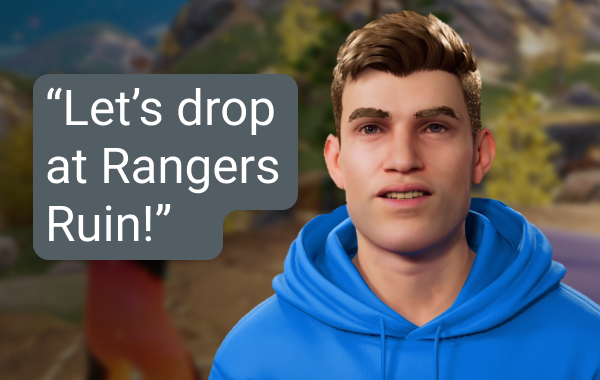
Live Producer
Use simple voice commands to switch scenes, control audio, engage with your chat, provide commentary, and more without lifting a finger.
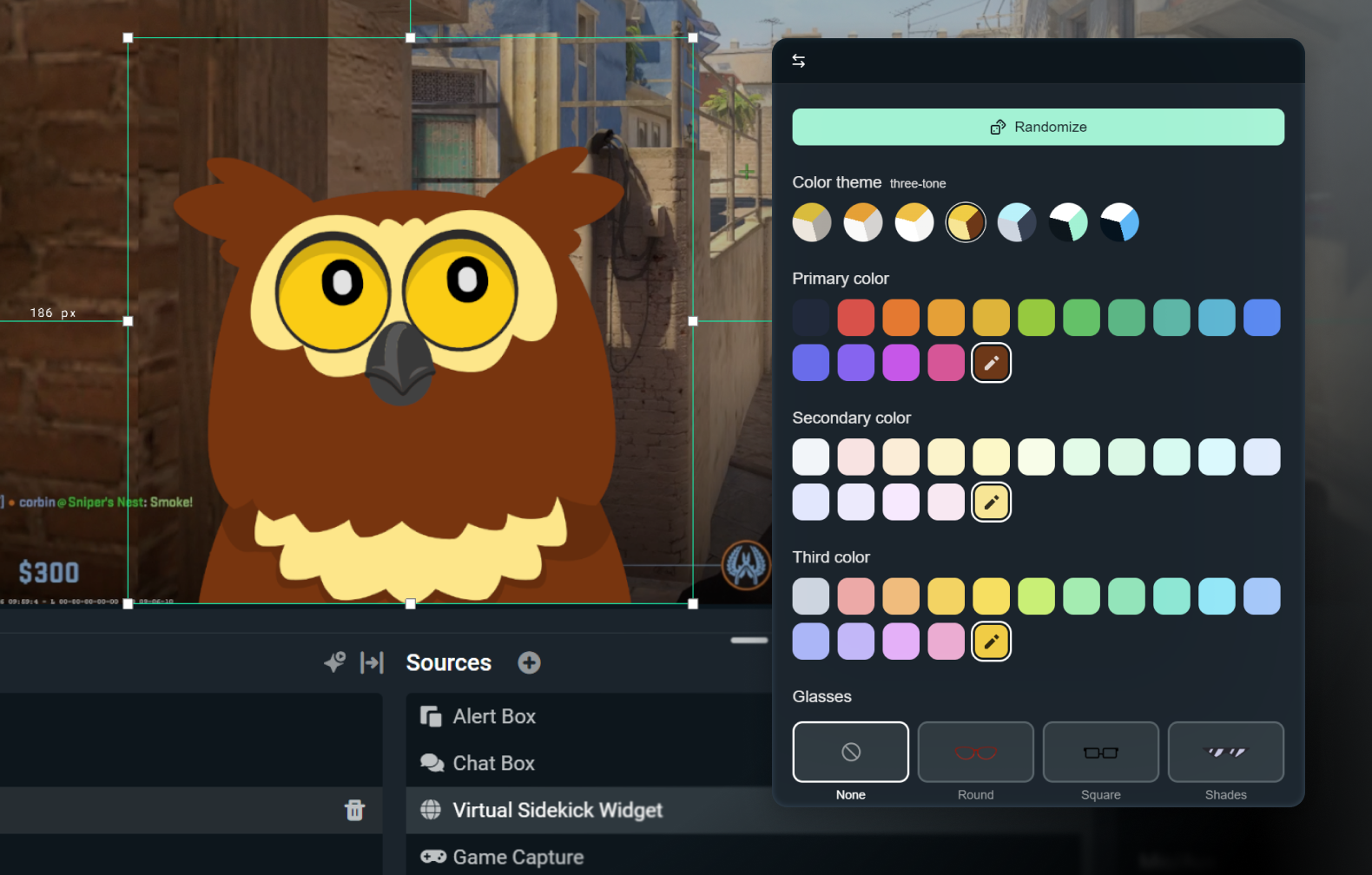
Customize your 2D or 3D Avatar
Keep it subtle with voice-only enabled, or bring it to life with a 3D or 2D avatar. 2D avatars allow you to take advantage of having your sidekick on-screen without high impact on your CPU.
Customize your avatar with accessories, a name, and a voice of your choice.

Tech Support
Real-time troubleshooting, so you can focus on streaming—not settings.
Built with the best in AI
Developed using technology from NVIDIA and Inworld for lifelike 3D avatars and real-time intelligence.
How it Works
Install the app in Streamlabs Desktop. Choose sidekick on‑screen or background mode only.
Customize your settings and choose either a 2D or 3D Avatar that matches your brand.
Stream as usual while your Sidekick helps you with switching scenes, discussion topics, tech support, and more so you can focus on your audience.
Simple, usage-based access
Free
100 total interactions
Sidekick avatar
Co-host & tech support features
Ultra
1,000 interactions/month
Priority usage as available
Ultra Plus
5,000 interactions/month
Priority usage as available
Key specs
Co-host, producer, and tech support features run locally with minimal system impact (~3% GPU in internal tests). The optional 3D avatar will require additional resources, however the 2D avatar is low impact.
Fortnite, Valorant, PUBG, and Counter-Strike 2 are all fully supported.
Keep an eye out for additional game support.
Use the 3D or 2D avatar on stream, or run the Sidekick in background mode as a silent assistant.
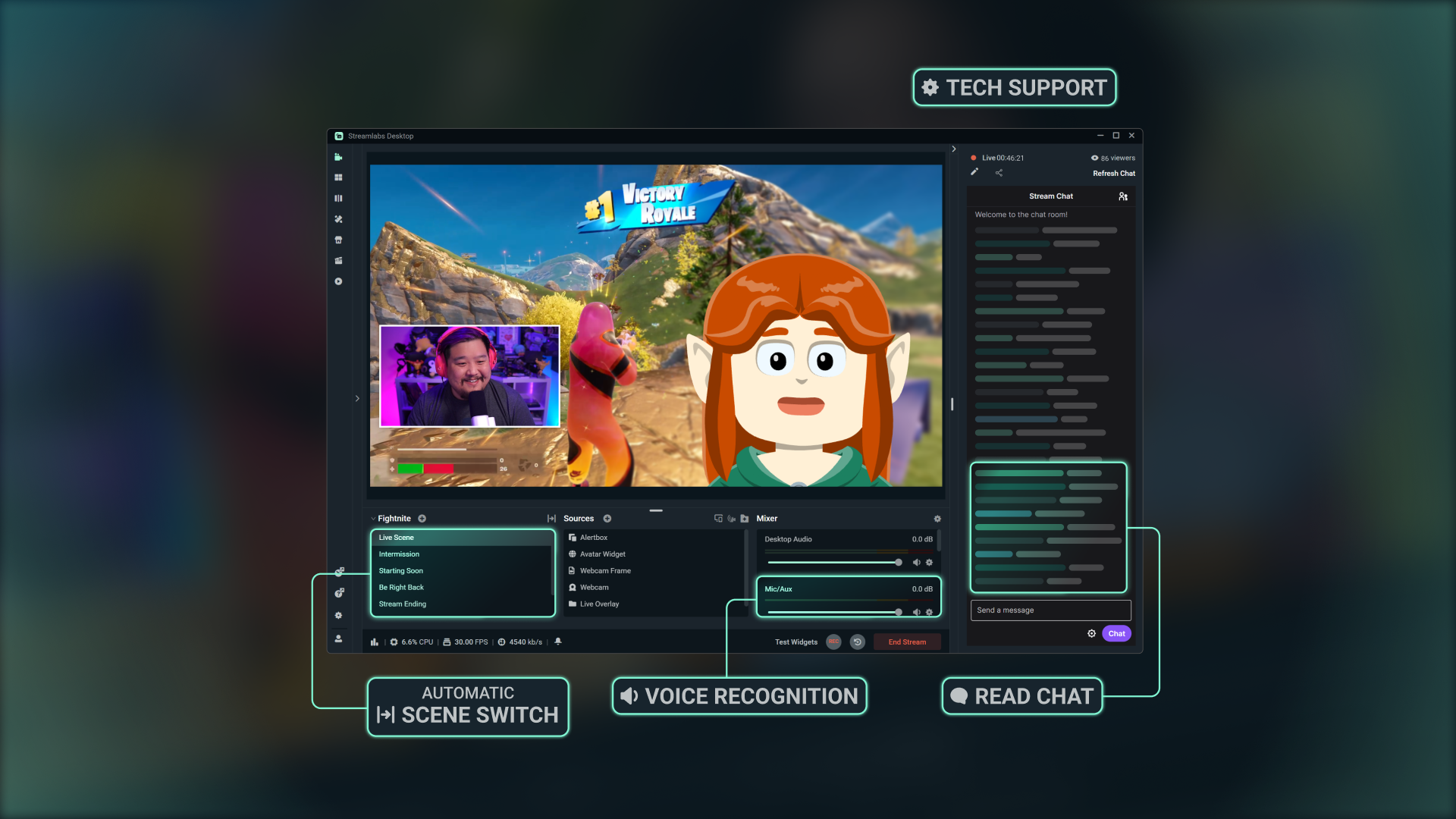
Learn how to get started
Follow our step-by-step tutorial to see how to take advantage of all of the features Sidekick has to offer.

Built with Streamlabs Vision
The Intelligent Streaming Agent, known as the Sidekick, is powered by Streamlabs Vision, a powerful, real-time AI model. Developers can tap into the same vision, voice, and automation models to build new experiences for streamers everywhere.
Frequently asked questions
The Sidekick is our intelligent streaming agent, and serves as a virtual co-host, live producer, and technical assistant built into Streamlabs Desktop. It helps with production tasks through audio commands, engages with your audience, and monitors your stream health—so you can focus on creating content.
No. The avatars are optional. You can use the Sidekick in background mode as a producer or technical assistant.
These games are supported by the Sidekick.:
- 7 Days to Die
- Apex Legends
- ARC Raiders
- Arena Breakout: Infinite
- Battlefield 6
- Bloodborne
- Call of Duty: Black Ops 6
- Call of Duty: Black Ops 7
- Call of Duty: Modern Warfare 4
- Call of Duty: Warzone
- Counter-Strike 2
- Dark Souls Remastered
- Dark Souls 2
- Dark Souls 3
- DayZ
- Dead by Daylight
- Deadlock
- Delta Force
- Dota 2
- EA Sports FC 26
- Elden Ring
- Enshrouded
- Escape From Tarkov
- F1® 25
- Fortnite
- Forza Horizon 6
- Halo Infinite
- Helldivers 2
- Heroes of the Storm
- Hunt: Showdown 1896
- League of Legends
- Left 4 Dead 2
- Madden NFL 27
- Marathon
- Marvel Rivals
- Minecraft
- Mortal Shell 2
- NBA 2K26 + 2K27
- Overwatch 2
- Palworld
- Path of Exile 2
- PUBG: BATTLEGROUNDS
- Rocket League
- Rust
- Sekiro: Shadows Die Twice
- Teamfight Tactics
- Tom Clancy's Rainbow Six Siege X
- Valheim
- Valorant
- War Thunder
- Wardogs
- World of Warcraft: Solo Shuffle
We are continuing to expand our supported games, so check back for updates!
Yes, but with limitations. Avatars on screen are not supported with AMD GPUs. However, all other functionality (such as audio-only mode, etc.) will still work.
Yes. The Free plan works with limited interactions and automations. Ultra and Ultra Plus unlock higher usage and are designed for streamers who want higher limits for interactions.
An interaction is any response from the Sidekick, either by text or voice. For example, if you type a question into chat, the Sidekick’s answer counts as an interaction. If you ask it to change scenes, that also counts—unless it happens through an automation without the avatar commenting, in which case it does not. Actions like switching scenes or clipping highlights on their own are not interactions unless the Sidekick responds verbally or via text.
No. The counter resets at the start of each calendar month.
Yes, you can choose from a variety of avatars and customize their personality and appearance to fit your brand.
These are the minimum system requirements to use the on-screen 3D avatar. If you are using Sidekick in voice-only mode or using any of our 2D Avatars, you only need to meet Streamlabs Desktop minimum requirements.
Single PC Setup
- GPU:
- NVIDIA GeForce RTX™ 3090, 3090 TI, or 5090 or higher
- Quadro RTX™ 4000 or higher
- TITAN RTX™
- VRAM: 24GB for the full workload (Agent + avatar + production)
- Operating System: Windows 11
- Driver: We recommend always installing the latest NVIDIA Game Ready Driver.
Dual PC Setup
- GPU:
- NVIDIA GeForce RTX™ 3060, 3080, 3080 Ti, 3090, 3090 Ti, 4070, 4070 SUPER, 4070 Ti SUPER, 4080 SUPER, 4090, 5070, 5070 Ti, 5080, 5090, or higher
- Quadro RTX™ 4000 or higher
- TITAN RTX™
- VRAM: 12GB
- Operating System: Windows 11
- Driver: We recommend always installing the latest NVIDIA Game Ready Driver.
If you need help finding how much VRAM you have, check out our guide here.
Please contact support at this link.