

POWERED BY STREAMLABS AI
Streamlabs Vision: Real-Time, Event-Driven Streaming
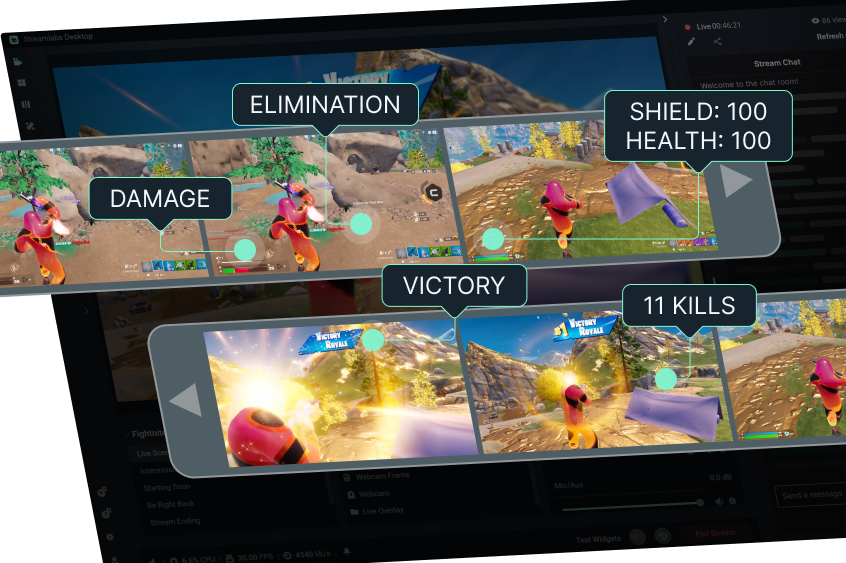
Powering the Sidekick, Reactive Overlays, Automations, and Game Pulse — now available as an SDK for developers.
Developer Tools, Powered by Streamlabs AI
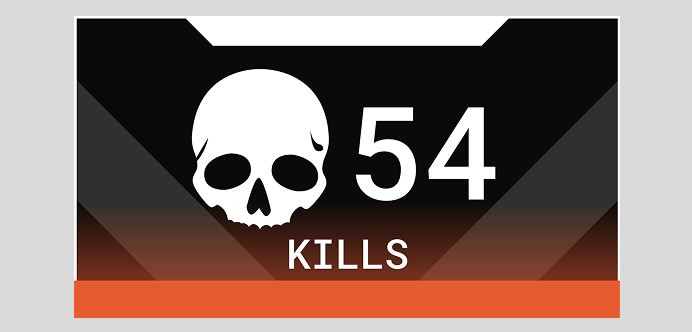
Dynamic Overlays and Alerts
Use the SDK to build overlays and alerts that animate and react to real-time gameplay events.
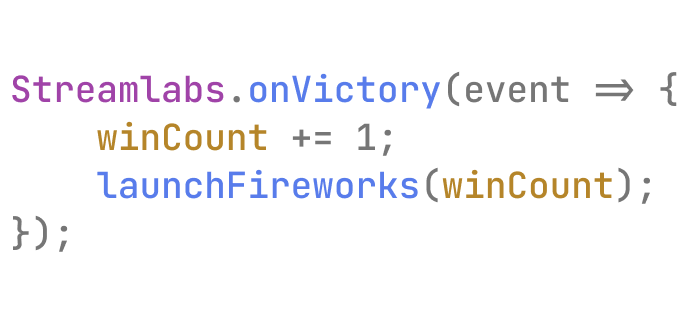
Custom Apps
Use the SDK to build and publish your own fully custom, event-driven apps in the Streamlabs App Store.

Hardware Integrations
Use the SDK to connect real-time gameplay events to lighting, audio, and other devices for fully immersive streams.
Built for Streamers. Ready to Use.
Reactive Overlays
Game Pulse
Custom Widgets & Apps
Automations
Why it matters
For Streamers
For Developers
For the Industry
For Viewers
Frequently asked questions
It’s a real-time AI-powered model that identifies gameplay events (kills, wins, health drops, etc.) and powers dynamic, responsive livestream experiences. It’s the core technology behind the Sidekick, our intelligent streaming agent, and is now open to developers.
Visit https://slobs-platform.readme.io/docs/vision-module to access the SDK, documentation, and publishing tools for the Streamlabs App Store.
Third-party developers can now access Streamlabs AI SDK via platform.streamlabs.com to build event-driven apps, widgets, and experiences. Designers can use it to create overlays and alerts that respond to in-game actions.
Developers can use the Streamlabs Vision SDK to create dynamic overlays, reactive alerts, hardware integrations, and fully custom apps that can be published in the Streamlabs App Store.
No. Streamlabs Vision runs locally with minimal system impact — about 3–5% GPU usage in our internal tests — so you keep smooth performance while streaming.
Streamers can already use Streamlabs AI-powered features like the Replay app, Reactive Overlays, the Sidekick and Game Pulse, with more tools coming soon (like replay widgets and reactive stream labels).
Please contact support at this link.