

WIDGETS
The Jar
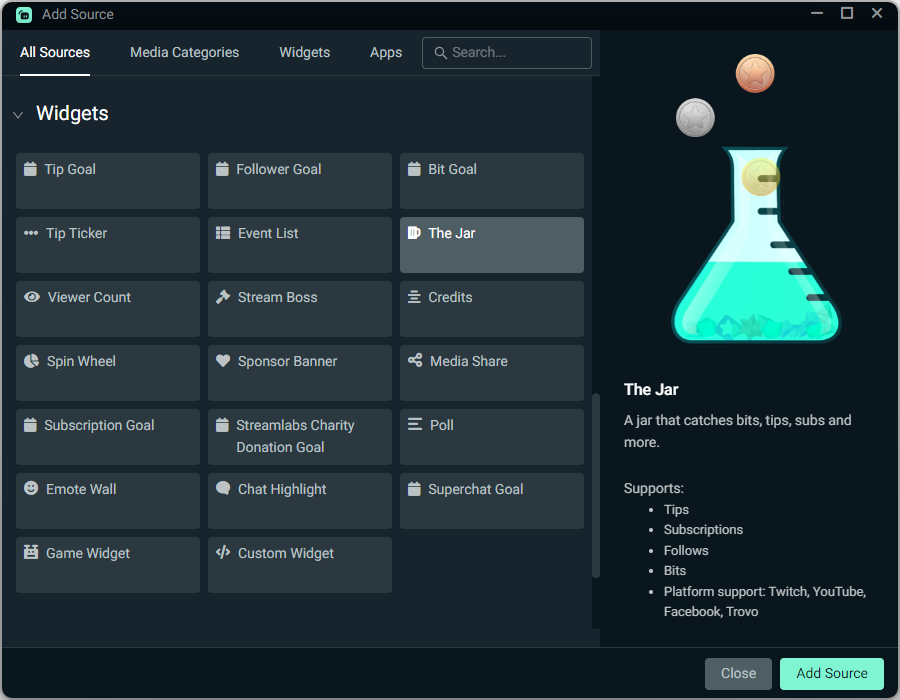
A jar that catches and displays bits, tips, subs and more.

Your virtual tip jar
Watch your jar fill up with follows, subs, tips, and more from Twitch, YouTube, Kick, and beyond.

Customize your jar
Choose your favorite jar style, font, color, and filter which events fill the jar, including follows, subs, bits, and more.
You can also match your jar to your stream overlay and other widgets with themes.
How to use The Jar
Customize your tip jar, then add The Jar source to your Streamlabs Desktop stream with a simple click or use as a Browser Source with OBS.
Check out our guide for step-by-step instructions.
Frequently asked questions
The Jar is a virtual tip jar widget that catches and displays Bits, tips, subs, follows, and other interactions from platforms like Twitch, YouTube, Kick, and Facebook on your stream. The Jar encourages interactions because your supporters can see their engagement displayed on your stream.
After customizing your tip jar settings in your Dashboard, add The Jar source to your Streamlabs Desktop scenes from the sources menu or add it as a Browser Source in OBS.
Yes! The Jar can be used as a Browser Source with OBS Studio and any other streaming software that supports browser sources.
The Jar supports a wide range of interactions across platforms to keep activity flowing.
Streamlabs
- Donations
Twitch
- Follows
- Subscriptions
- Resubs
- Bits
YouTube
- Subscriptions
- Memberships
- Super Chats
- Stars
- Likes
- Shares
- Supports
- Support Gifts
Kick
- Follows
- Subscriptions
Trovo
- Follows
- Subscriptions
You can customize your tip jar by visiting the settings in Streamlabs Dashboard here. From here, you can adjust which version of The Jar you use , the images that drop into the jar for different interactions, and font settings. You can also implement custom HTML and CSS to make The Jar truly your own.
You can also check out premade jar designs in the widget theme library.