

WIDGETS
Chat Box
Display your chat on stream and get sound notifications for new messages.
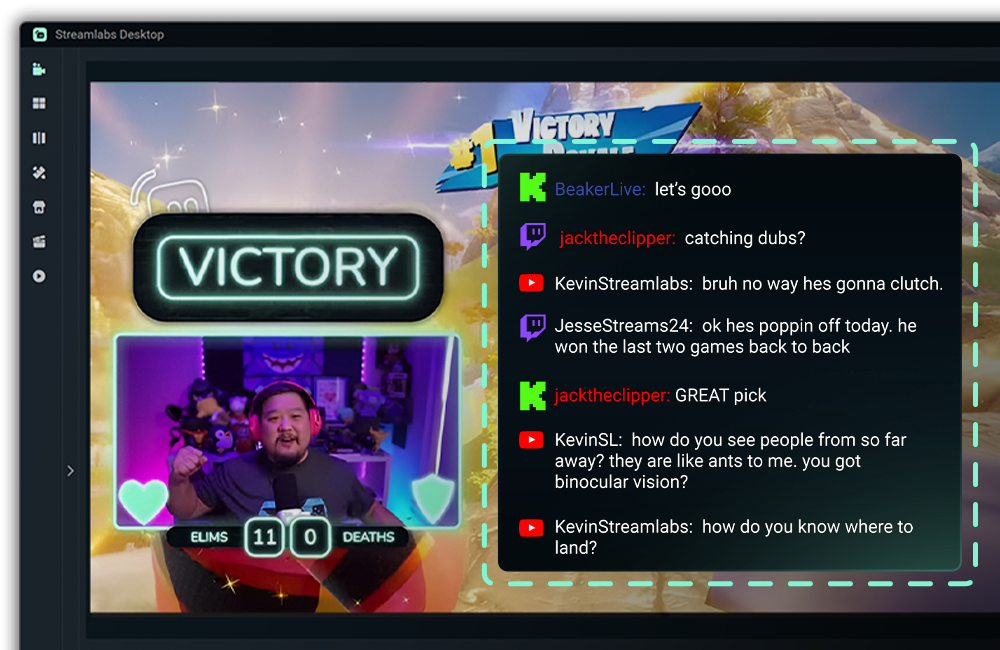
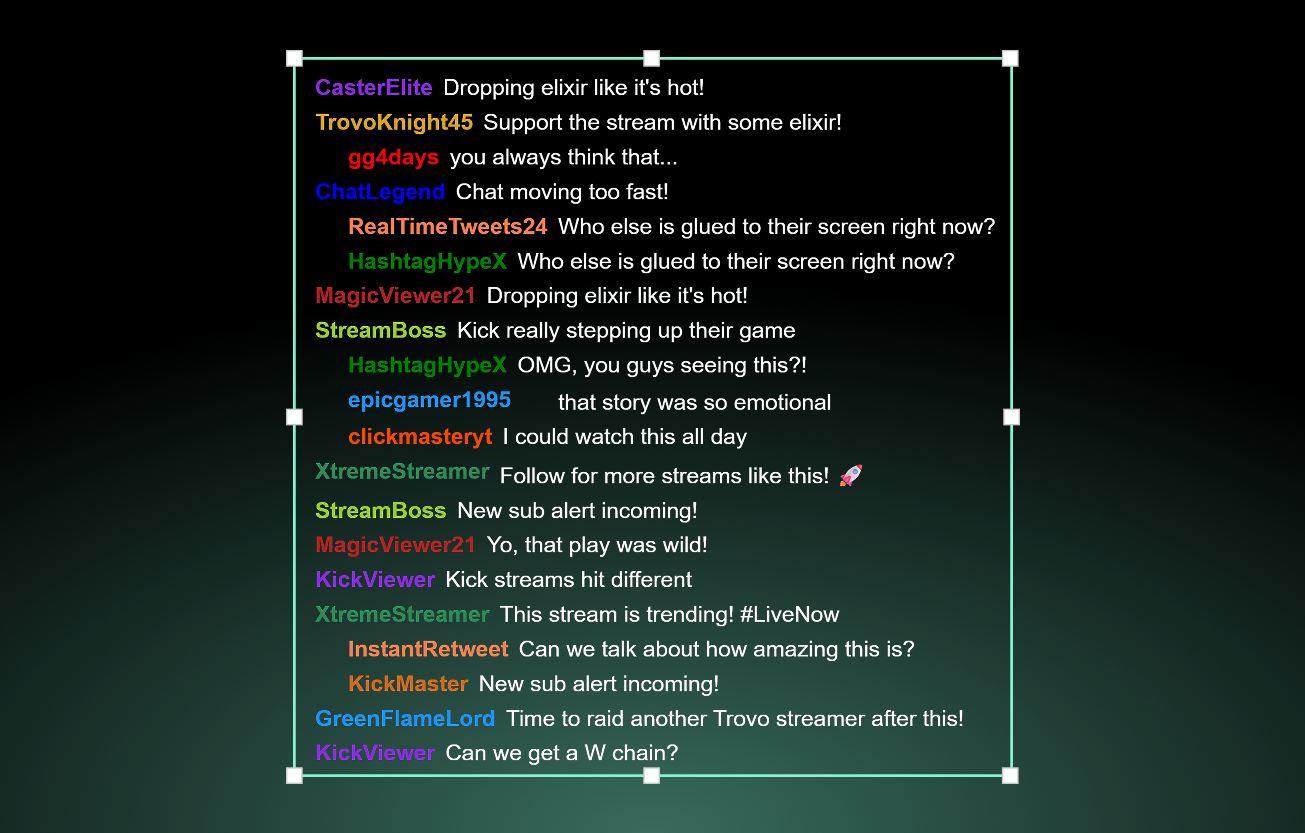
Help viewers keep up with the convo
Help viewers keep up when you multistream by showing chat from Twitch, YouTube, Facebook, Kick, Trovo, and X (Twitter) together on your stream.
Posting your VODs and clips? The Chat Box overlay lets viewers that can't watch live keep up with the conversation.
Never miss another chat
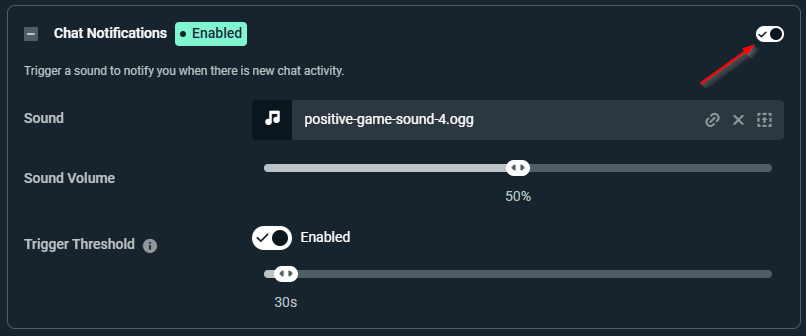
Gone are the days of missing chat messages! Get a sound notification when you have a new message.
Choose how long of a break between messages is required before a new chat will trigger a notification.

Customize your on-stream chat
You're in control of how your chat shows up on stream with tons of customization options.
Choose which platforms you want to display chat for, which emotes to include (Better TTV, FrankerFaceZ, and 7TV supported), how long messages stay on stream, and more.
Match chat to your overlays and alerts
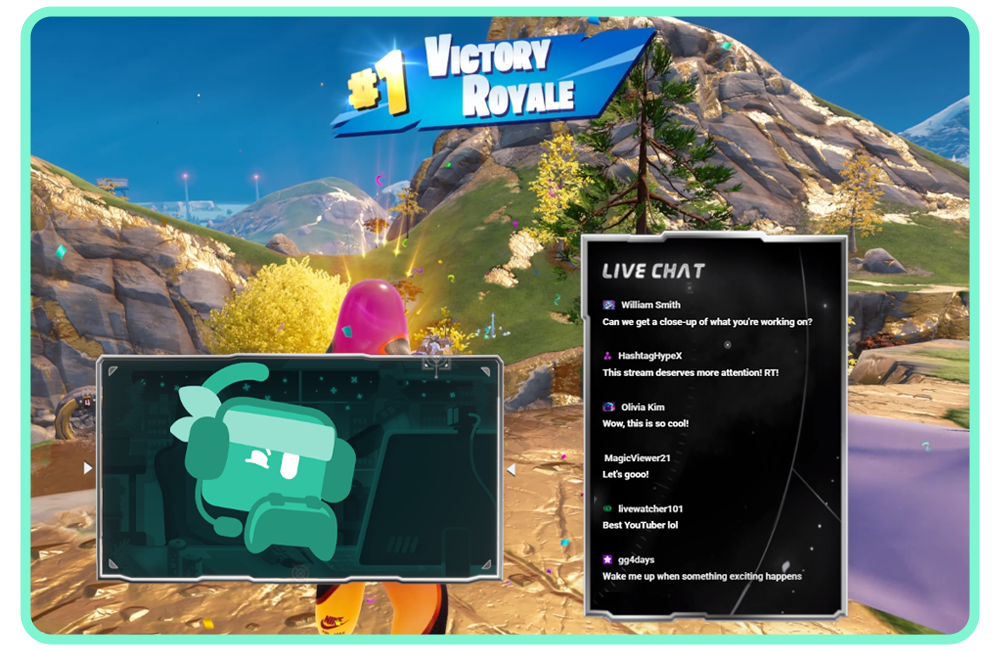
Customize the look and feel of your Chat Box with pre-built styles and custom fonts and colors.
Browse the widget theme library for hundreds of themes designed by professional artists featuring matching stream overlays and alerts.
Need even more control? Customize further with HTML, CSS, and JS.
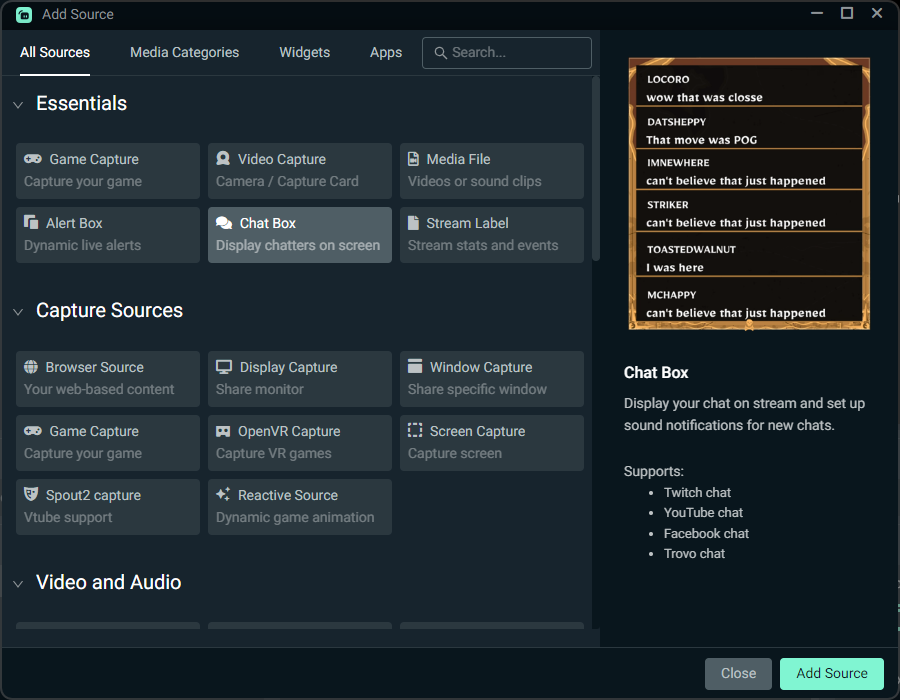
How to use Chat Box
Customize your Chat Box, then add the Chat Box source to your Streamlabs Desktop stream with a single click.
Using OBS or another tool? Install in seconds with the Streamlabs Plugin for OBS or use as a Browser Source.
Check out our guide for step-by-step instructions.
Frequently asked questions
Chat Box is a widget that displays your stream's chat as an overlay on your scene helping viewers keep up with the conversation and improving your VODs for those who can't catch you live.
Chat Box supports Twitch, YouTube, Facebook, Kick, Trovo, and X (Twitter), and can display chat from multiple platforms together when you multistream.
Chat Notifications play a sound when you receive a new message after a break in chat activity. You can choose how long of a break between messages is required before a new chat triggers a notification.
Yes! You can customize the look and feel of Chat Box with pre-built styles, custom fonts and colors, and more. You can also choose from hundreds themes from professional designers in the Streamlabs Library.
Add the Chat Box source to your Streamlabs Desktop stream with a single click from the sources menu.
Yes. You can install Chat Box in seconds with the Streamlabs Plugin for OBS or grab the URL from your Dashboard and use it as a browser source.
Streamlabs Chat Box supports Better TTV, FrankerFaceZ, and 7TV emotes in addition to native platform emotes.
Absolutely! If you need more control beyond the standard customization options, you can customize further with HTML, CSS, and JS.