

8 içerik oluşturucu uygulaması, bir  Ultra aboneliği.


8 içerik oluşturucu uygulaması, bir Ultra aboneliği.
sonuç yok

Network indicators were created to let you know when you or your guests internet connection is stable, as well as, to indicate CPU overuse where the device/computer in question is struggling to keep up with HD livestreaming in...
Daha fazlasını okuyun
As a Pro user, switch up your live stream production by selecting different camera angles from your Talk Studio by adding multiple cameras. (*mobile devices not supported.)How To Add Multiple Cameras1. From your studio, click...
Daha fazlasını okuyun
Customize your Talk Studio stream with intros and outros.
Daha fazlasını okuyun
Mac users may be required to allow access to their devices in order to ensure they have all Talk Studio features available to them on sign-up.Microphone & Camera SetupLocate and click the lock icon next to your browser's...
Daha fazlasını okuyun
Local Recording when enabled, offers separate raw audio & video tracks per participant for download. They will be stored on your Broadcasts & Recordings page with limited storage capacity per subscription.
...

To broadcast live to your LinkedIn Personal or Company page you must be a verified broadcaster on Linkedin Live.
LinkedIn Live Setup
1. Once verified, you will see a dedicated Resources section from your main feed...

Talk Studio integrates Streamlabs applications and/or Widgets to offer you assistance when moderating chat, setting up tips or alerts, as well as, displaying a live chat box on your live stream. CloudbotCloudbot is a moderation...
Daha fazlasını okuyun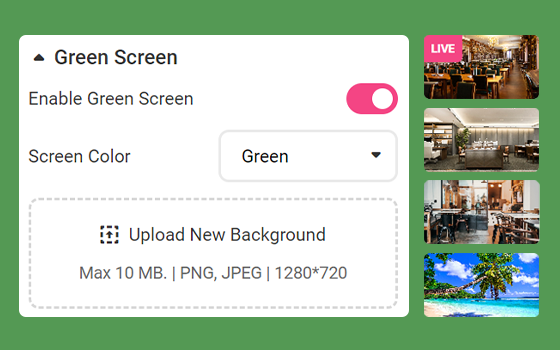
Green Screen GuidelinesWhen using a physical green screen, proper lighting is very important to help the chroma-keying process, for better green screen results:Straighten your backdrop. Your green screen must fill the entire...
Daha fazlasını okuyun
If you just created a new channel or you already own an existing channel, YouTube requires to complete two (2) verification steps per channel in order to recognize your channel from your Talk Studio:
1. Log in to your YouTube...

Scheduling ParametersWhen scheduling your stream from your Talk Studio, please be advised that you will only be able to schedule within a 50-day window. Additionally:Do not delete your destinations at any point after scheduling...
Daha fazlasını okuyun