



 Ultra subscription.
We know that keeping up with all of the elements on your stream can be a challenge. That's why we created the Layout Editor for Streamlabs Desktop to allow you to format your Desktop layout in the way that works best for your stream.
With Layout Editor, you can now completely personalize your Streamlabs Desktop editor, choosing which components you see and how much information you want when you stream. If you don't have Streamlabs Desktop yet, you can get started by downloading it here, then keep reading to learn how to customize your editor.
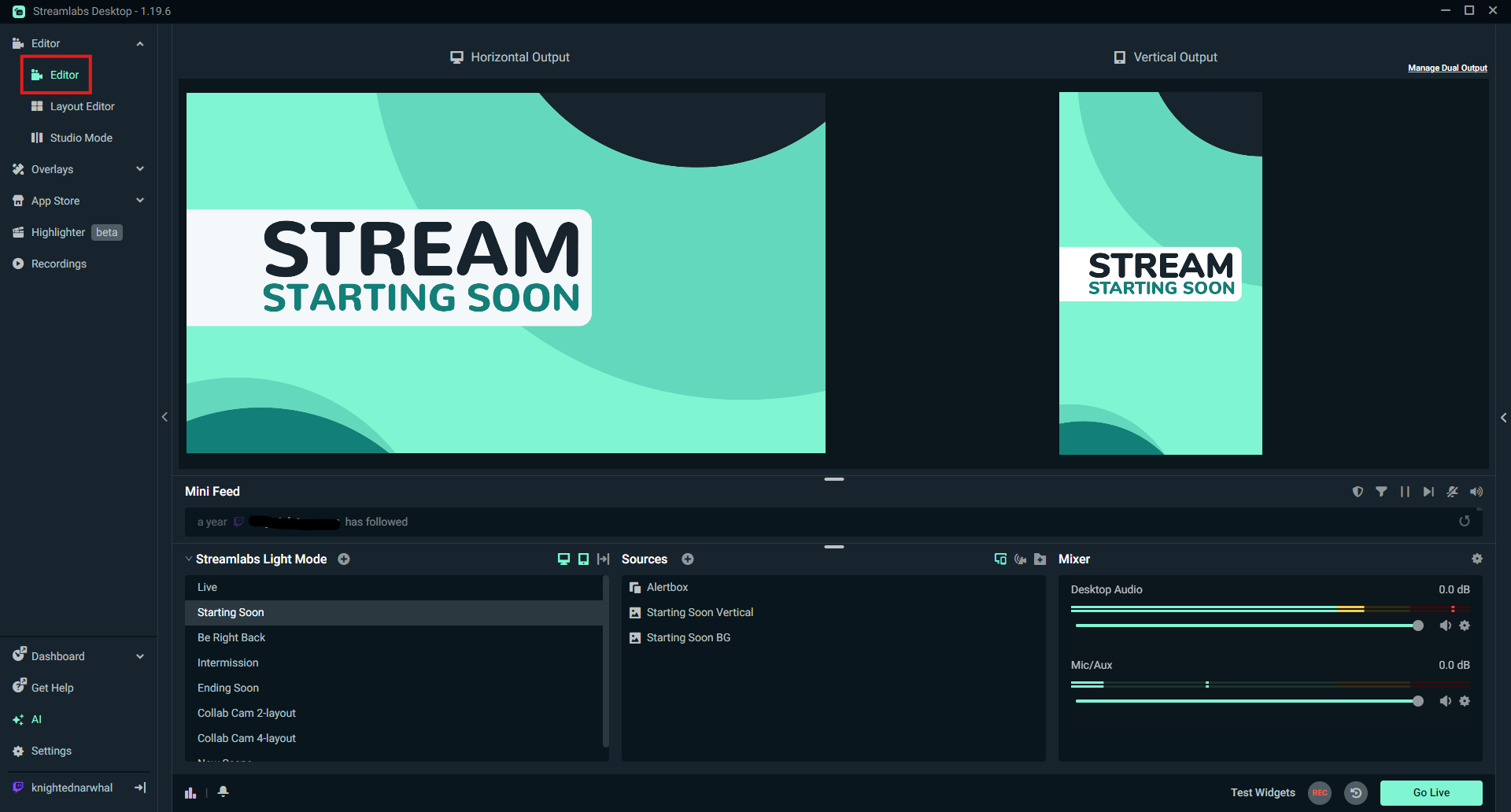
Step 1: Open Streamlabs Desktop and in the left navigation expand the Editor section and click on Layout Editor.
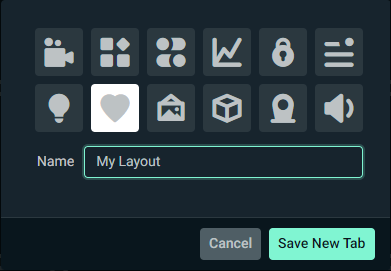
Step 2: You're not in the Layout Editor. You can either edit the layout you have active or create a new layout. In this example we'll create a new layout. Clickg Add Tab and name your new layout, then clicking Save New Tab. You will now see your new layout in your left navigation and as a dropdown item at the top of the screen.
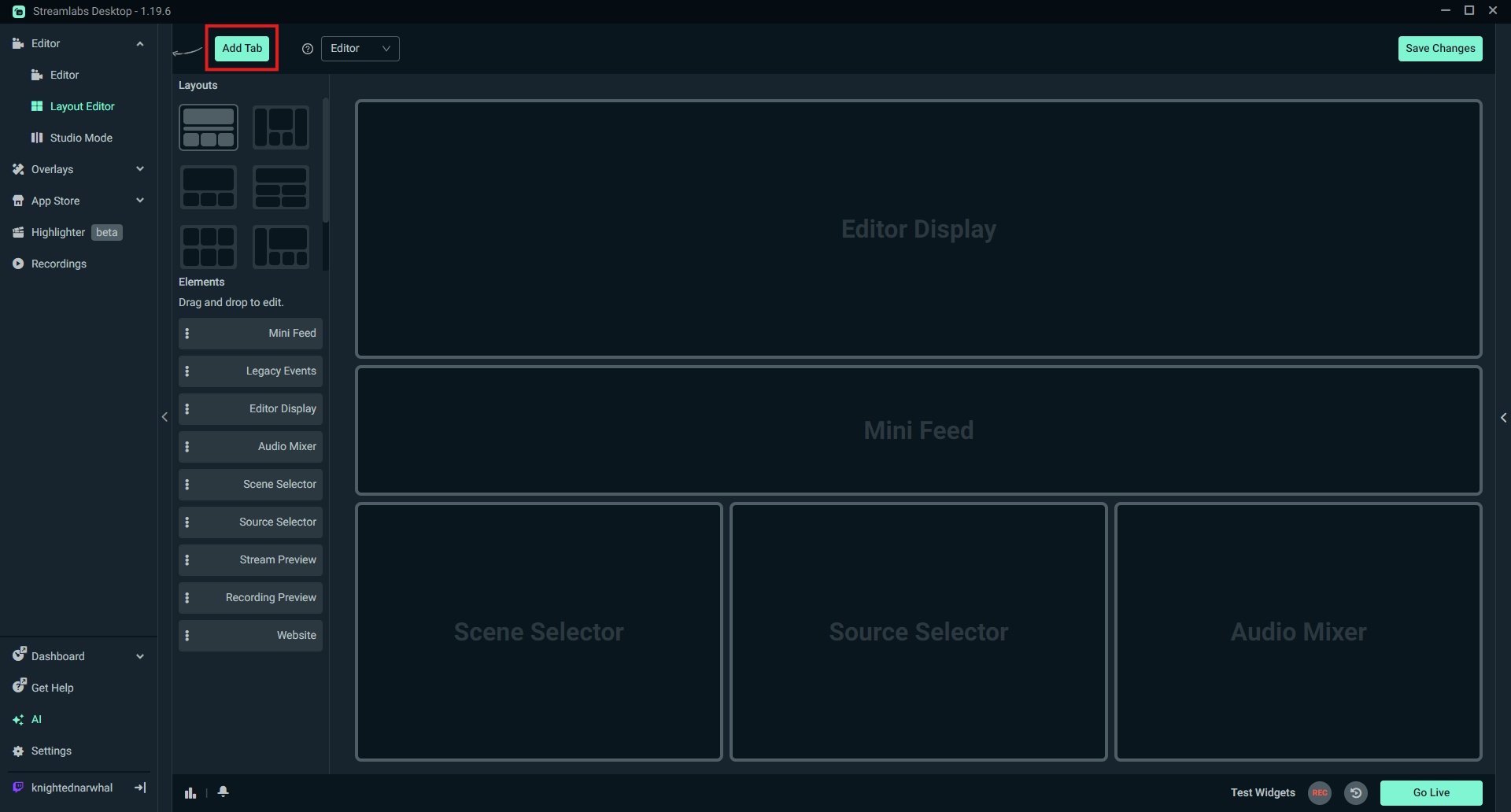
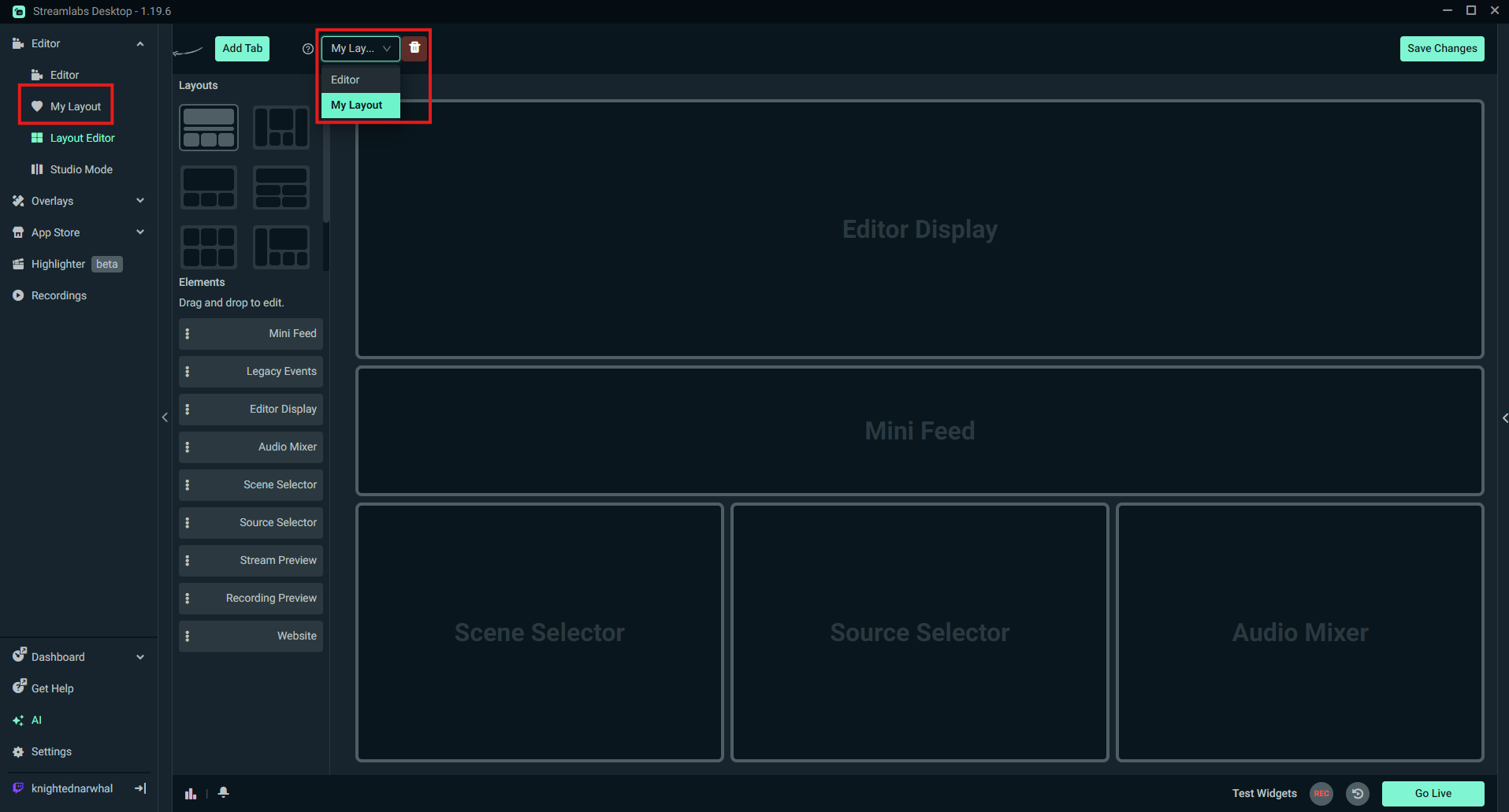
Step 3: Make sure the dropdown at the top of the screen has the layout you want to edit selected, then click through the Layout options on the left side of the screen and select the style you like best. Once you have settled on a layout, drag and drop the elements in to the left of the layout into your preferred positions. If you’d like to create a more minimalist UI experience, components can be removed, not every slot has to be filled.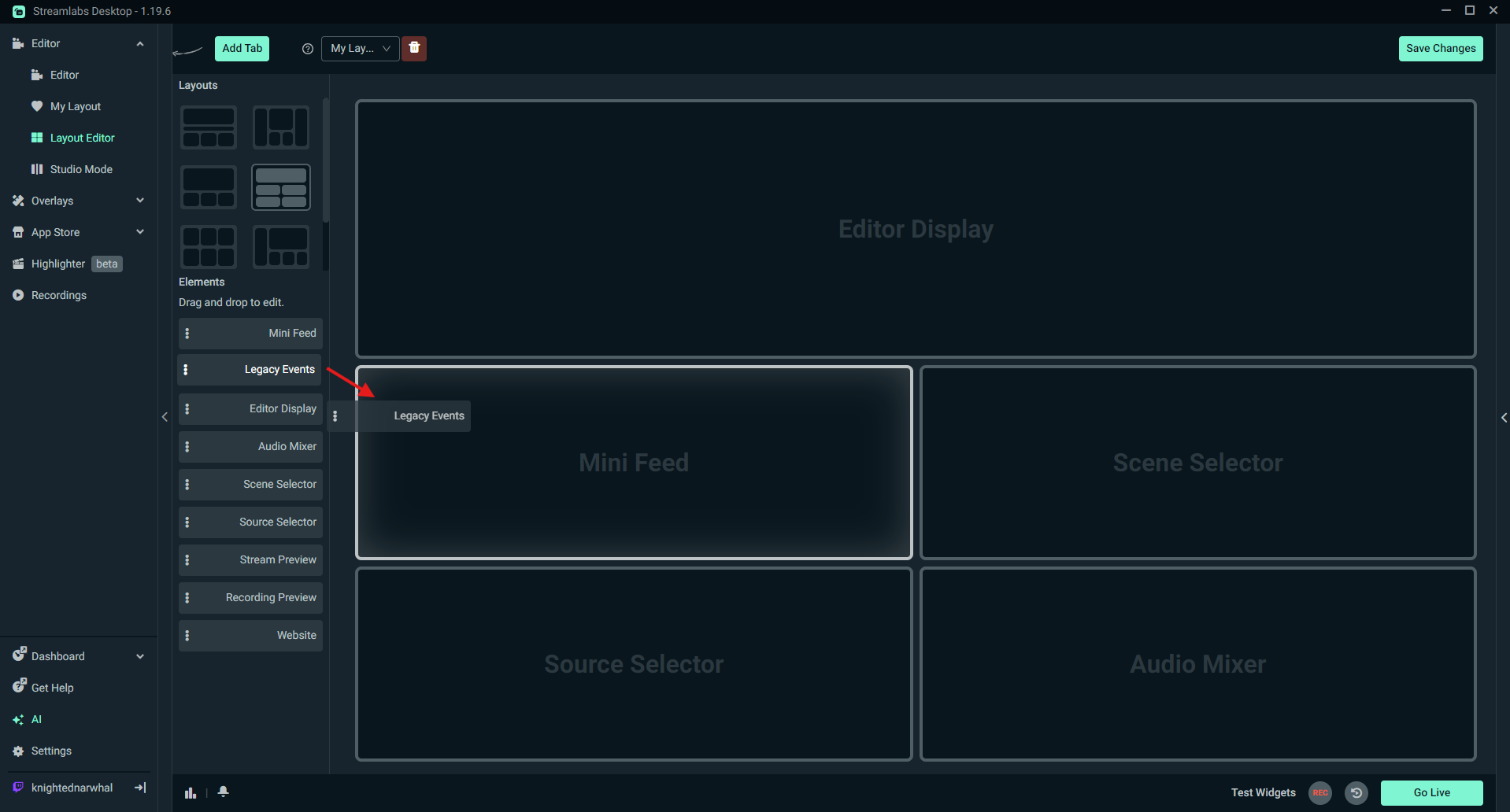
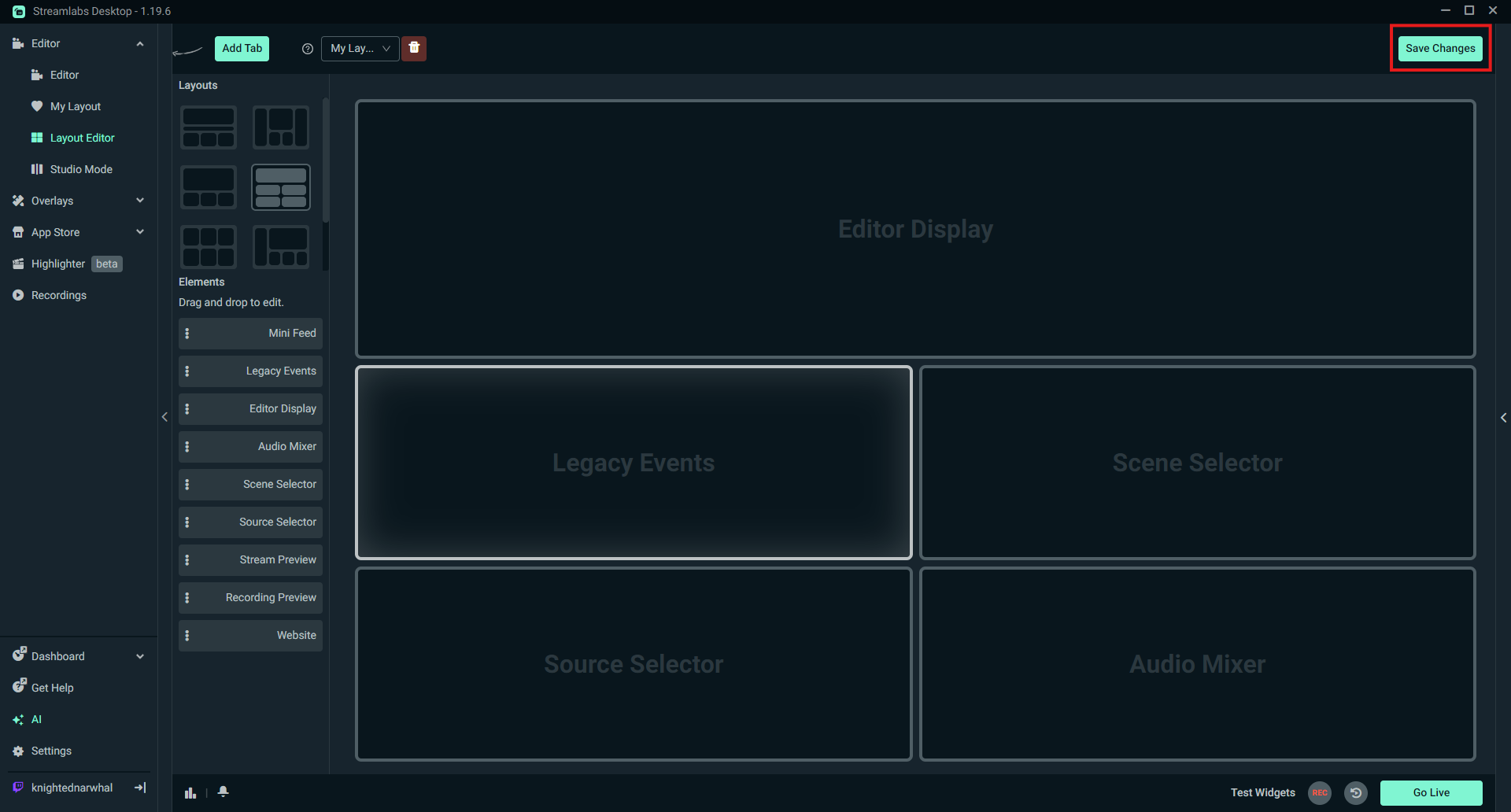
Step 4: Once you are happy with your layout, click Save Changes in the top right. You will automatically be dropped into your new layout. If you wish to view another layout, choose it from the options in the left navigation.
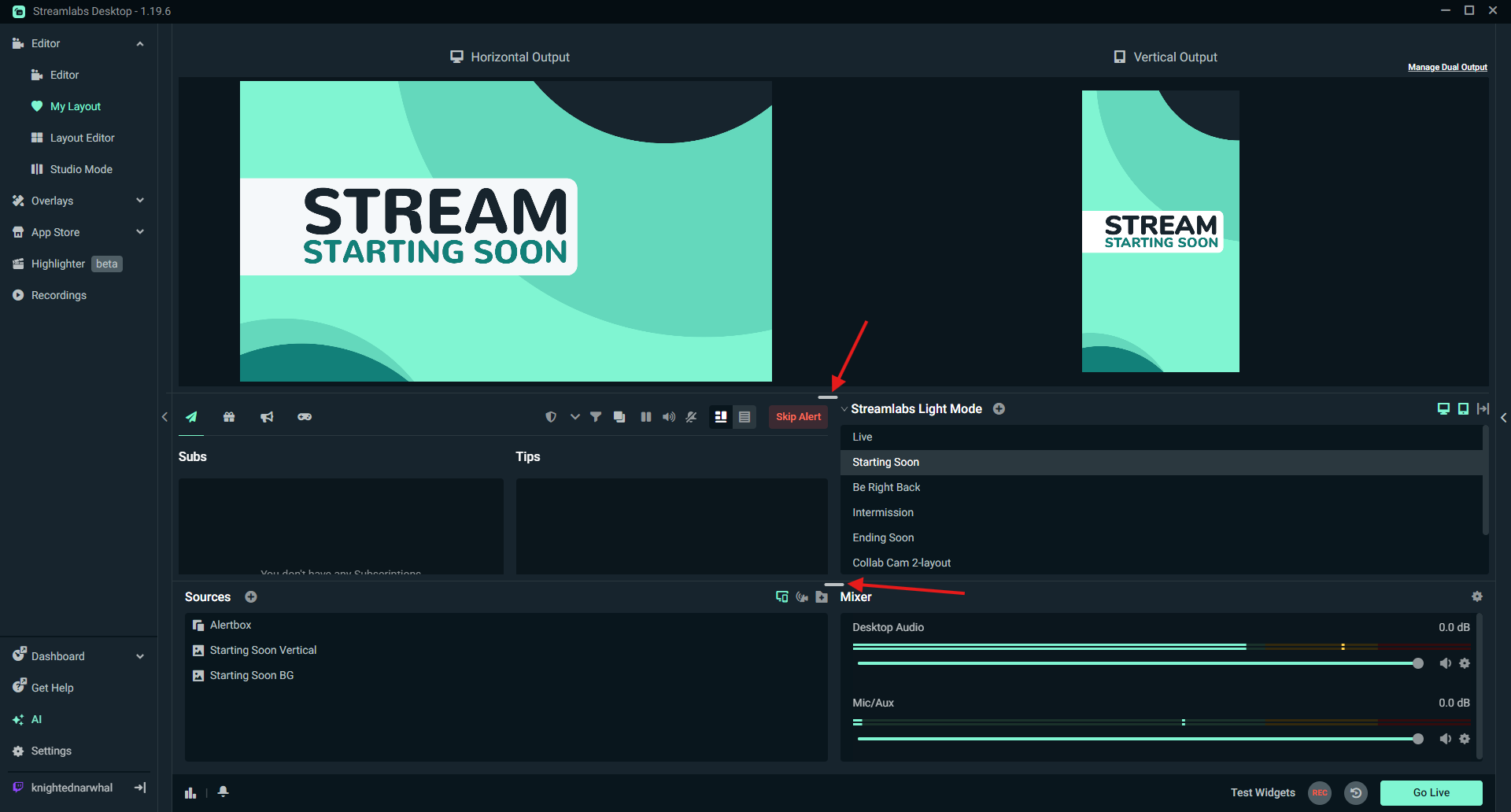
Step 5: If you wish to modify the sizing of any sections, hover over the edge of the section and drag to change it. Once you're happy with the sizing, you're finished modifying and may now go live with your new layout!
We hope you find the Layout Editor useful in personalizing your Desktop setup so it works for you and your stream. If you have any questions or comments, please let us know by contacting us or joining our Discord server.