


 Ultra subscription.

Having a merch store is an excellent way for your viewers to support you in exchange for cool, custom products. We set up your Streamlabs merch store so that your viewers can browse, purchase, and have their products shipped quickly and easily without any further effort from you! We handle all of the heavy lifts like printing and shipping-just design your merch, set your prices, and promote your items.
Merch is a great way to connect with your fans, rep your brand, and generate additional income:
- Streamlabs merch store enables live streamers to customize different products with their own logos and sell them on stream.
- It's free to design and sell merch.
- The entire set-up process can take < 5 minutes.
- Anyone can sign up today and start selling t-shirts, hoodies, mugs and more personalized products.
- Alerts for merch purchases can trigger automatically on stream to build excitement while celebrating sales.
Note: You may notice the Editor has changed! We have added the following updates to the editor:
- More template options for text and images
- More patterns, embroidery, and stitch options
- Easier ways to resize, reposition, and rotate your designs
- Clearer print-safe boundaries while designing.
If you have existing merch designs in your storefront, you will not see the updates to the editor. You must create new designs in order to take advantage of the new changes!
Jump Ahead:
Designing Your First Product
Getting started is as easy as logging into Streamlabs.com to design your items and building your storefront.
Step 1: To begin, log in to Streamlabs.com and navigate to the Merch Store dashboard. Here you'll be able to put your logo or custom design on an array of products.
If you don't already have a logo, you can create one of your own using a software like Canva or you can hire a pro on Fiverr. We have a promo with Fiverr that will allow you to get 20% off your first Fiverr design, if you want to enlist more help!
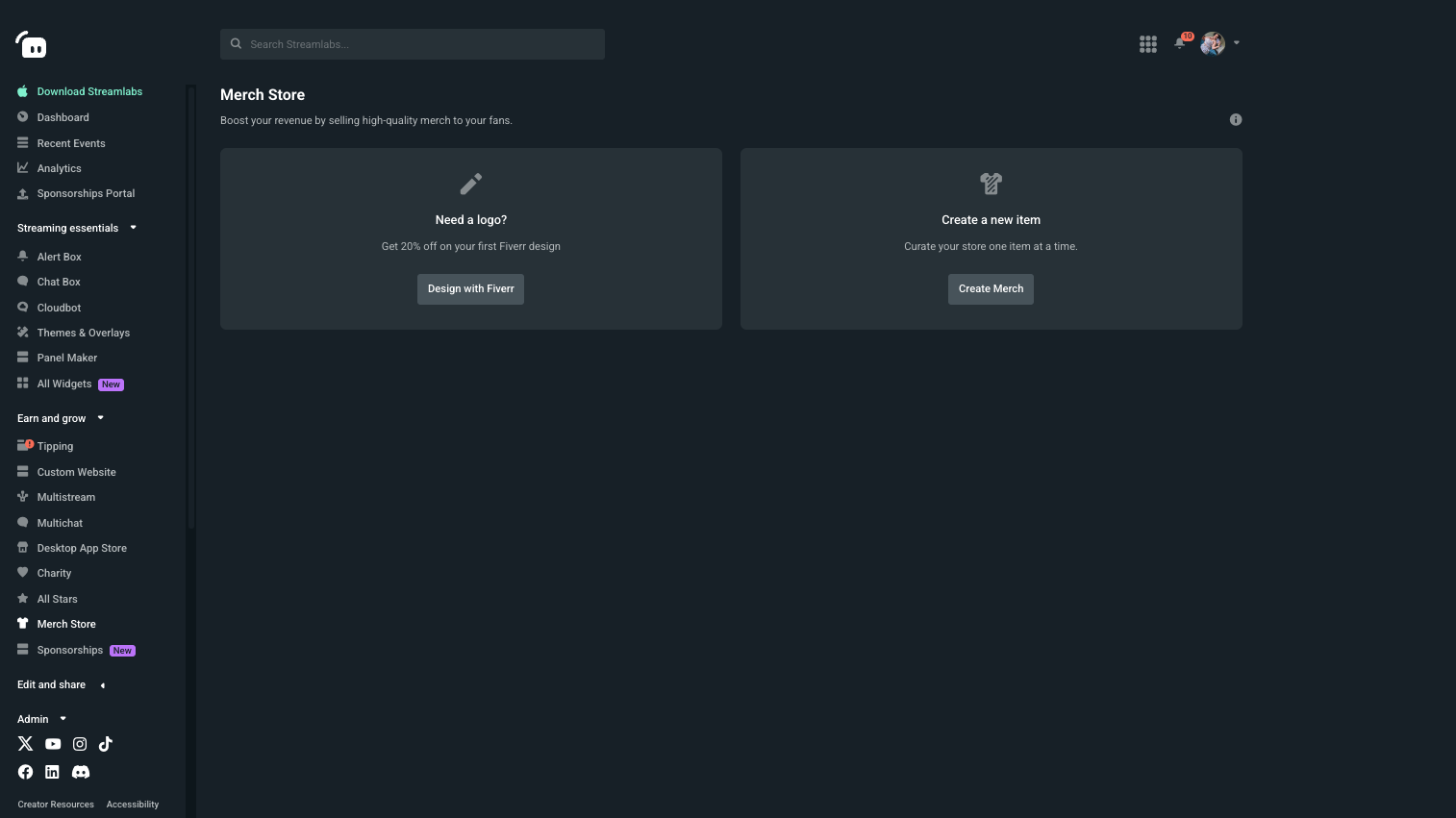
Step 2: Click Create a new item. Use the filters to browse merch categories, and choose the items you want to customize.
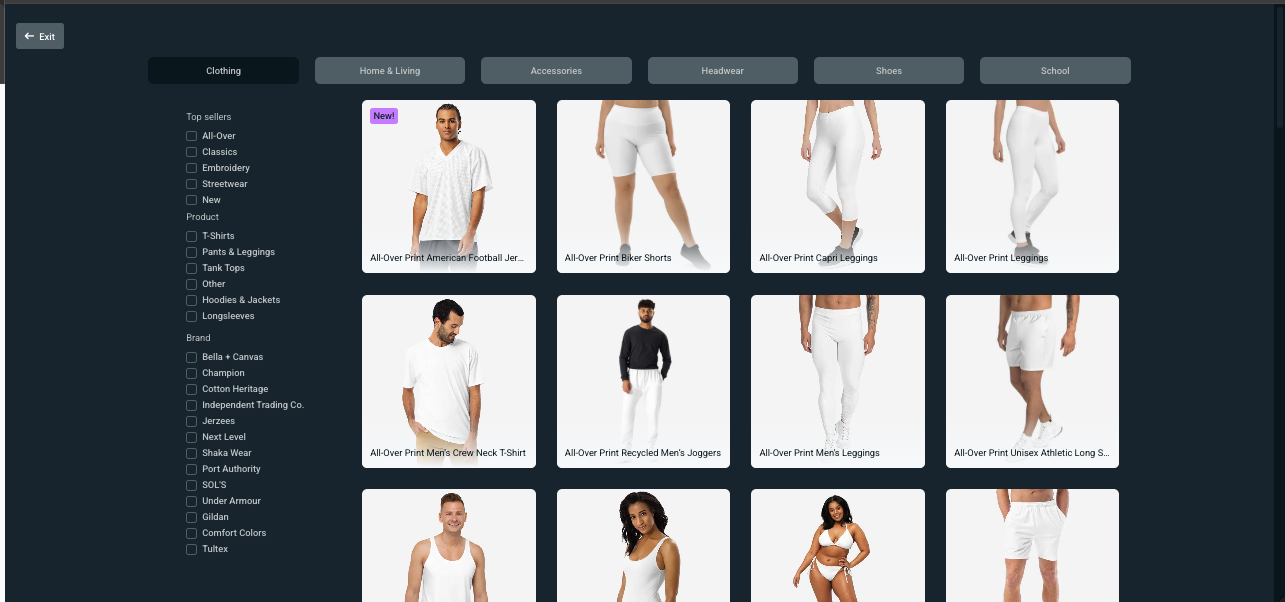
Step 3: Once you've selected an item, Click File to upload a new image from your computer to use.
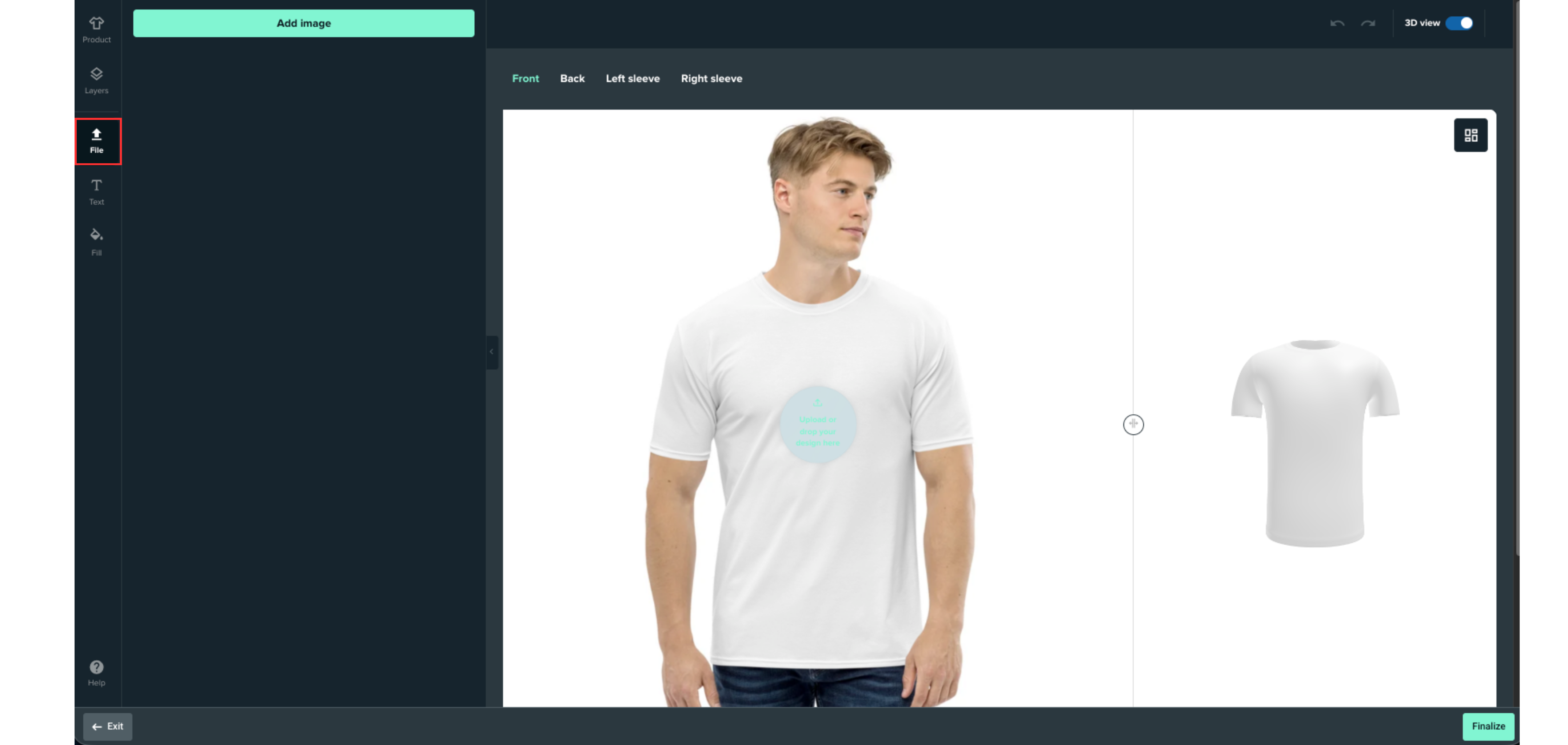
Once you have uploaded your image, make sure you size the image on your items correctly using the provided guides. If for some reason your image isn't big enough, or the editor can tell the quality will not be good, it will notify you within the window.
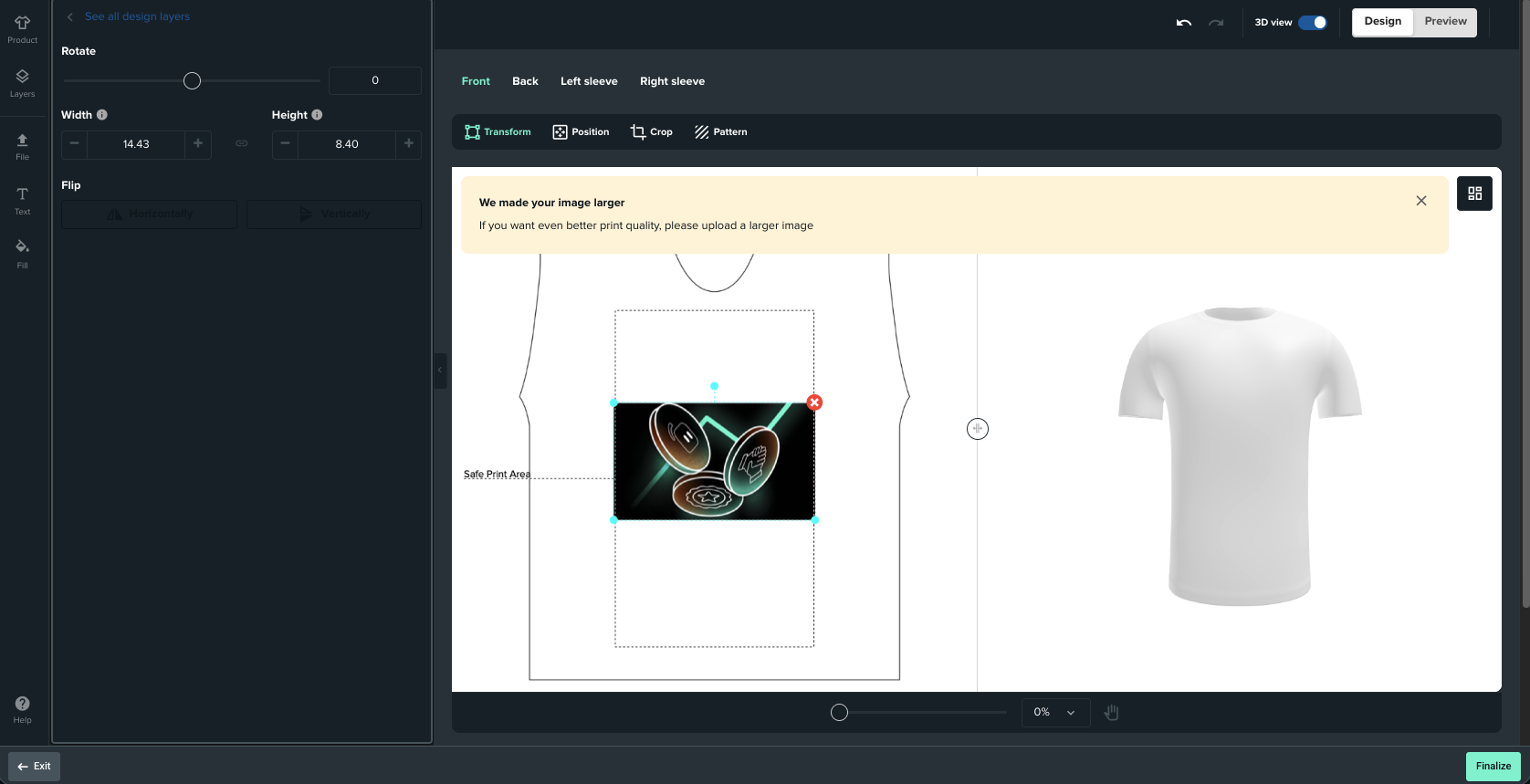
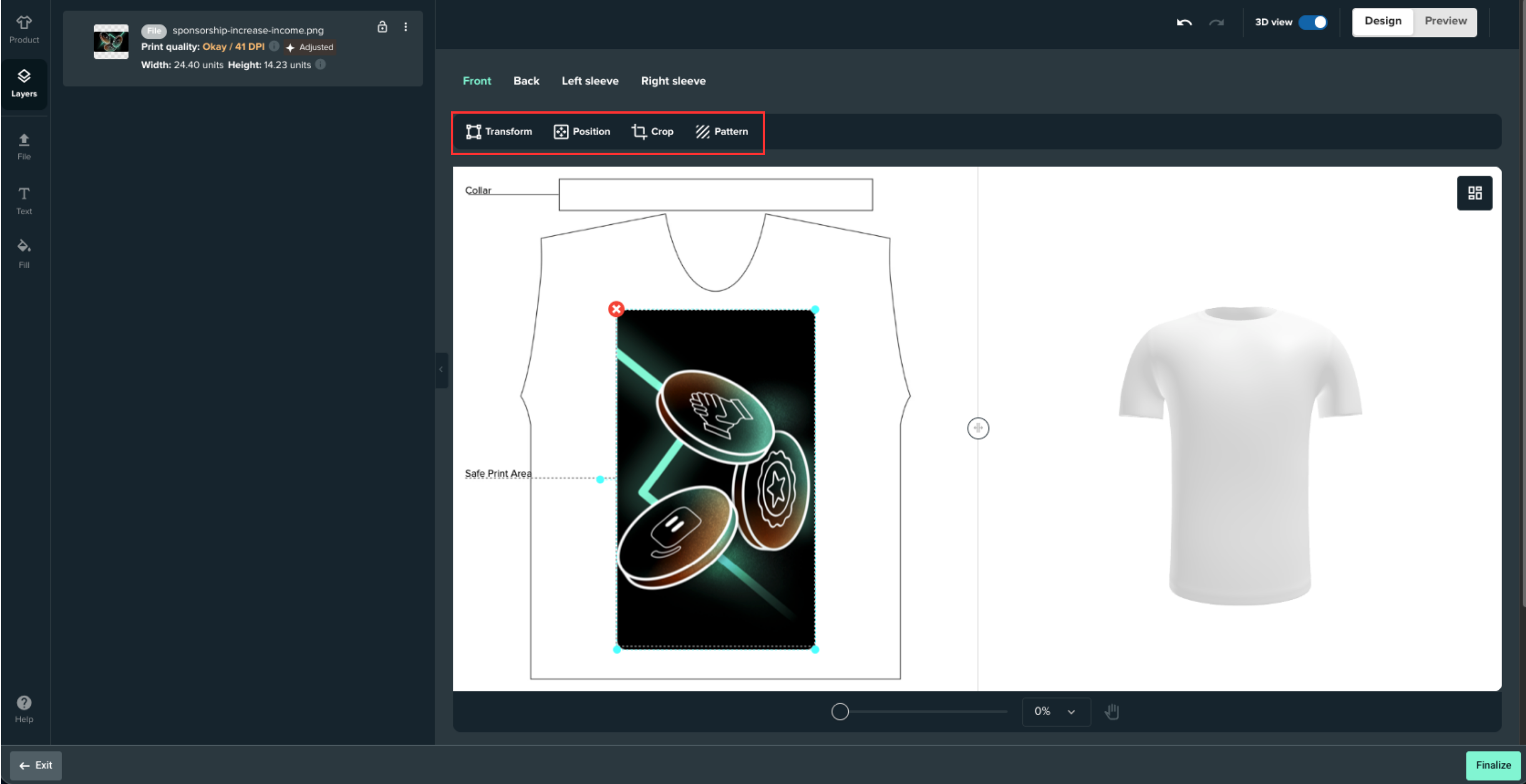
Use the Add Layer button to input additional images or text. You can resize, rotate, and flip the layers by clicking the Transform, Position, or Crop buttons in the top toolbar.
To make your image into a pattern, click the Pattern button in the top toolbar.
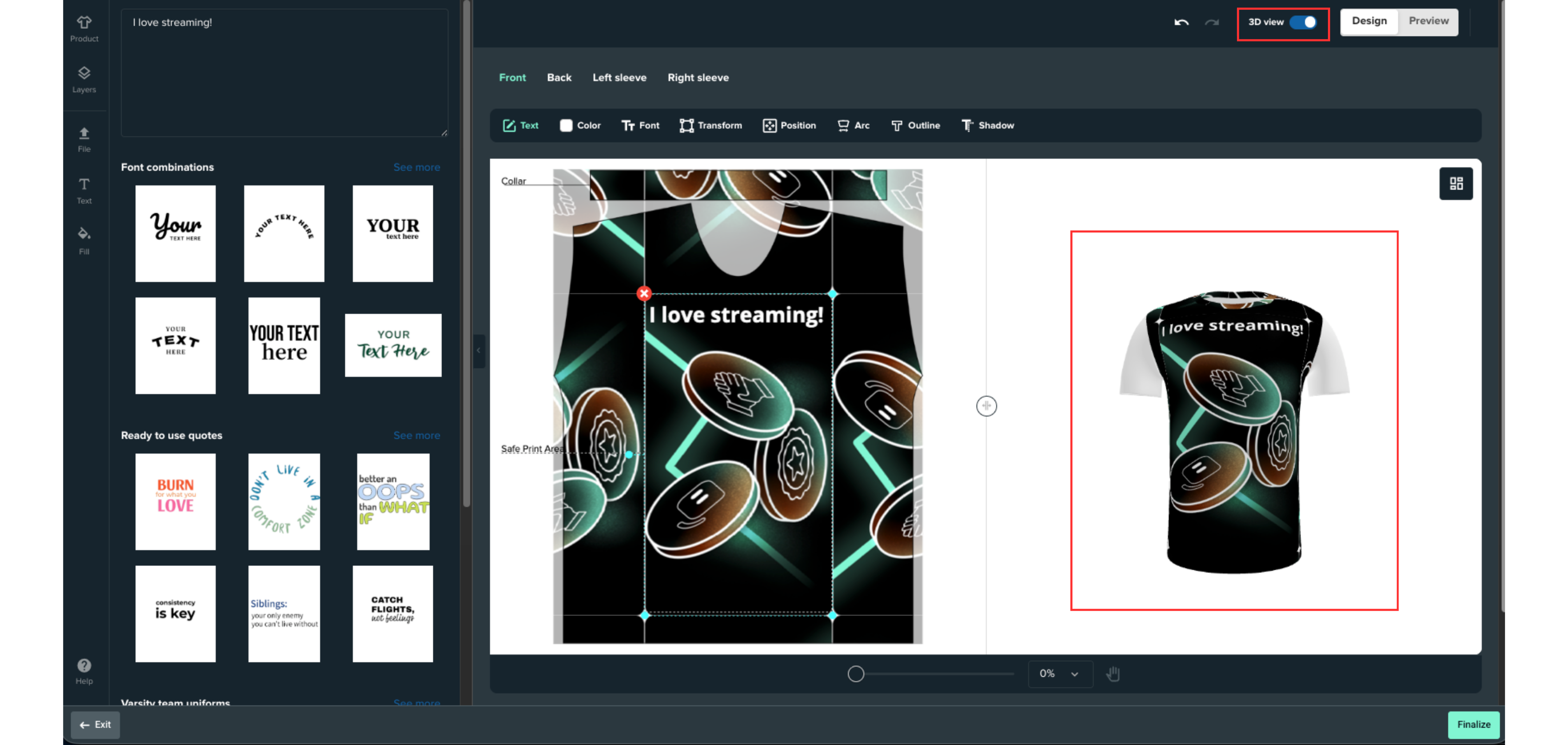
If you want to add text to your design, press Text in the left toolbar and you'll be able to live preview any text you add. There are a number of text templates available for you to use, and in the top toolbar you'll see options to change the color, font, format and positioning of your text.
You can also toggle on 3D preview to see a preview on the right of what your design would look like on the item.
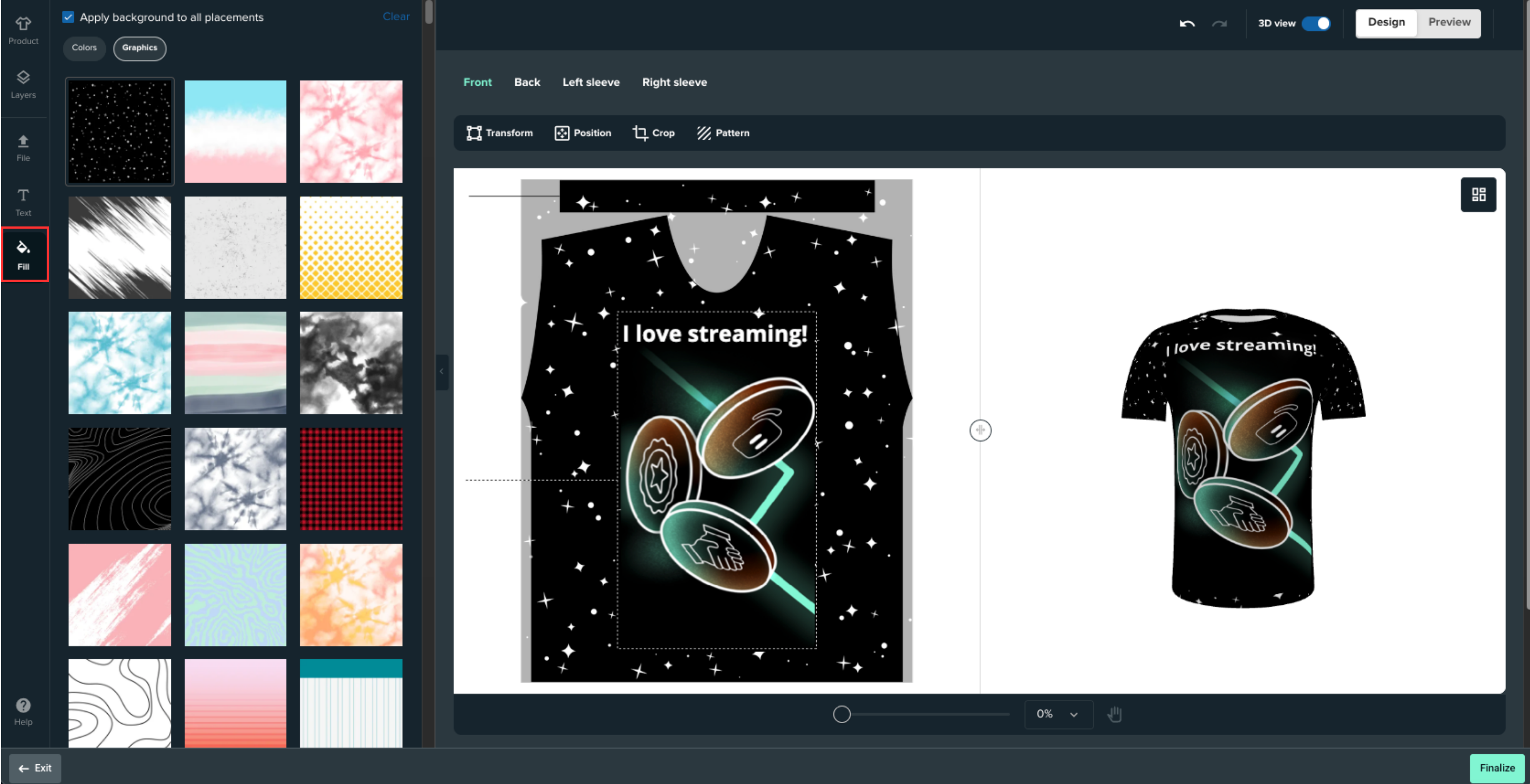
You can add colors and graphics to fill in the background of your design by heading to the Fill tab in the left toolbar.
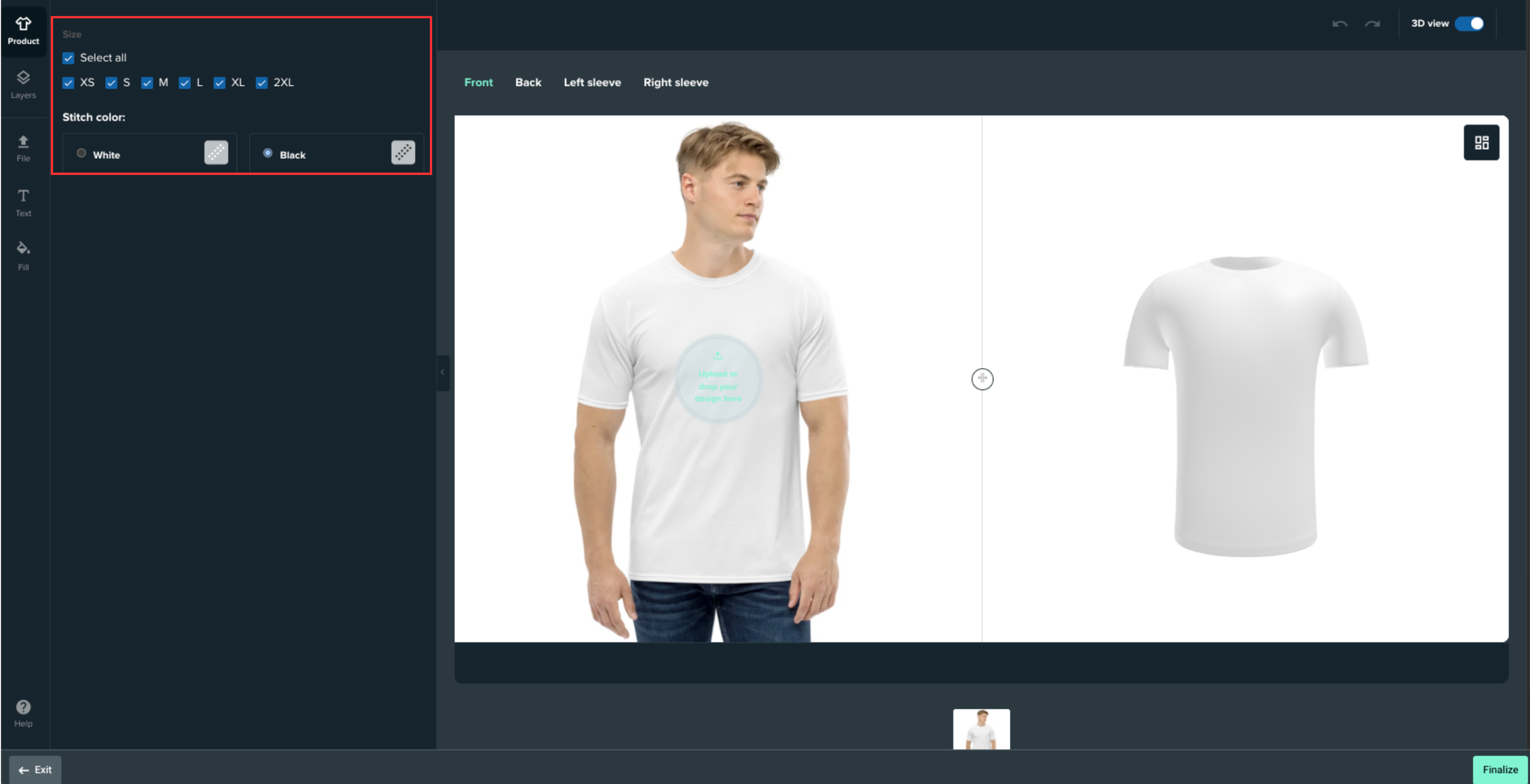
Finally, if you want to change the stitch colors or select your sizes, head to the Product tab.
Step 4: To preview your design after you're done, click the Preview button in the top right corner.
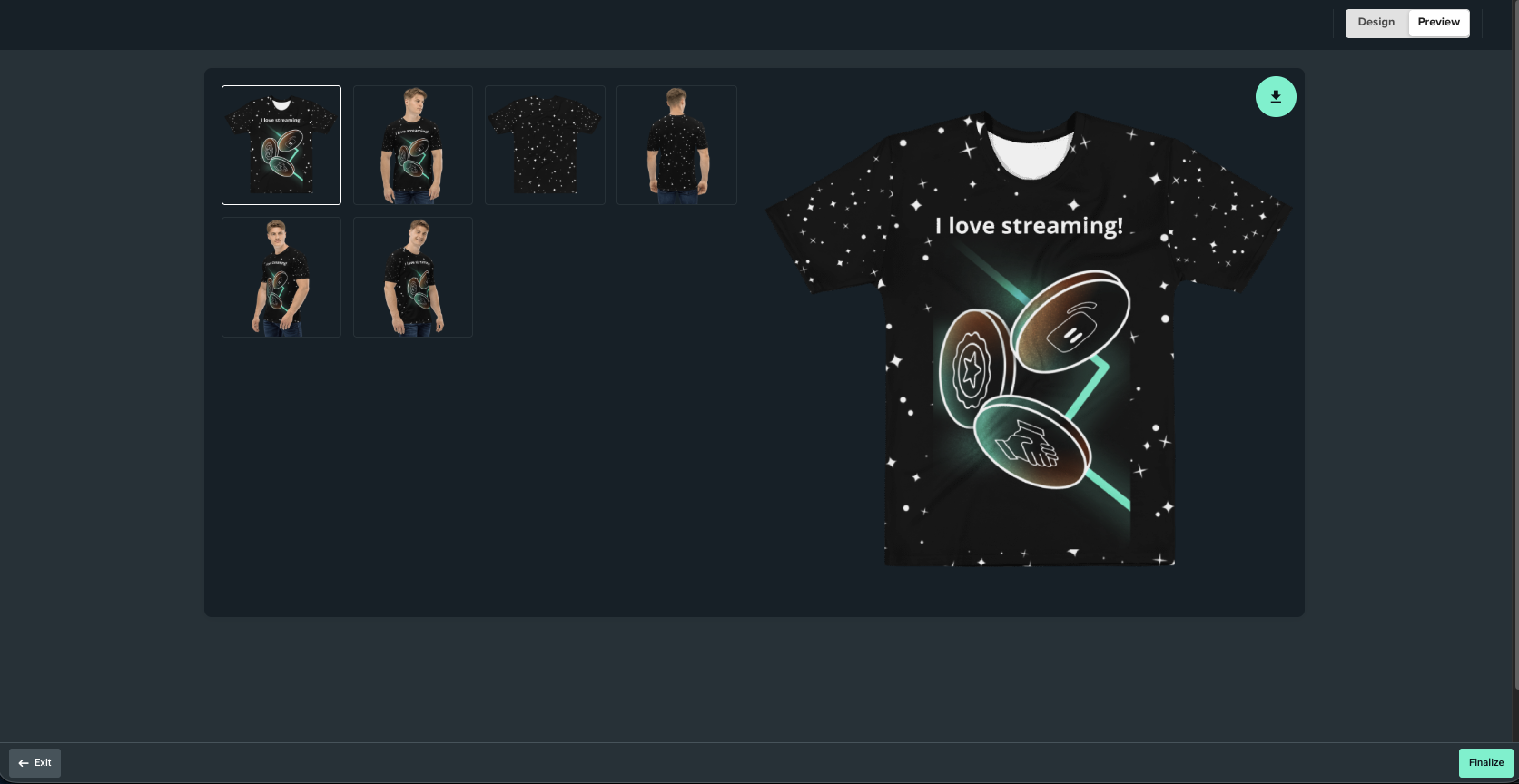
When you're done with design, hit Finalize in the bottom right corner of the editor.
Step 5: Next, modify the item name, price, your profit (minus standard PayPal fees), expiration date (if applicable), and product images. If you have multiple colors available for the item, make sure to select the color variation + image you wish to show in your store by default.
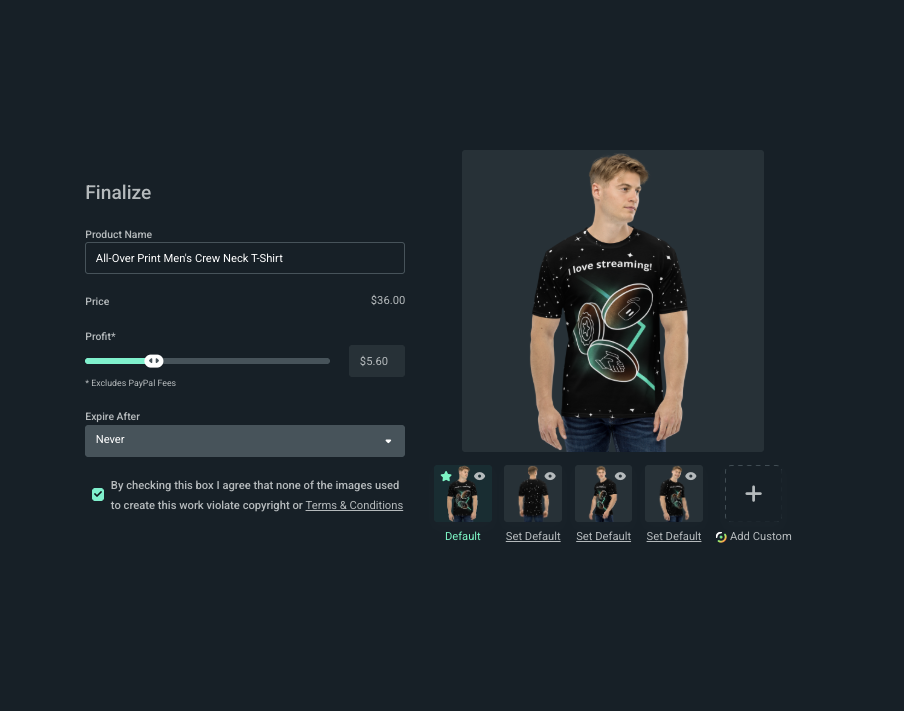
Remember, Streamlabs Ultra subscribers get to upload custom product images (in place of the stock images we provide). So, if you snap pics of you or others in your merch, come back to upload them to your listings.
Hit Publish to save. When you're all done, you will see your item in your retail merch store.
Note: All items are available to everyone, but Streamlabs Ultra creators will get an additional discount on all merch items. You can also create a custom merch alert or plan a giveaway to thank your supporters for purchasing.
Alerts and giveaways are great tools to remind viewers you have merchandise available. Let your viewers know where they can find your store-add it to your tip page, Twitch panel and other places where you connect with your fans or followers online.
Pricing Your Items
When setting prices for your items, please keep in mind that:
- Every item has a minimum retail price → selling at minimum = no profit
- Prices above minimum → you keep 100% of profit (minus PayPal fees)
- Example: $15 tee at minimum = $0 profit, $15 tee priced at $25 = $10 profit - PayPal fees
Discounts on Your Merch
You can purchase your own merchandise at a lower cost for a convenient way to sample product print and quality, or sport your own goods on stream. Simply go to your store while logged into your Streamlabs.com dashboard and you will see all items marked down to the lowest price.
Don't forget, Streamlabs Ultra members get even more significant discounts on merch.
You can purchase your own merch one of two ways.
- Through your merch admin store
- Through your merch
Both ways will offer you the same discount.
How to Customize Your Streamlabs Merch Storefront
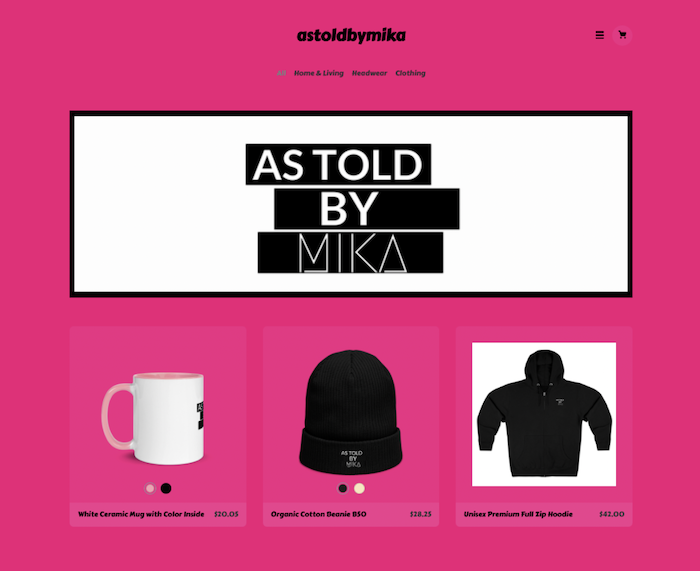
If you want fans visiting your storefront to feel welcome and at home, we strongly encourage you to check out the customization features for your Streamlabs Merch storefront. Creators can customize fonts, font color, background color, banner, and themes for their storefront in just a few clicks (no coding or website design skills needed).
As long as you have at least one product added, you can start customizing your storefront. Simply login into your Streamlabs Dashboard and select Merch Store from the left navigation panel.
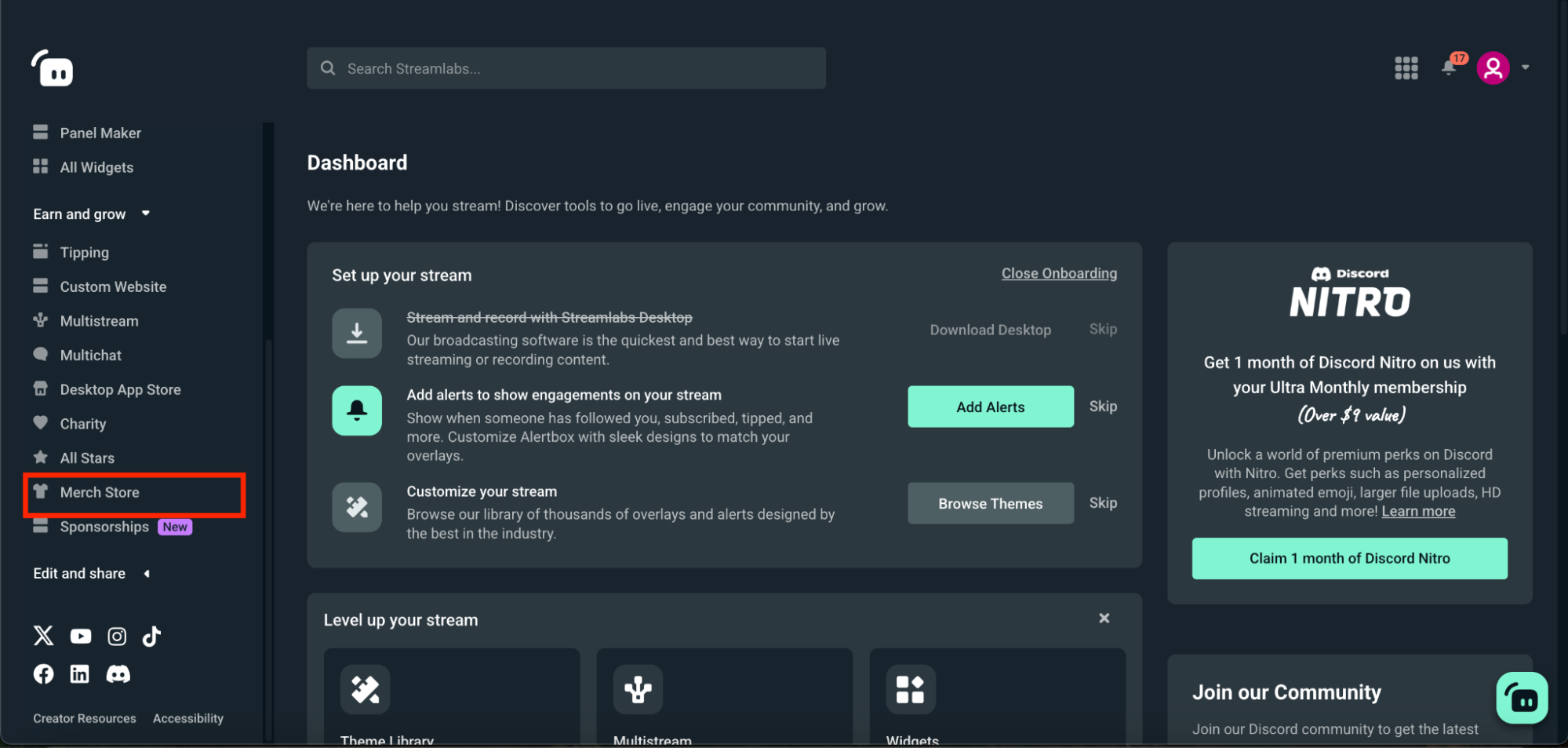
Once you're there, you can begin customizing the following elements of your store by selecting the Storefront tab.
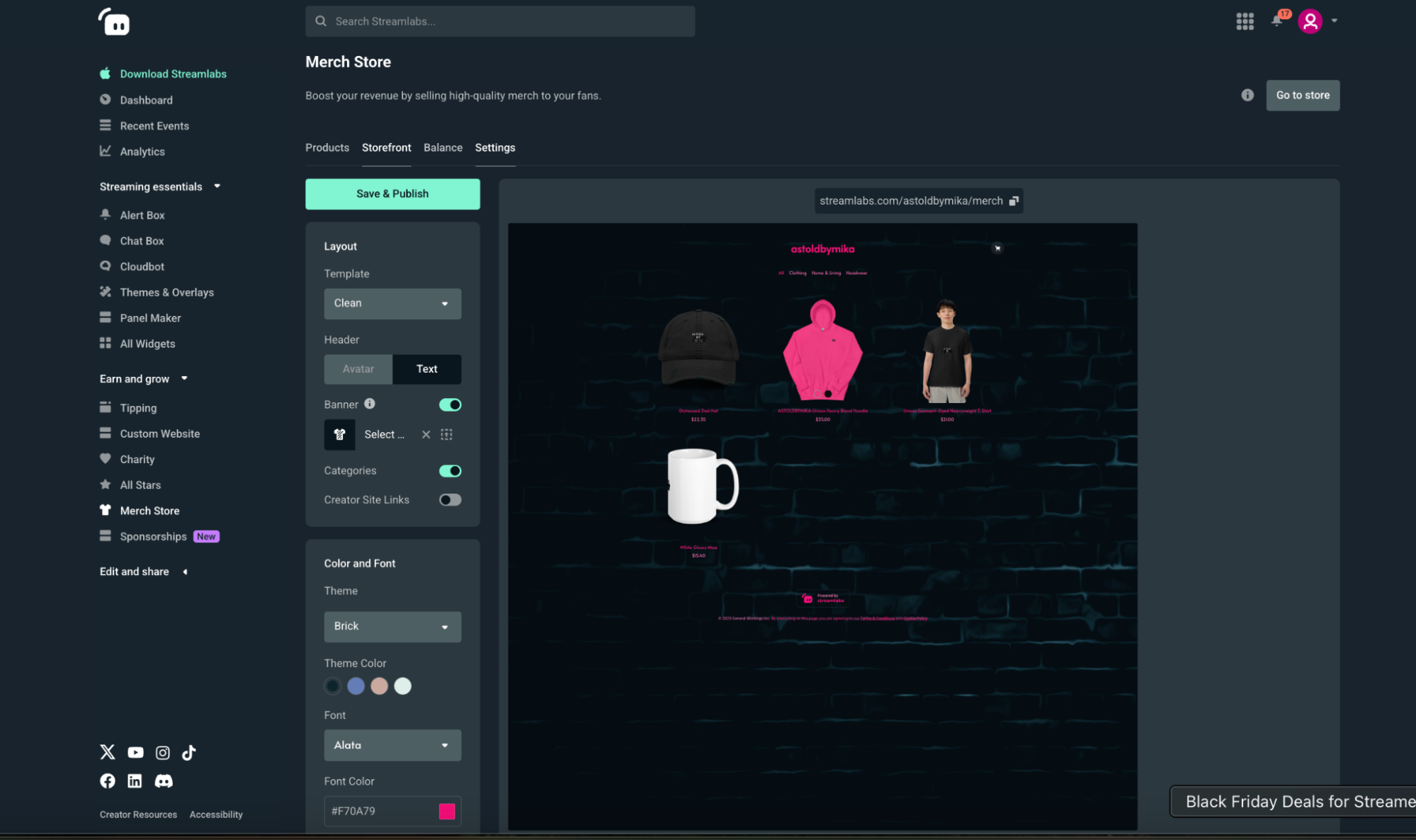
Layout
Here you can customize the overall look and feel of your storefront:
- Template—choose between a clean, grid, or cards layout for your products.
- Header—choose between your Streamlabs avatar (profile pic) or text.
- Banner—add a banner of your choice (1106x508 pixels).
- Categories—toggle this option on or off to display product categories on your storefront's page.
- Creator Site Links—toggle on or off to show or hide the Creator Sites navigation bar on your storefront.
Color and Font
Here, you can add the final touches to your storefront to ensure it is "on brand".
- Theme—match your Creator Site design, choose from premade themes, or go custom with a background, font style and font color of your choice.
- Background Color—use the selector to choose a color or enter the hex code of one you'd like to apply to your storefront's background. This option is only available if you're using a custom theme.
- Font—choose from a variety of font styles for your storefront.
- Font Color—use the selector to choose a color or enter the hex code of one you'd like to apply.
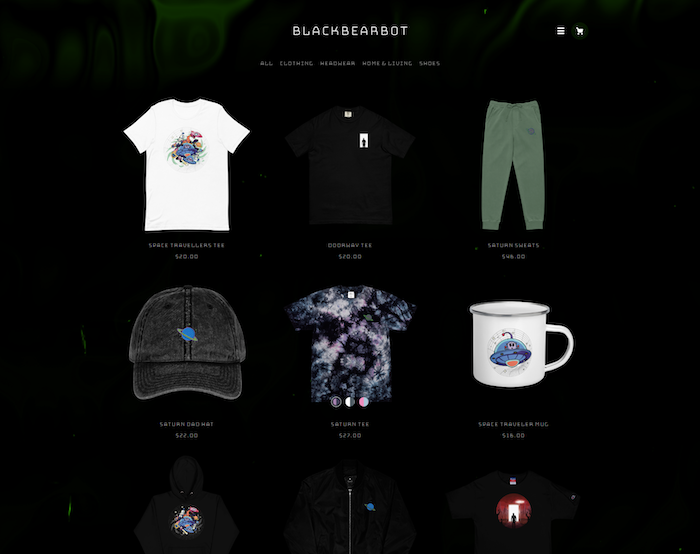
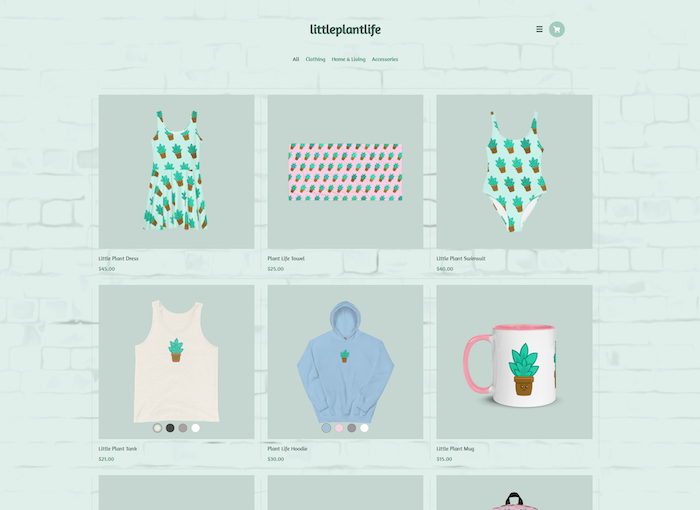
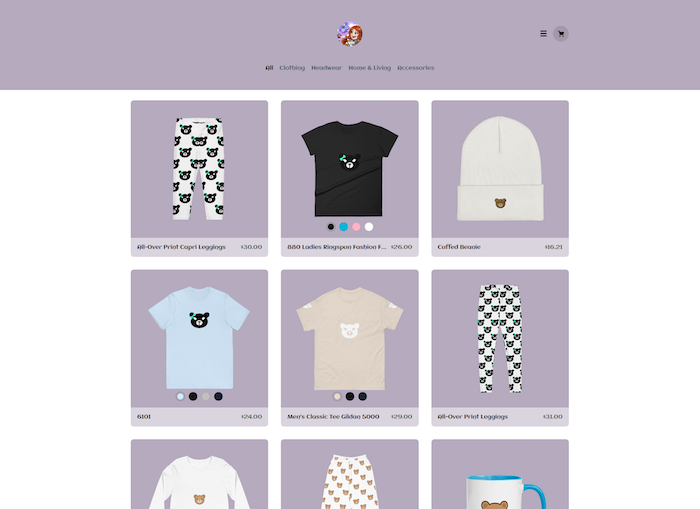
If you need inspiration for your storefront, check out some amazing examples below.
Why Choose Streamlabs Merch
How We Print and Why
One of the most common questions is "Do we print using DTG (Direct-to-Garment) or screen printing?" In short, 99% is DTG because it's virtually zero risk-no buying inventory, no minimum order quantities and no chances of being stuck with unsold items. We handle all the printing and shipping to your customers for you.
Check out the chart below to get a better understanding of what both techniques include.
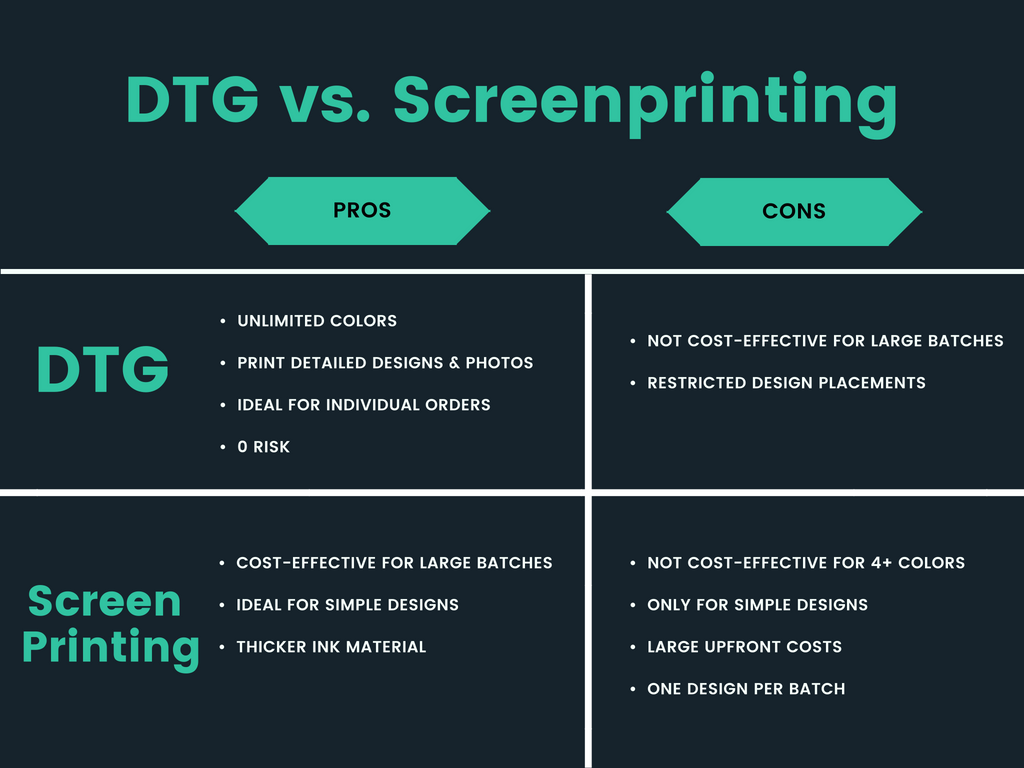
Pro Tip: Most streamers use DTG.
Lightning Fast Delivery
Our average printing and shipping time usually ranges from 3-7 business days. All in, you're looking at 5 days to bring just an idea in your head to viewers actually holding your branded merch in their hands!
We accomplished this by implementing 3 fulfillment centers (2 in the US and 1 in Europe) so even international customers don't have to pay customs taxes. It's truly a magical experience!
Have fun customizing your storefront! We can't wait to see your creativity come to life and watch your merch sales grow because of it.