


 Ultra subscription.
Managing your stream setup, troubleshooting issues, and tweaking settings on the fly just got much easier. We now have a dedicated chat assistant built right into Streamlabs Desktop.
What does the chat support do?
The assistant is designed to help you configure your stream, adjust settings, and troubleshoot issues without leaving Streamlabs Desktop.
Instead of manually figuring out complex source options, you can simply type a request, and chat support will offer suggestions or make adjustments for you.
For example, you can ask for help with:
- Source & Audio Assistance: Ask to set up or refine your scene elements (e.g., "Help me with my mic" or "Post a poll to chat").
- Preset Audio Filters: Enhance your microphone audio instantly with requests like "Make my mic sound better"
- Auto Optimizer: Optimize your layout and stream resolution without moving or messing up your sources.
- Built-in Troubleshooting: Diagnose stream issues seamlessly. If Kevin cannot resolve an issue directly, it can automatically upload diagnostic reports, share relevant Help Center (CRH) articles, or provide a direct link to open a support ticket.
How to Use Desktop Chat Support
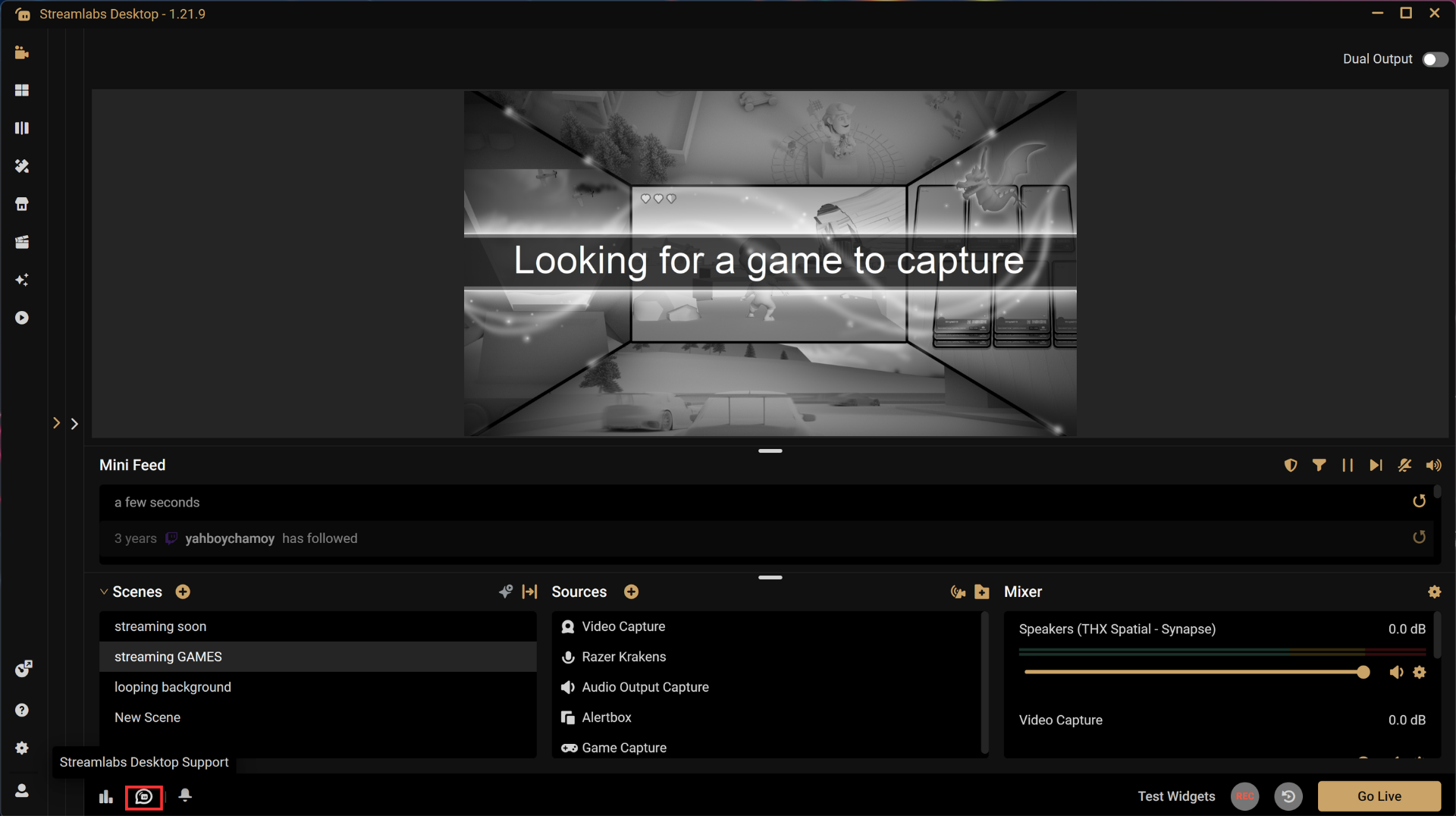
Step 1: Launch Streamlabs Desktop and locate the chat bubble in the bottom left corner, next to your Notifications button. Make sure you're running the latest version of Streamlabs Desktop.
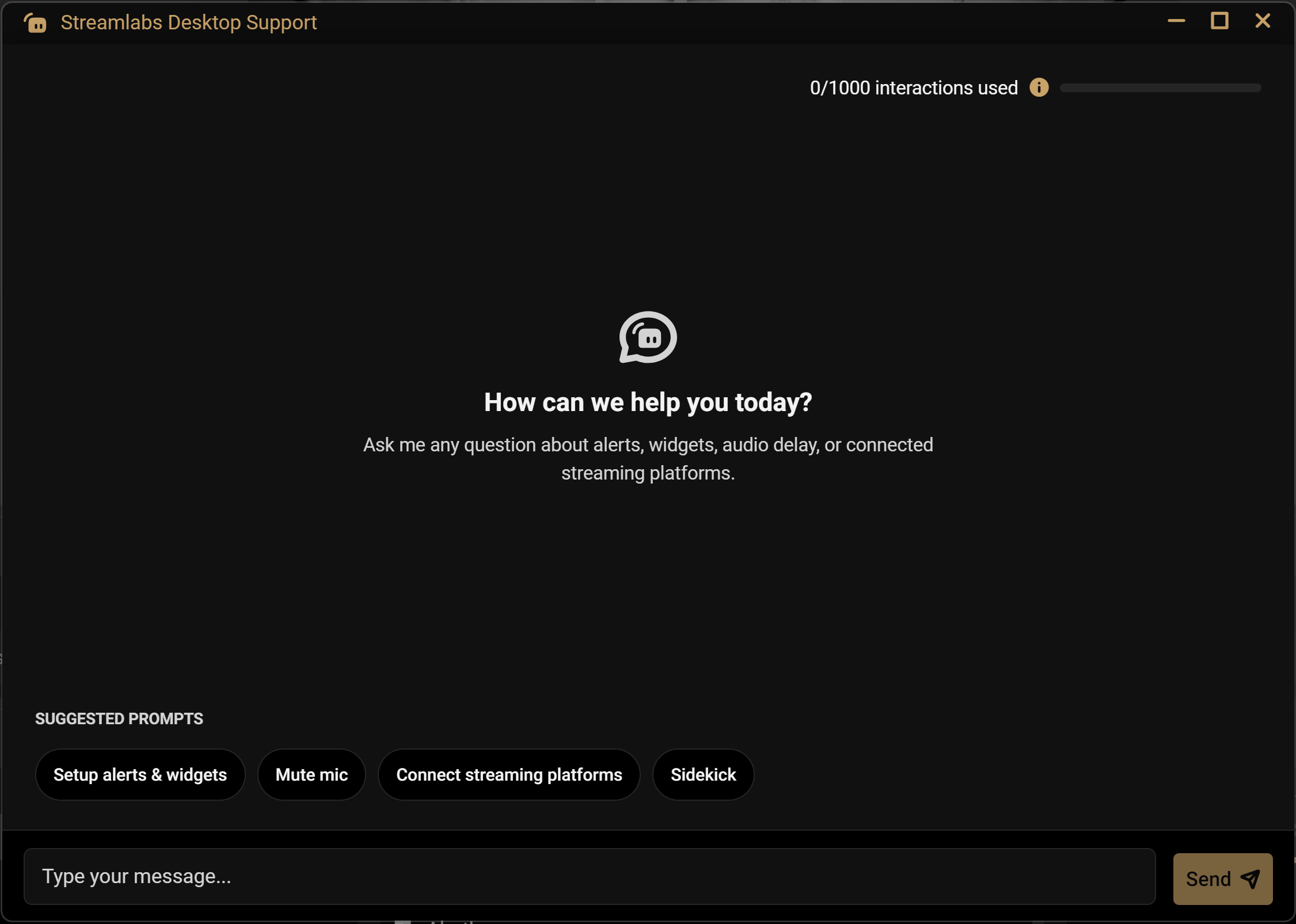
Step 2: Type what you need help with into the chat input field, or click one of the suggested prompts.
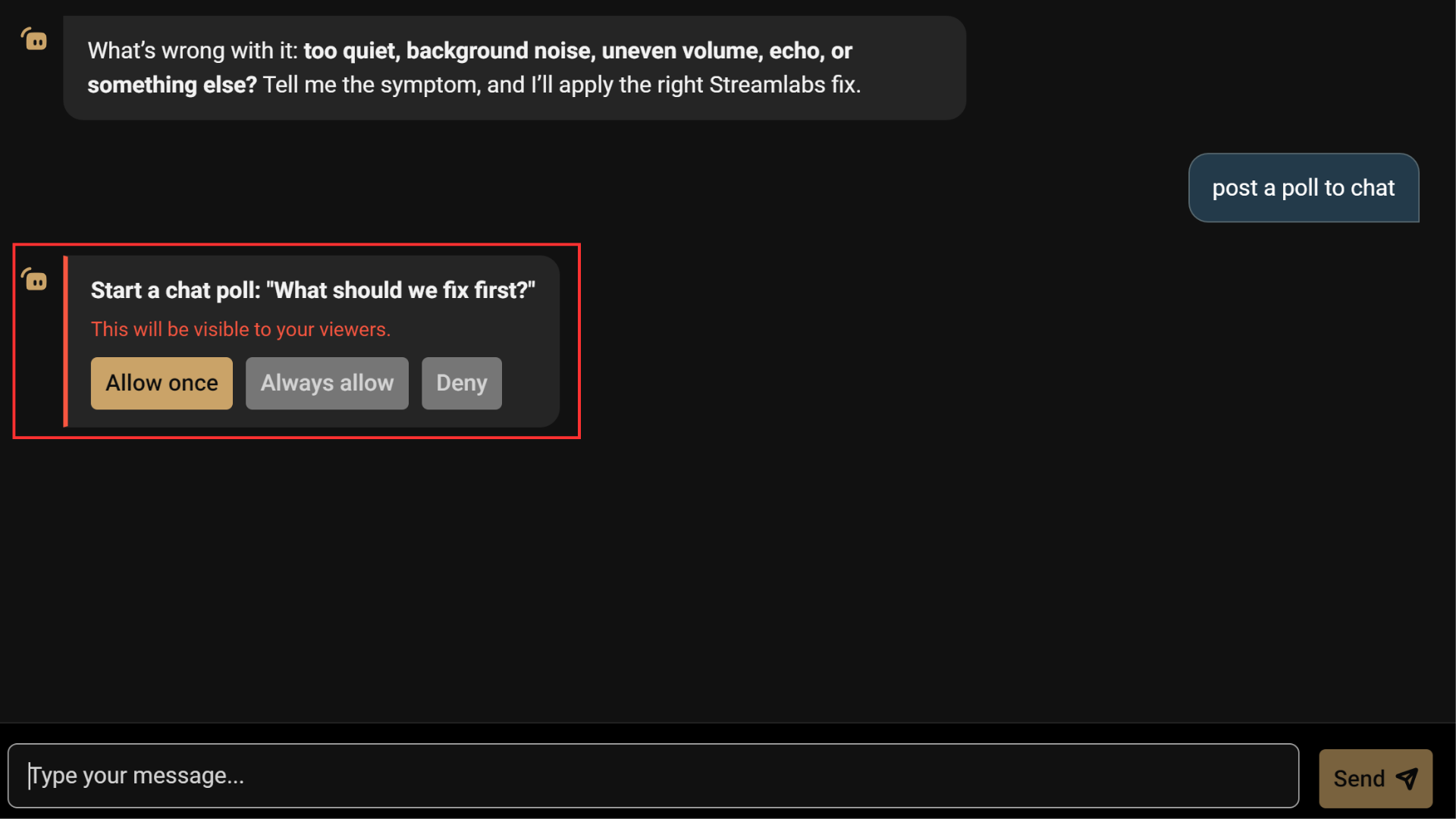
Step 3: To keep you in control of your layout, whenever an action requires updating a desktop source, scene setting, or posting in chat, the assistant will explain what changes it plans to make and ask for your approval before applying them. Allow the changes once, always, or deny.
If it is unable to solve your issue automatically, it will offer additional assistance by uploading your diagnostic report, recommending relevant support articles, or providing a link to submit a Zendesk support ticket.
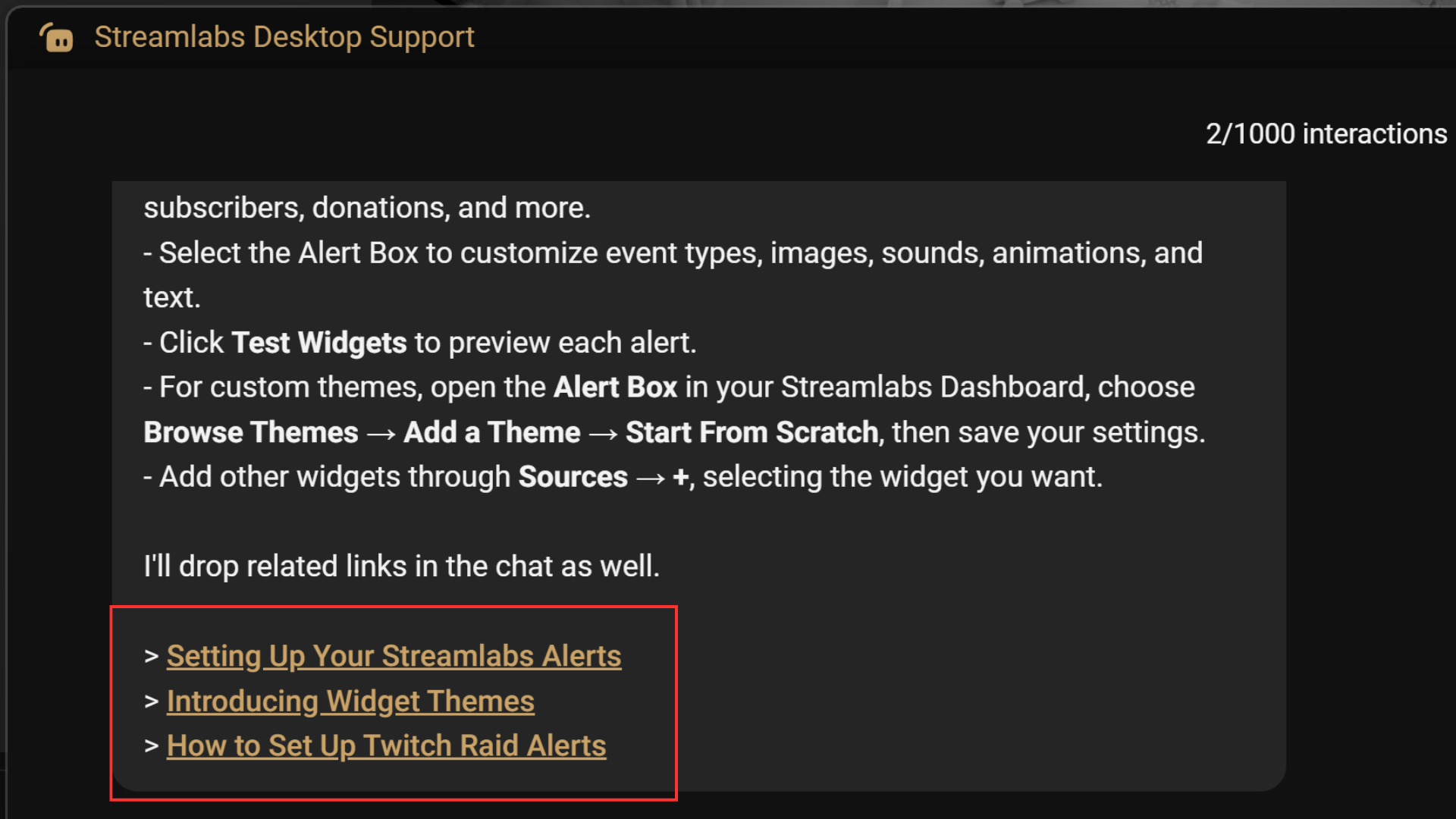
Interaction Limits
You get 100 free interactions in total. You can subscribe to Ultra to upgrade to 1000 interactions/month, and if you really love the feature, upgrade to Ultra+ for 5000 interactions/month.
Update to the latest version of Streamlabs Desktop to start chatting. If you have any questions or comments, please let us know by contacting us or joining our Discord server.