


 Ultra subscription.

TL;DR: Streamlabs Reactive overlays respond to in-game events like kills, deaths, or victories, adding motion and flair to your stream that matches the energy on screen.
Powered by Streamlabs Vision, Reactive overlays are currently available on Windows and support popular titles like Fortnite, Valorant, Apex Legends, and more.
Jump Ahead:
- What Makes Reactive Overlays Different?
- Supported Games
- How to Install Reactive Overlays in Streamlabs Desktop
- How to Install Reactive Overlays in Streamlabs Plugin for OBS
- How to Edit Your Event Counters
What Makes Reactive Overlays Different
Reactive overlays take traditional overlays a step further by responding to gameplay events in real time. Instead of static designs, these AI-powered overlays shift, animate, or change based on what’s happening in your game—making your stream feel more interactive and exciting for viewers.
Supported Games
- Apex Legends
- Arc Raiders
- Battlefield 6
- Black Ops 6 and 7
- Counter-Strike 2
- Dead by Daylight
- Deadlock
- Dota 2
- EA Sports FC 26
- Enshrouded
- F1 25
- Fortnite
- Forza Horizon 6
- League of Legends
- Marathon
- Marvel Rivals
- Minecraft
- NBA 2K26
- Overwatch 2
- PUBG
- Rainbow Six Siege
- Rocket League
- Valorant
- War Thunder
- Warzone
- …and more gaming titles coming soon!
How to Install Reactive Overlays in Streamlabs Desktop
Step 1: Open Streamlabs Desktop and click on the Overlay Library.
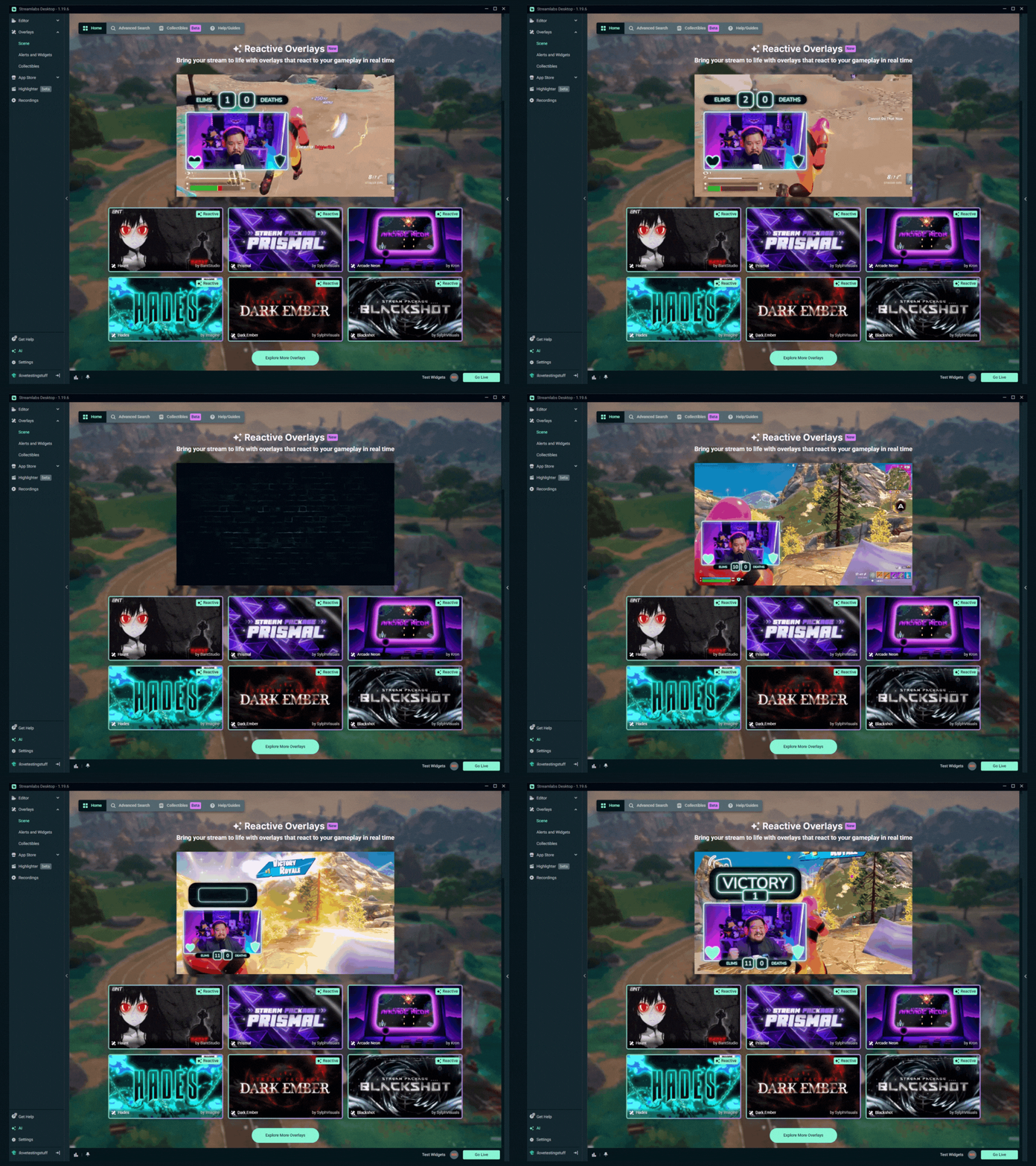
You can also head to the Streamlabs Overlay Library on web to search Reactive Overlays or browse the collection.
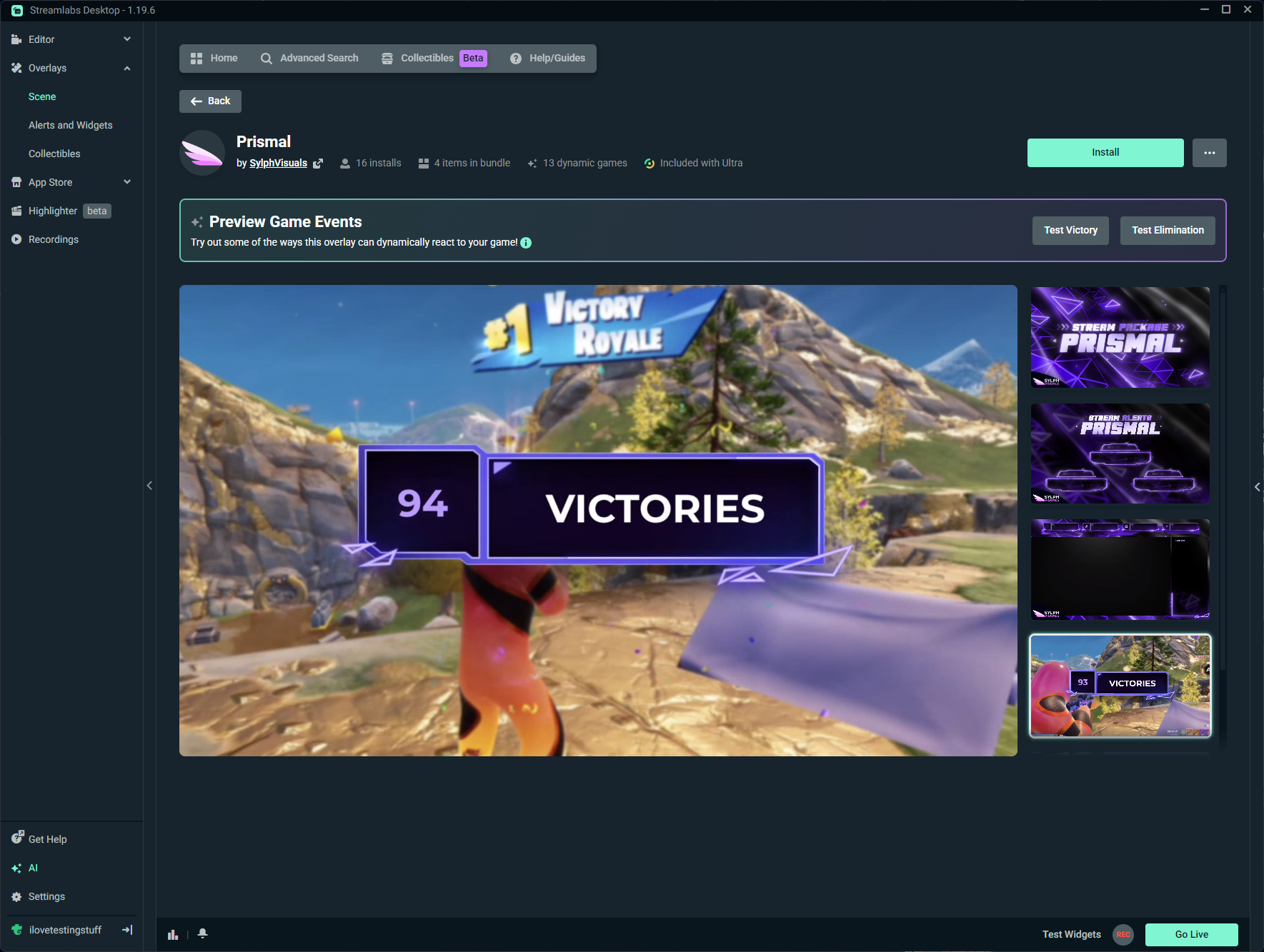

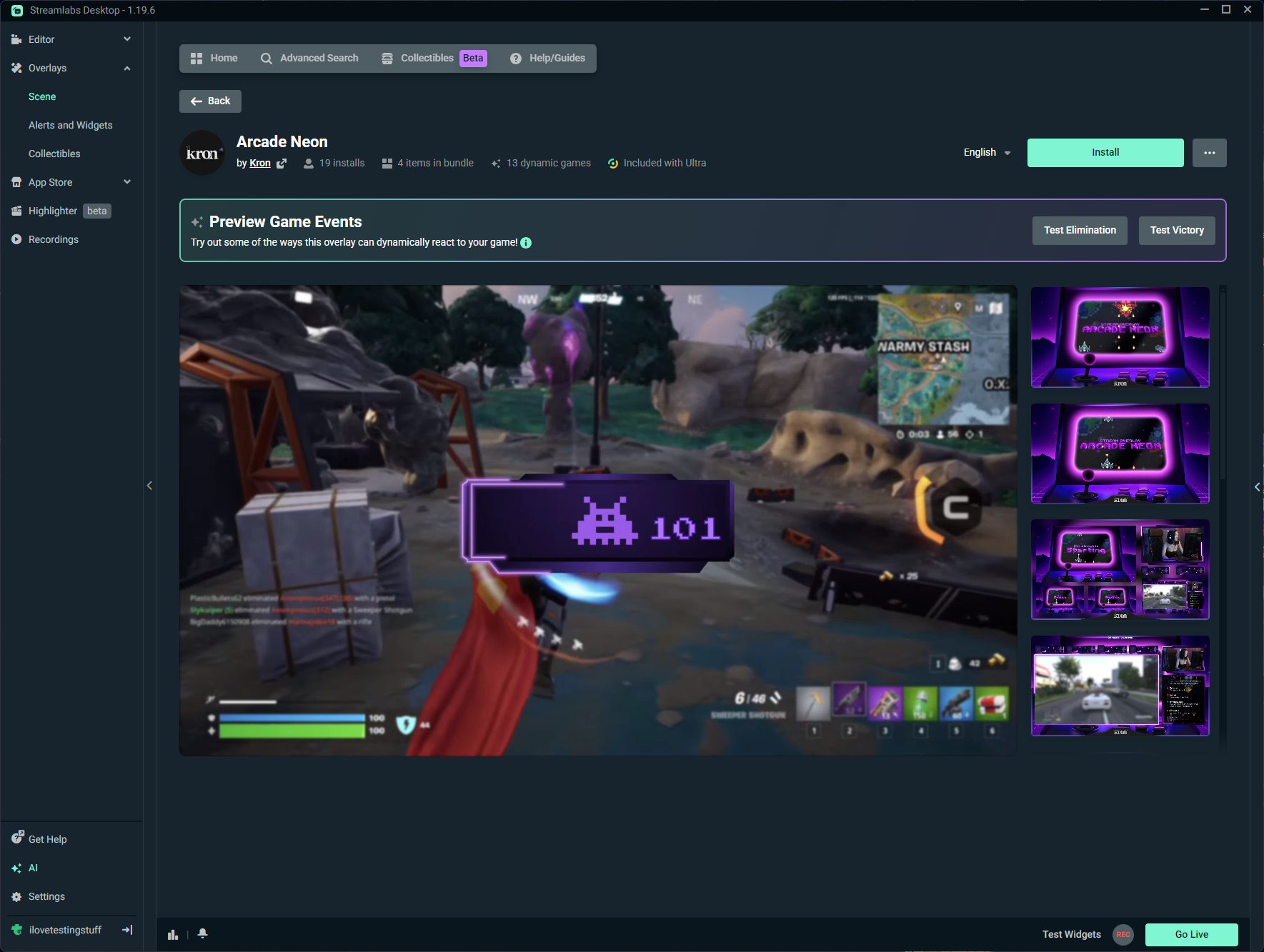
Step 2: Choose an overlay design that you like from the collection and click Install.
P.S. You can preview some of the game reactions such as eliminations, death and victory before installing the overlay (click the action in the preview game events panel).
Step 3: The overlay will automatically be added to a new scene collection in Streamlabs Desktop. Open Streamlabs Desktop to make sure everything looks good and to arrange the layout of your stream by resizing or moving on-screen sources.
Step 4: Launch one of the supported games in Streamlabs, hit Go Live and watch your overlay react in real time to in-game events.
.gif)
.gif)
Reactive overlays bring your stream to life by syncing visuals with gameplay. Whether you’re dropping into Fortnite or queuing up in Valorant, Streamlabs Desktop makes it easy to stand out with overlays that react to every moment.
How to Install Reactive Overlays in Streamlabs Plugin for OBS
ReaWe've now brought over Reactive overlays into the Plugin for OBS, and installing them is less than a 3 step process.
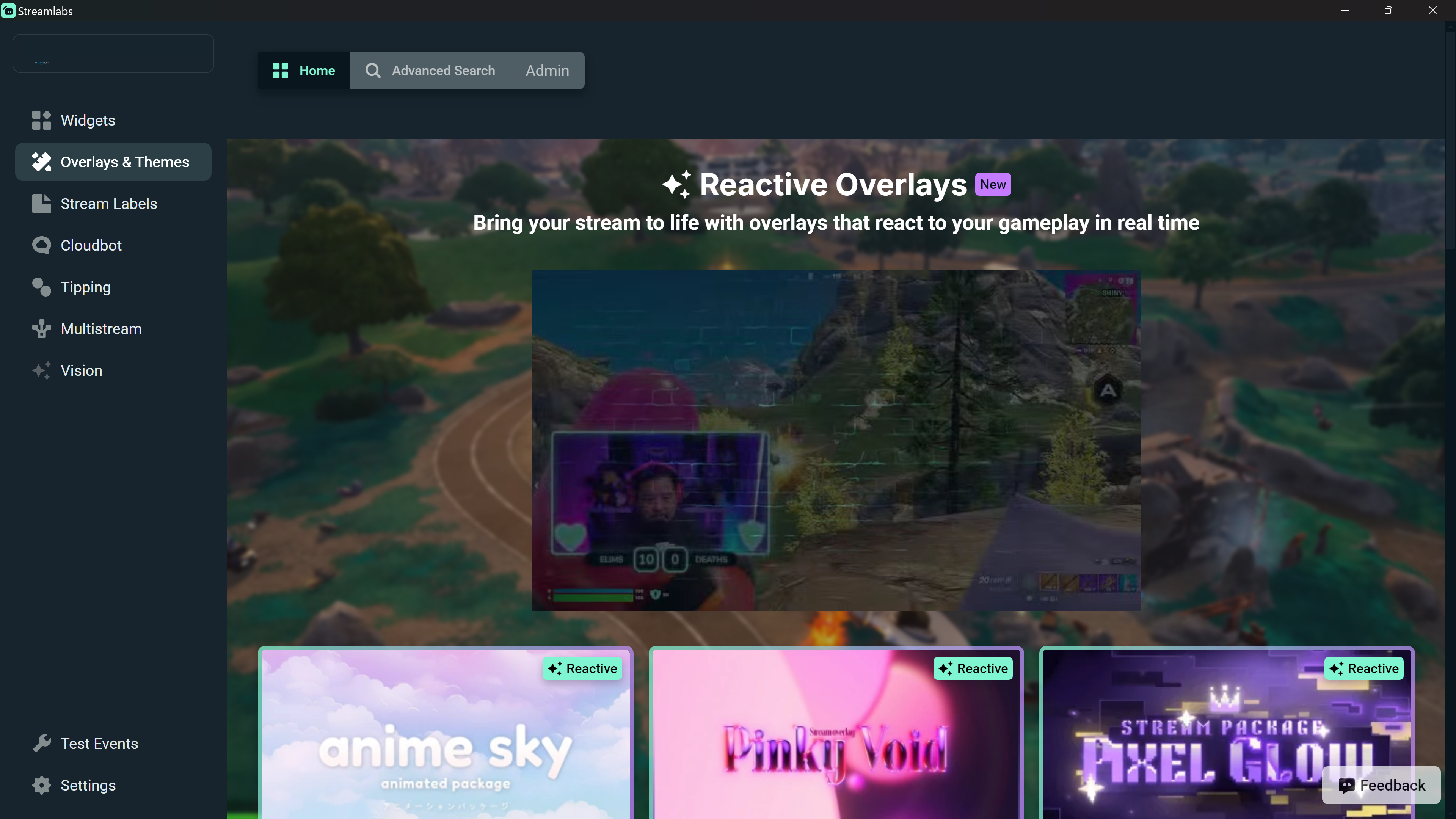
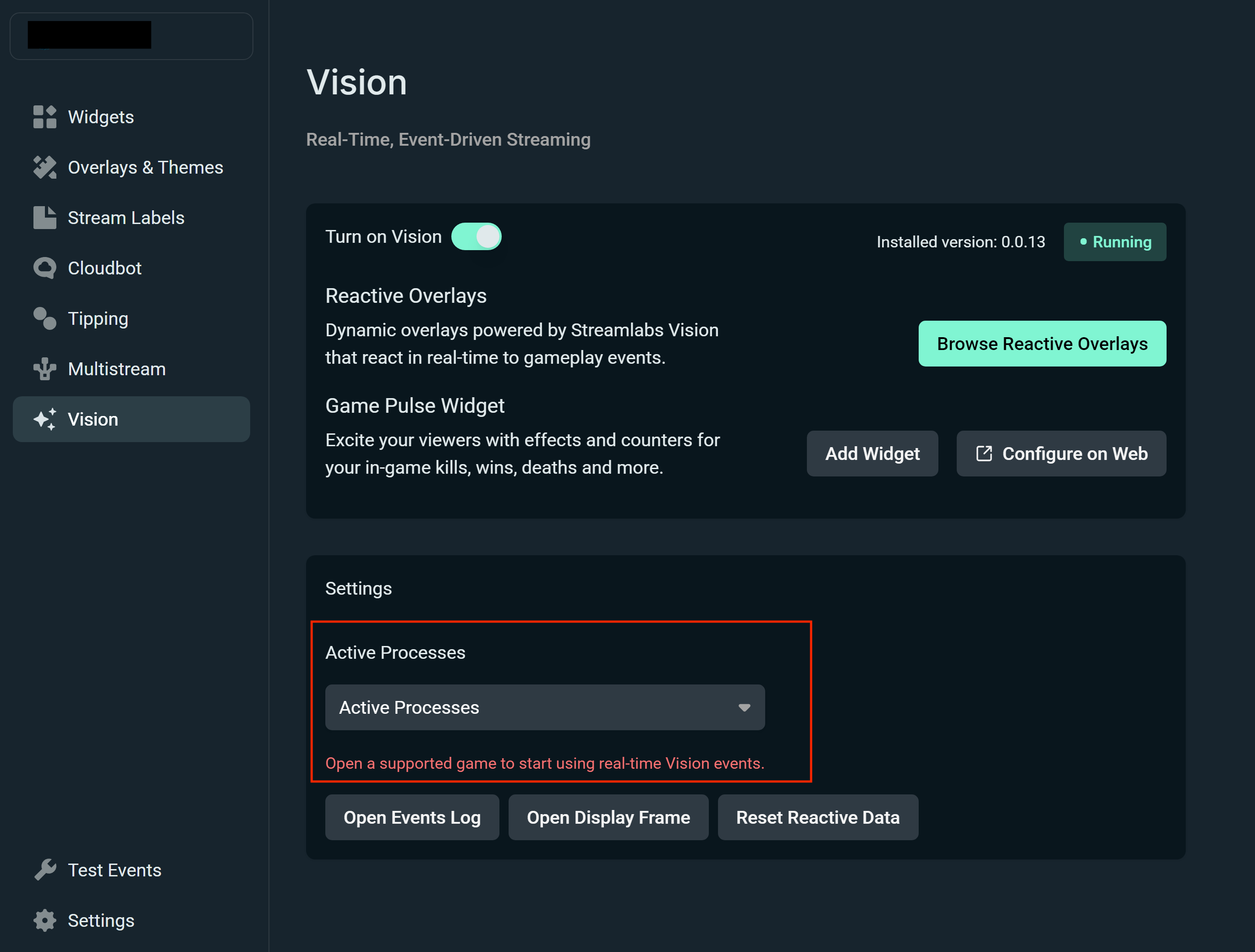
Step 1: Click Streamlabs in the top navigation in your OBS window to open the plugin. Then click the Vision tab. Toggle on Vision at the top of the page.
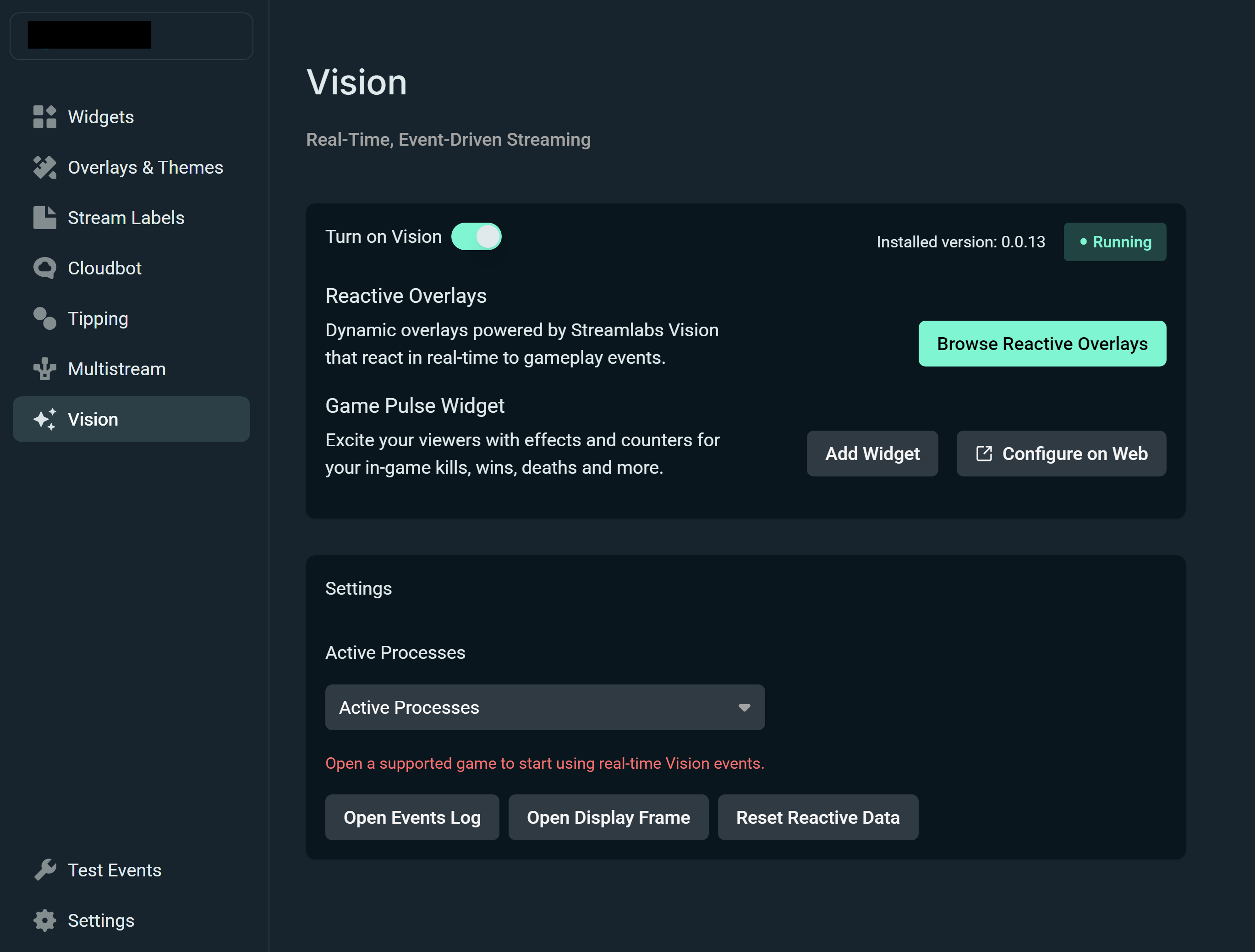
Step 2: Click Browse Reactive Overlays to view all of your options in the Overlays & Themes tab, then one-click add to install.
Once you open a supported game, you can go back into the Vision tab to select which game your playing to double check that the overlay will pick up on all of your game events.
How to Edit Your Event Counters
You can edit the counters on any of the reactive sources you add to your stream in the event there’s one more kill, death, or win you need to add to the scoreboard.
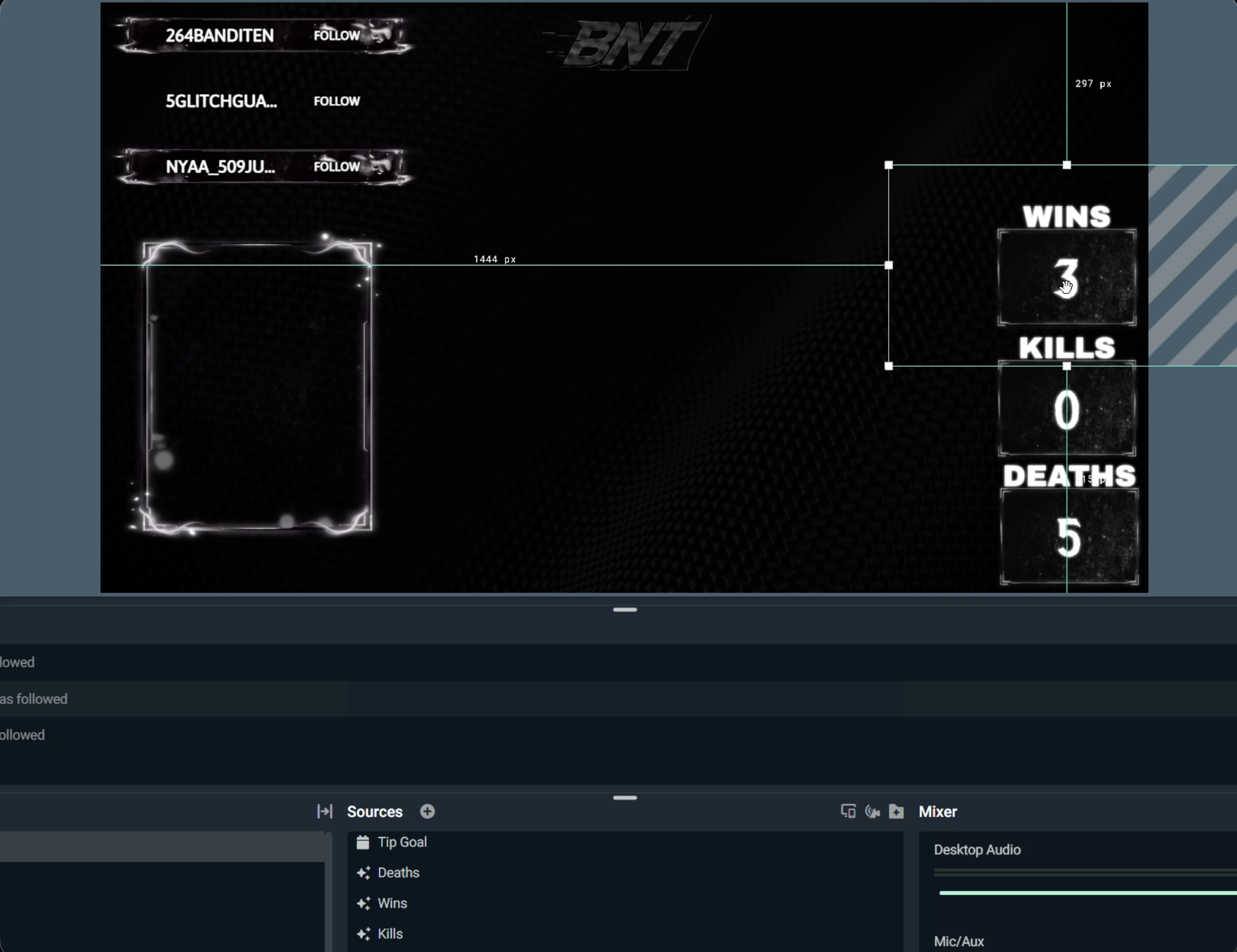
Step 1: Within the Desktop Editor, right-click the specific reactive counter you are looking to edit (Kills, Wins, Deaths). You can access this also by right-clicking the source.
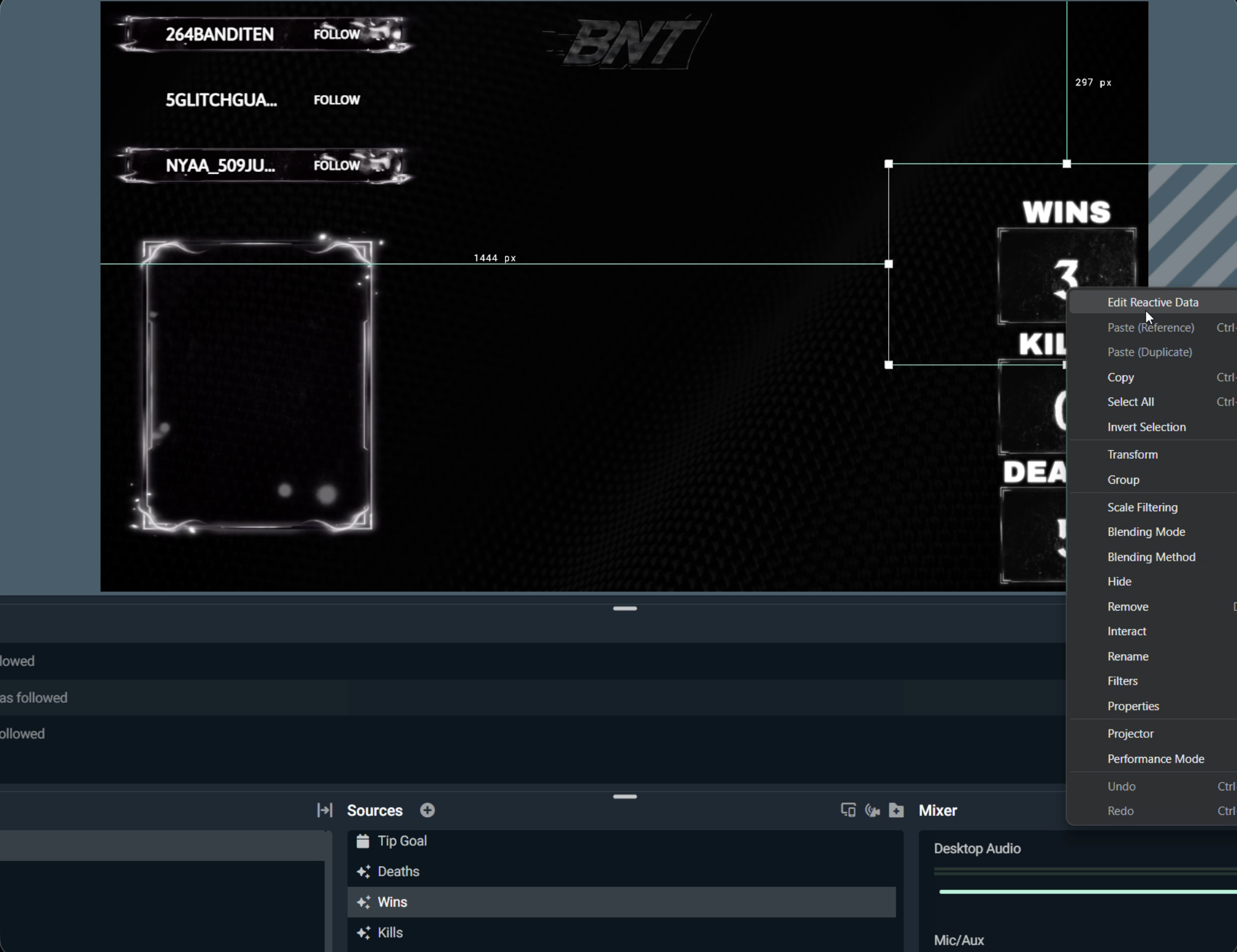
Step 2: You will see Edit Reactive Data as the first option. Click it to open the editor.
Step 3: You will see the name of the specific counter you are editing, and the current number. Click into the box to change it, then once you’re done hit Save Changes. You will see the counter number change in the editor as soon as you save.
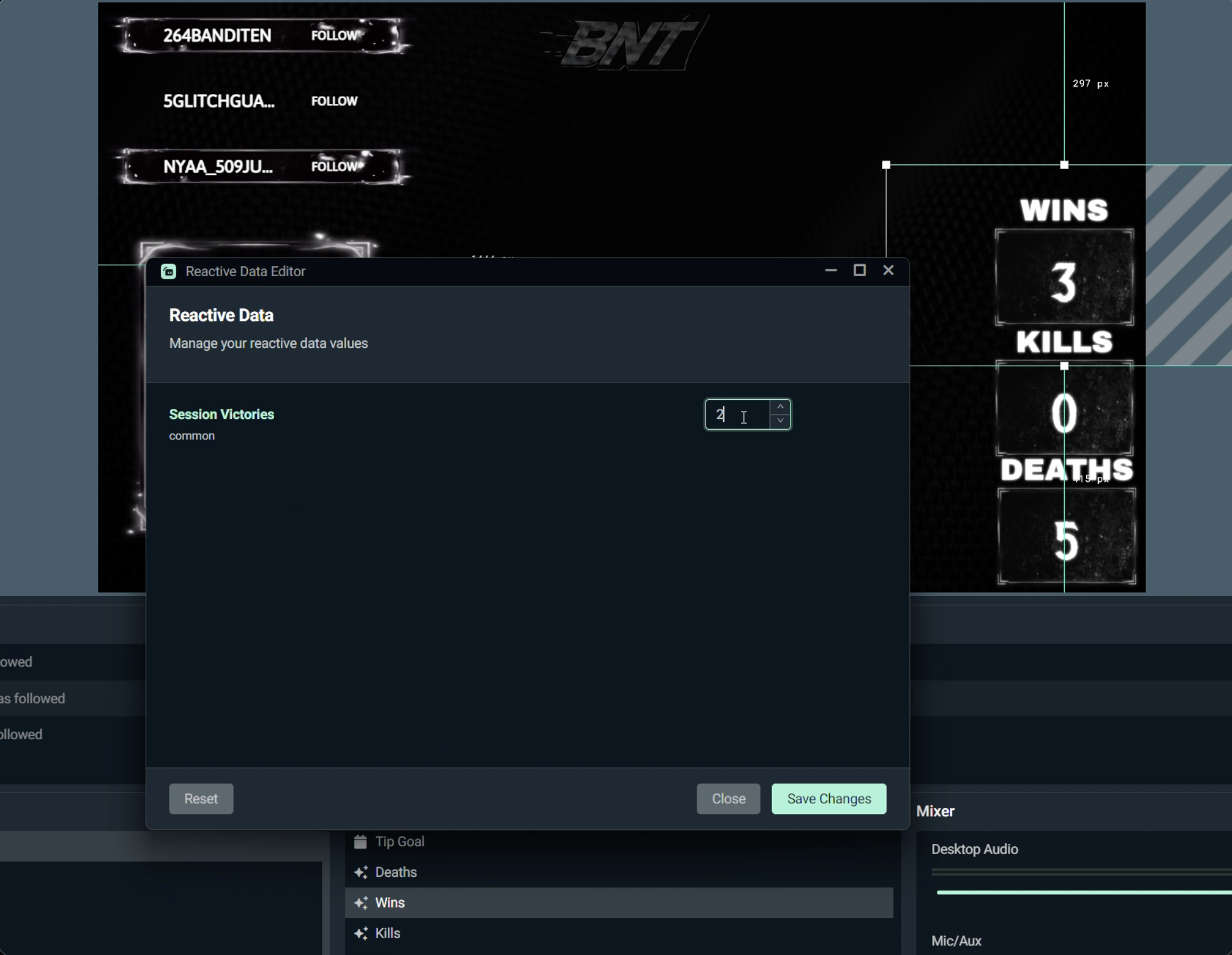
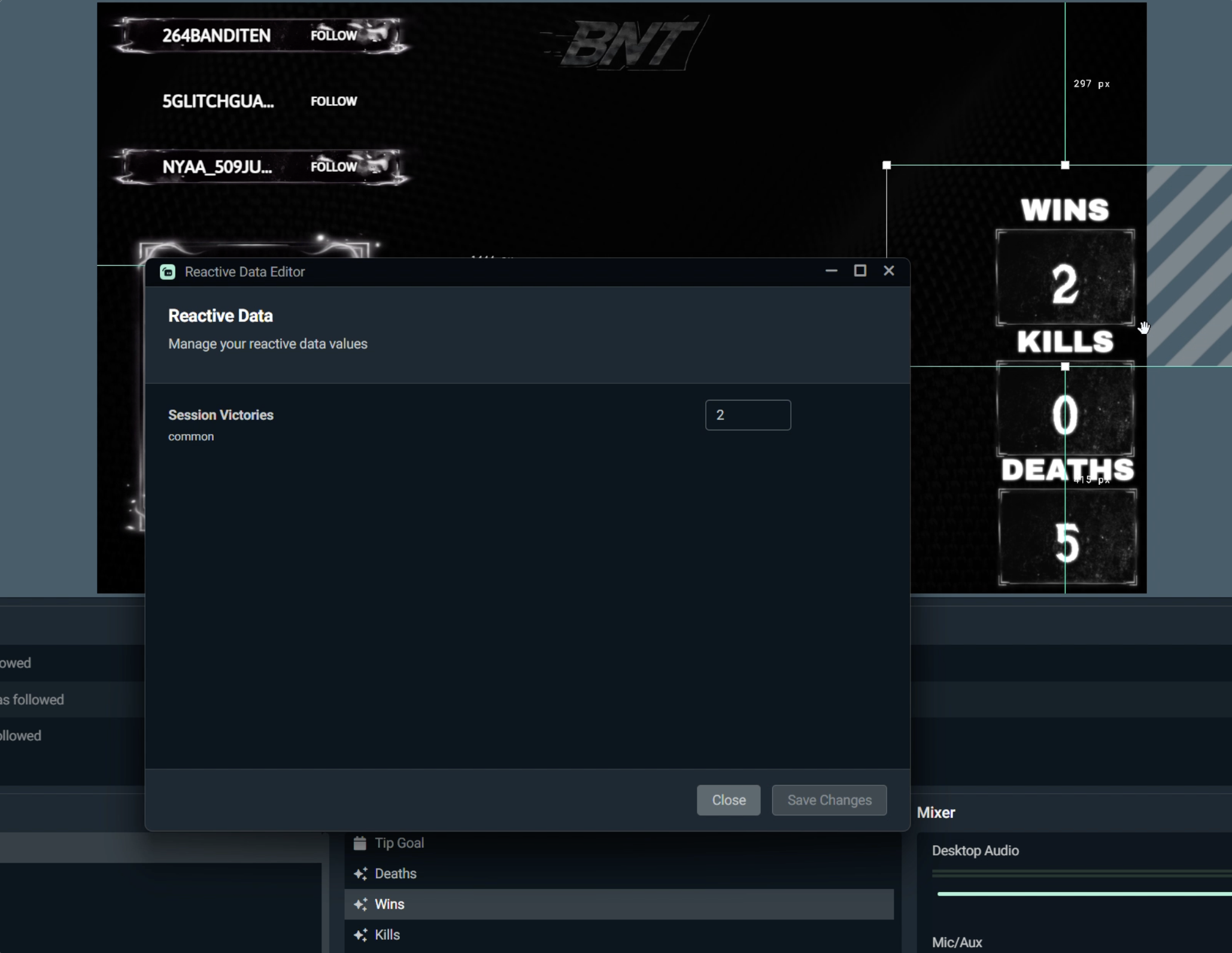
Step 4: Hit Close to exit the editor.