Ultra subscription.

TL;DR: You don't need a separate email address to create another YouTube channel. YouTube lets you manage multiple channels under one account, making it easy to switch between them in just a few clicks.
Why Create a Second YouTube Channel?
Sometimes one channel just isn't enough. Maybe you want to separate your gaming content from your vlogs. Or perhaps you're starting a channel for your business or unrelated creative project but still want it connected to your main account. Instead of juggling multiple logins, YouTube lets you manage several channels under the same Google account.
How to Create a Second YouTube Channel
Step 1: Log in to YouTube using the Google account that you want your new channel tied to.
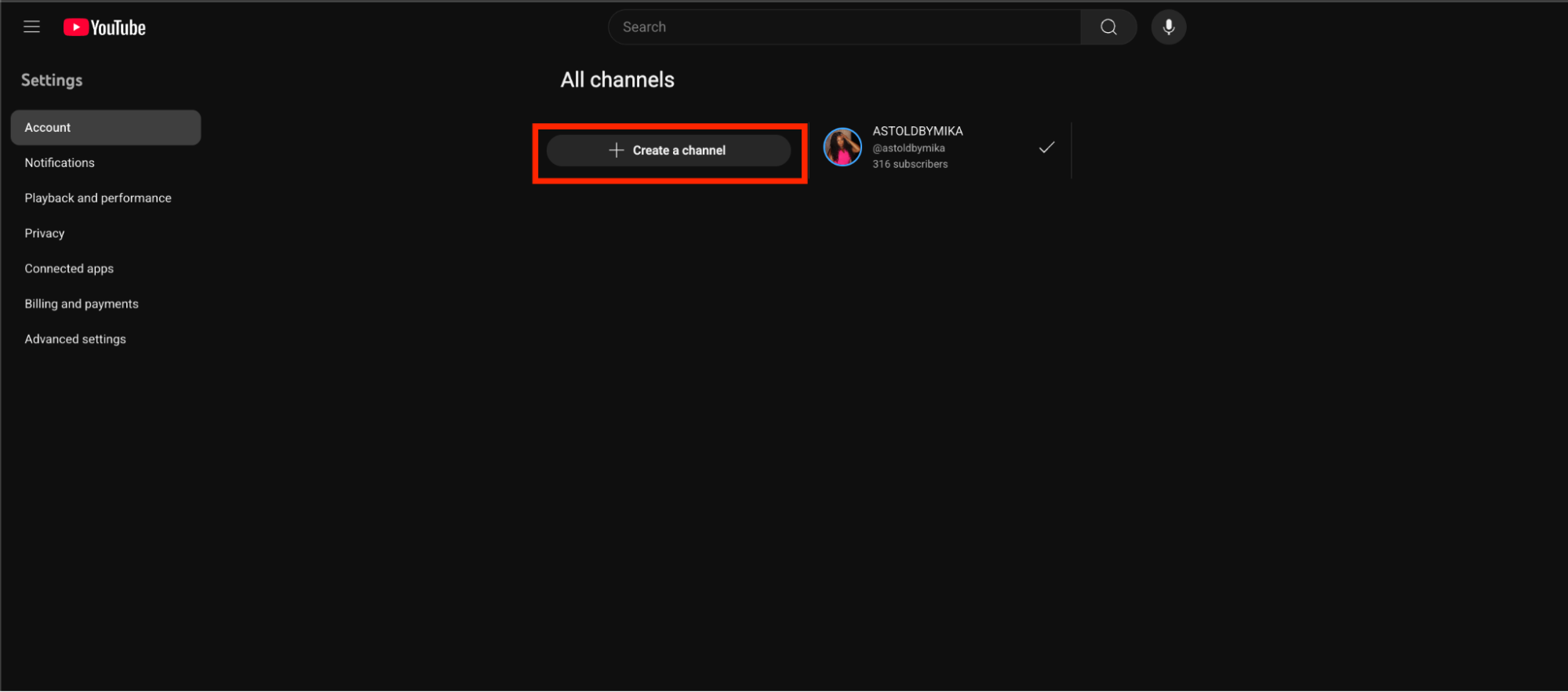
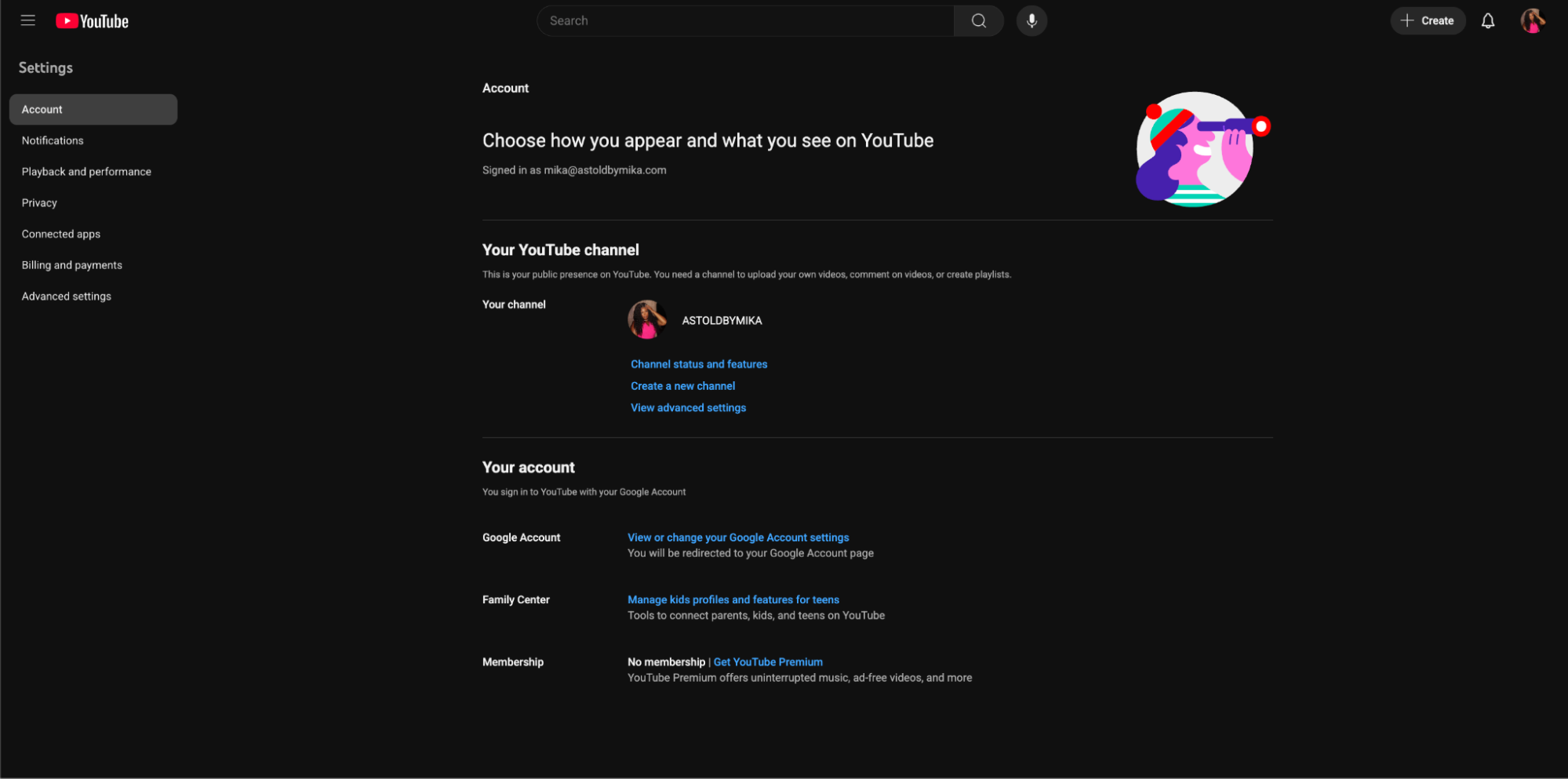
Step 2: Click your profile picture in the top-right corner, then select Switch account > View all channels, or go directly to your YouTube channel settings
Step 3: Next, click + Create a Channel to start setting up your new YouTube channel.
Step 4: The "How you'll appear" screen will appear, allowing you to set your new channel name, handle, and profile image. This channel will be linked to the same Google account as your main one.
This will automatically create a new channel linked to the same email as your main channel.
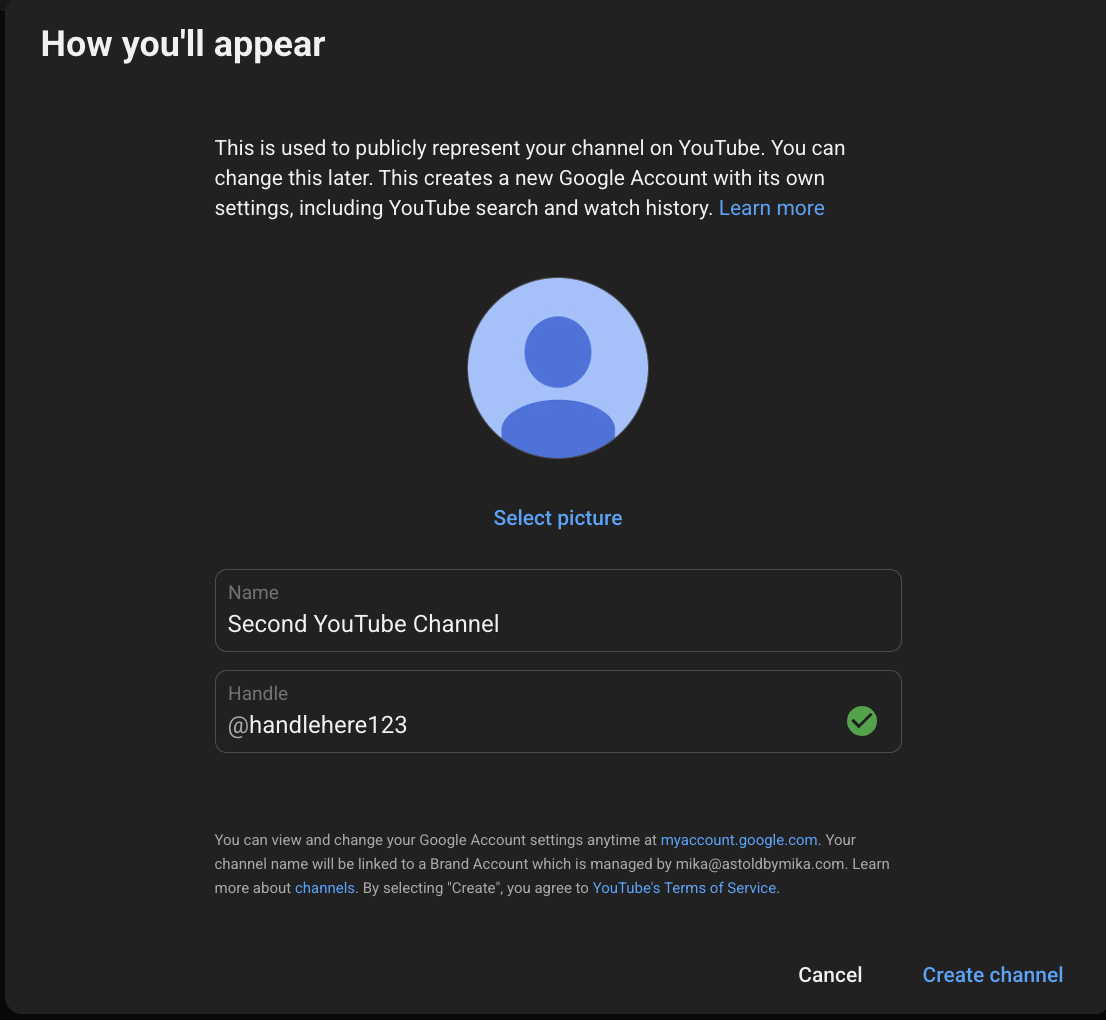
Step 5: Once you've added your details, click Create Channel to finish setup.
You can customize your new channel entirely-from the name and branding to the content you upload-giving each channel its own unique identity.
Managing Multiple YouTube Channels
Once you have two or more channels, you can switch between them by clicking your profile icon in the top right and choosing Switch account. Each channel has its own YouTube Studio, analytics, and monetization settings, but they all stay connected under one Google login.
Stream Smarter with Streamlabs
Creating a second YouTube channel is the perfect way to explore new ideas, reach different audiences, or organize your content more effectively. Once you're ready to go live, Streamlabs helps you keep everything running smoothly-from streaming and recording to customizing your setup with overlays, alerts, and more.
Plus, Streamlabs Ultra subscribers get full multistreaming access in case you ever want to broadcast to multiple platforms or YouTube channels at once.
Download Streamlabs Desktop to make your streams stand out.