

Unlock premium creator apps with one  Ultra subscription.


Unlock premium creator apps with one Ultra subscription.
no result

To broadcast live to your LinkedIn Personal or Company page you must be a verified broadcaster on Linkedin Live.
LinkedIn Live Setup
1. Once verified, you will see a dedicated Resources section from your main feed...

Talk Studio integrates Streamlabs applications and/or Widgets to offer you assistance when moderating chat, setting up tips or alerts, as well as, displaying a live chat box on your live stream. CloudbotCloudbot is a moderation...
Read more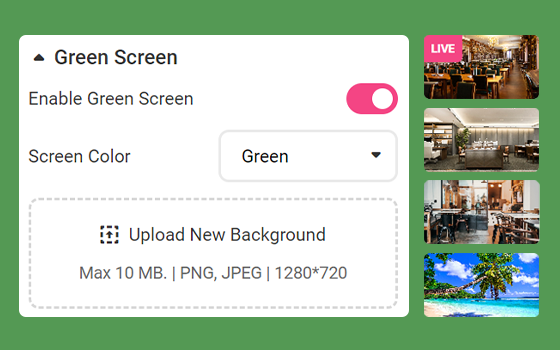
Green Screen GuidelinesWhen using a physical green screen, proper lighting is very important to help the chroma-keying process, for better green screen results:Straighten your backdrop. Your green screen must fill the entire...
Read more
If you just created a new channel or you already own an existing channel, YouTube requires to complete two (2) verification steps per channel in order to recognize your channel from your Talk Studio:
1. Log in to your YouTube...

Scheduling ParametersWhen scheduling your stream from your Talk Studio, please be advised that you will only be able to schedule within a 50-day window. Additionally:Do not delete your destinations at any point after scheduling...
Read more
Enable Facebook AvatarsFacebook will need to ask your viewer's permission to display their name/avatars when posting comments to your live stream chat.Share https://talkstudio.streamlabs.com/facebook with your viewers by adding it...
Read more
Facebook TroubleshootingIf you are not listed as an 'admin' of a Group or Page, please contact the owner to invite your personal profile as an admin.If you do not see your Group or Page when adding a new destination, your Group...
Read more
Talk Studio offers a dedicated chat window to help you engage with your audience while live streaming. (500 character limit) Stream chat - is primarily used as your public chat window.Private chat - is used to chat with guests...
Read more
If you run into camera issues or your screen/camera is black-screened, there are a few reasons why this may be happening. Below we'll cover:
Allow Access to Your Camera/webcam
Camera Overview
Common Camera Issues
Adding...
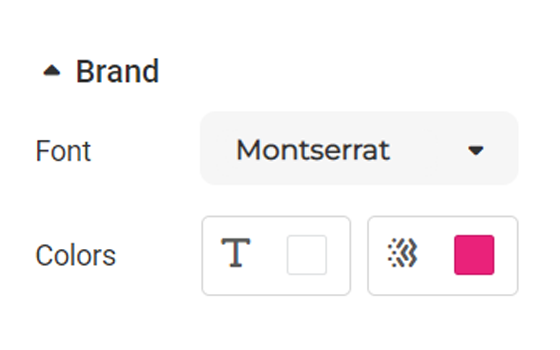
Talk Studio is packed with features to allow you to personalize your studio and manage your live stream & participant settings. Below we’ll cover the essentials.DesignPick your own logo, studio background, or overlay through...
Read more