



 Ultra subscription.

How Do I Create a Giveaway?
Step 1: Go to the Giveaways tab in the Cloudbot settings menu.
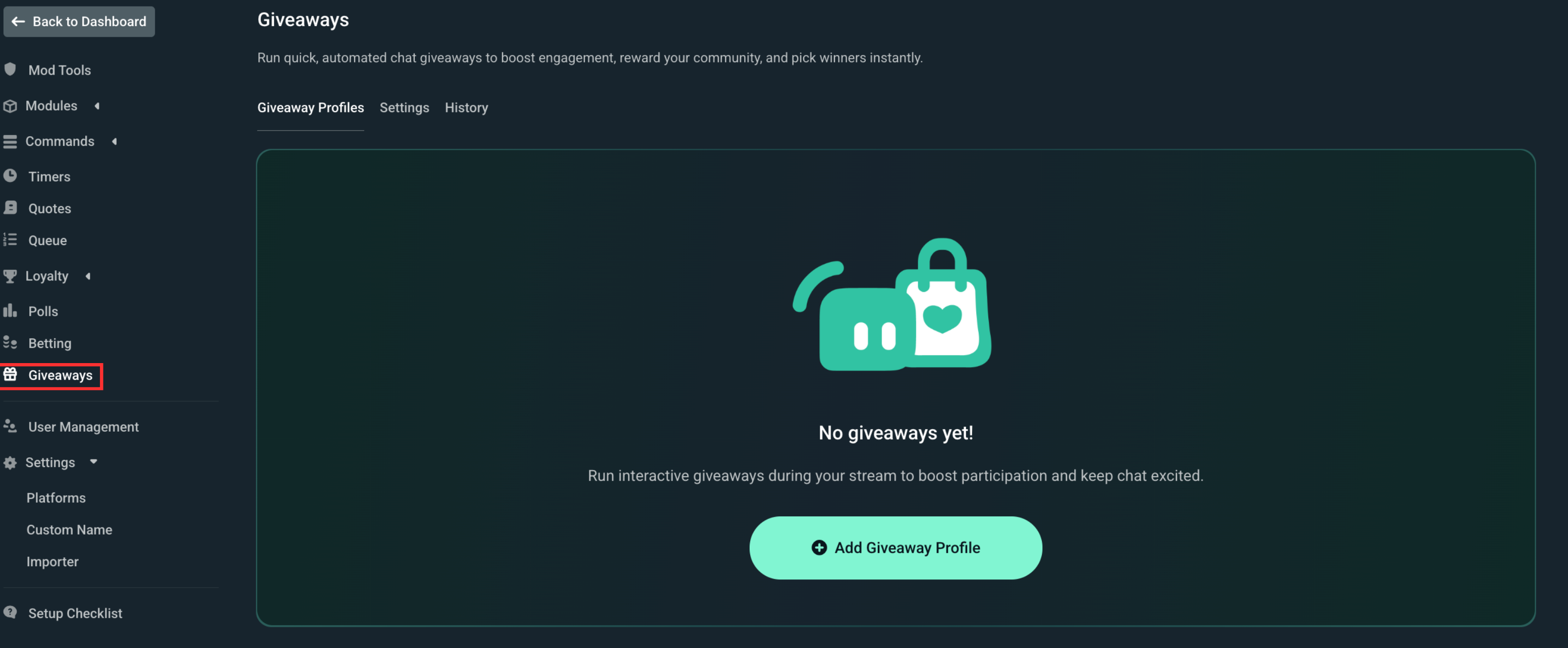
Create a giveaway by clicking on Add Giveaway Profile. This will open a dropdown menu with two choices: Merch and Custom. To create a merch giveaway, you will need to have items in your merch store first.
In this example, we’ll be creating a custom giveaway starting with the general settings.
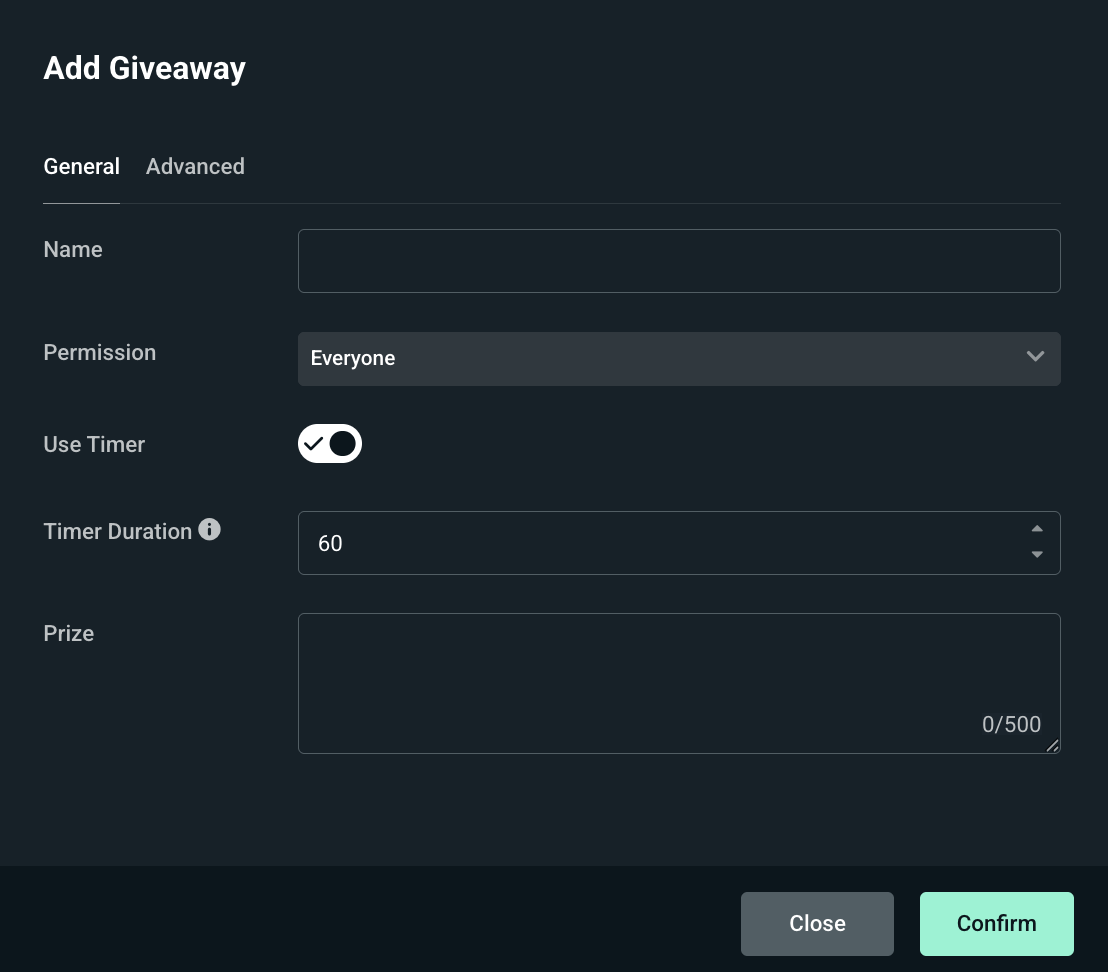
- Name: Contains the name of your giveaway profile. This is a unique name that can only be used once. If you would like the giveaway to automatically close, you can enable the Timer and set up the Duration.
- Permission: Allows you to customize and adjust who can and who cannot enter the giveaway.
- Prize: Allows you to put more details about the prize viewers will get if they win.
Under Advanced there are a few more settings that allow you to customize the giveaway a bit more, let’s go over these as well:
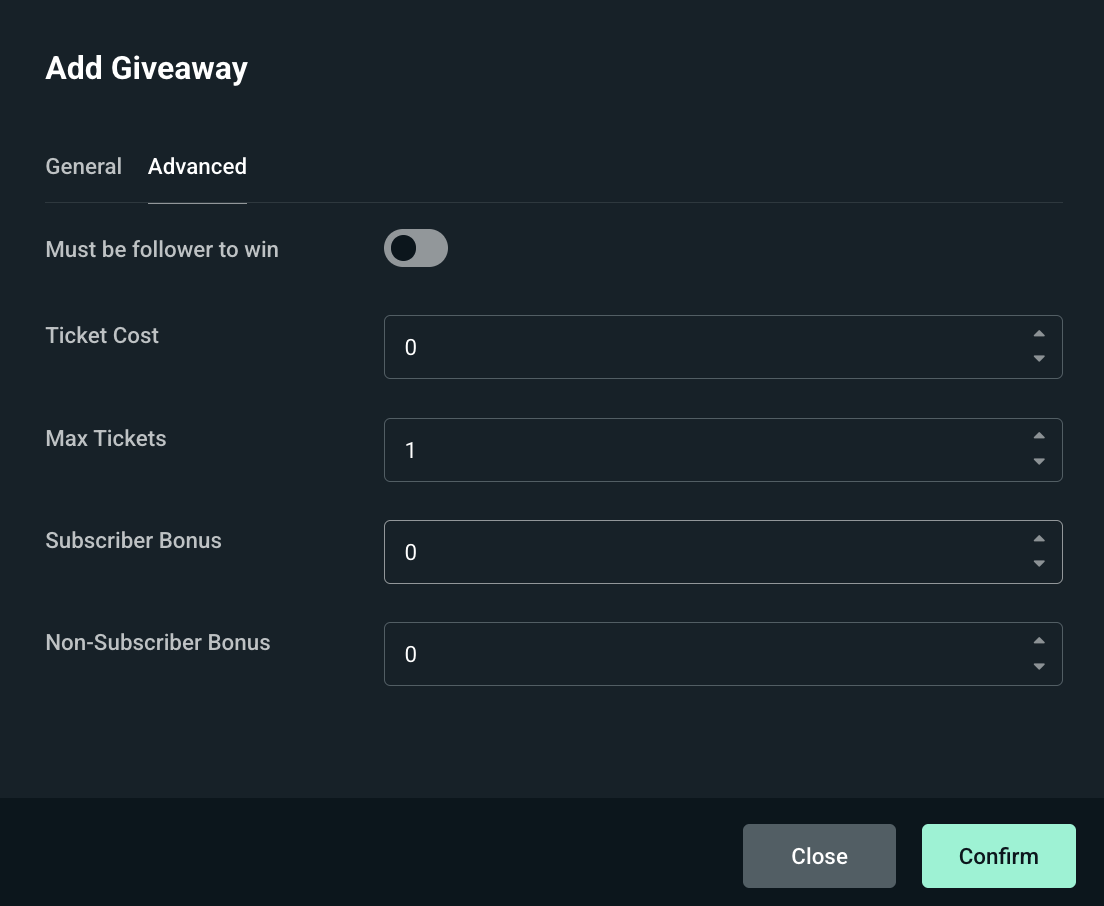
- Must be a follower to win: Once checked will prevent viewers that are not following from winning, however they can still enter.
- Ticket Cost: Used to assign a loyalty cost to entries if you are using our loyalty system.
- Maximum Tickets per User: Allows you to increase how many tickets your viewers can acquire.
- Subscriber Bonus Tickets: Add extra tickets to subscribers once they enter.
- Non-subscriber Bonus Tickets: For viewers that are not subscribed to your channel.
Once you’re done click Confirm and your profile is ready to be used.
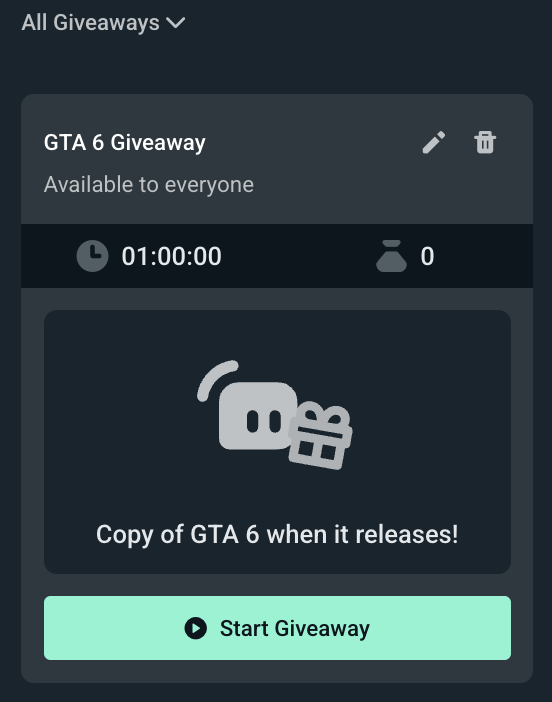
How to Start a Giveaway
When you’re ready to start a Giveaway simply click Start Giveaway on any of your profiles. You will be presented with the following overview:
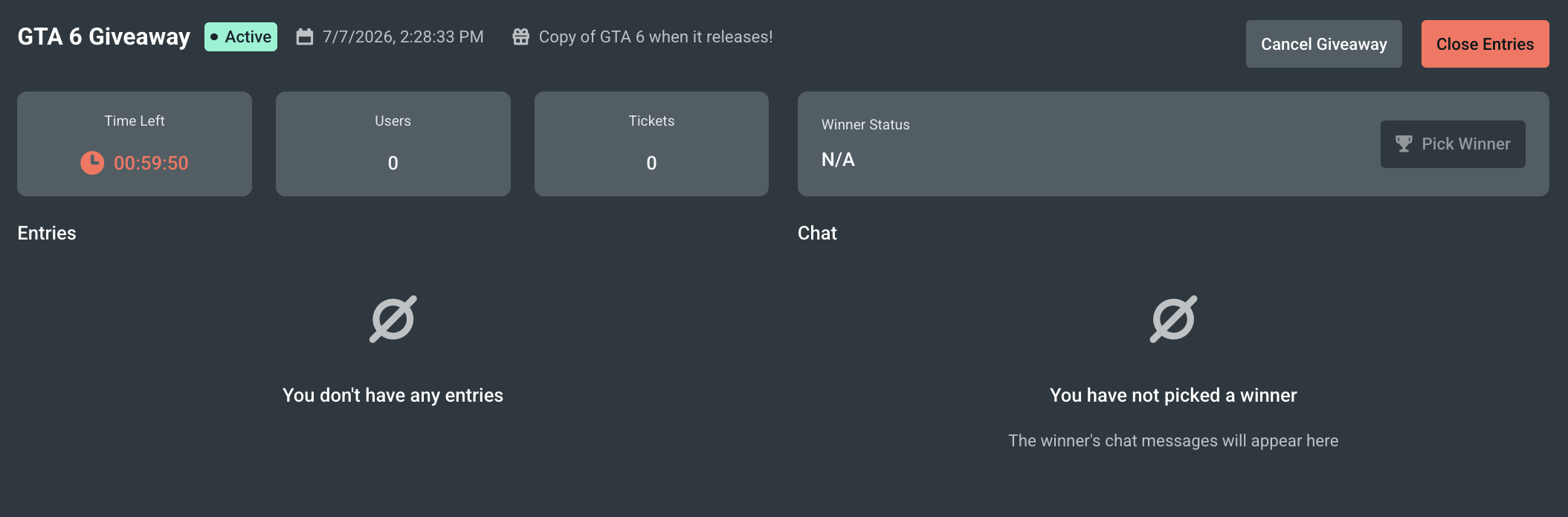
On the left, you will see all the viewers that have entered and how many tickets they have acquired. When the Giveaway is closed you will be able to Pick a Winner.
When a winner is picked their messages will appear in the window below, so whenever your chat is really active you will still be able to catch the winner’s messages and see if they’re active or not and re-roll if necessary.
With custom giveaways you are able to pick 10 winners per giveaway. When it comes to merch giveaways there can only be one winner.
Giveaway Settings
Clicking on Settings while you're in the Giveaways tab will allow you to tweak more settings:

This is where you can adjust the default command, entry response, and various other messages to your liking. We even have a giveaway reminder built-in under Repeat Message that performs the same way as Polls & Betting that way your viewers are aware of it.
If you have any questions or comments, please let us know by contacting us or joining our Discord server.