



 Ultra subscription.]

Betting allows your viewers to gamble their loyalty points based on the outcome of events.
What Is Betting?
Betting allows your viewers to wager their loyalty points against other viewers. For example, viewers could wager points depending on the number of attempts it takes you to defeat a strong enemy in Dark Souls. Viewers can activate this function by using the command !bet <option> <value>.
How Do I Create a Bet?
You can create a betting options by clicking on the Betting button in the left navigation menu after opening your Cloudbot settings. Then click Add Betting Profile to start customizing.
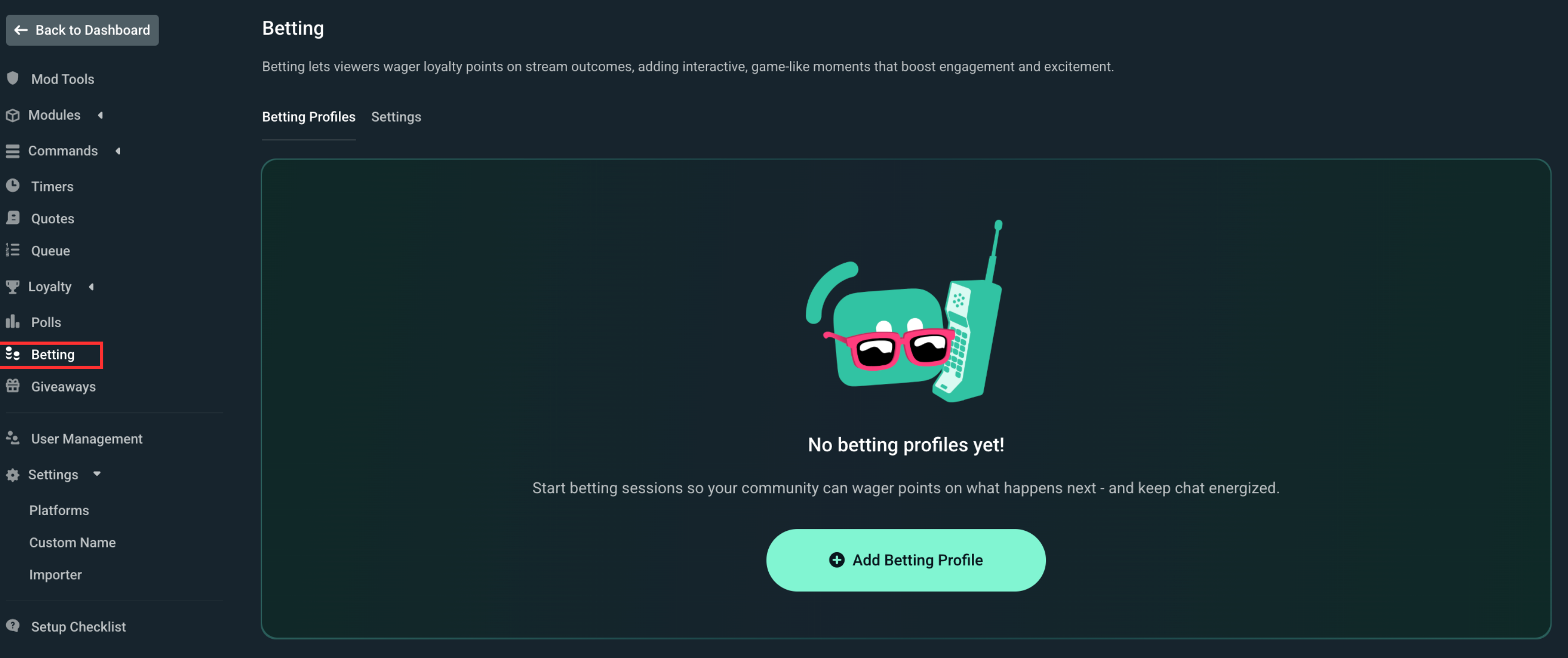
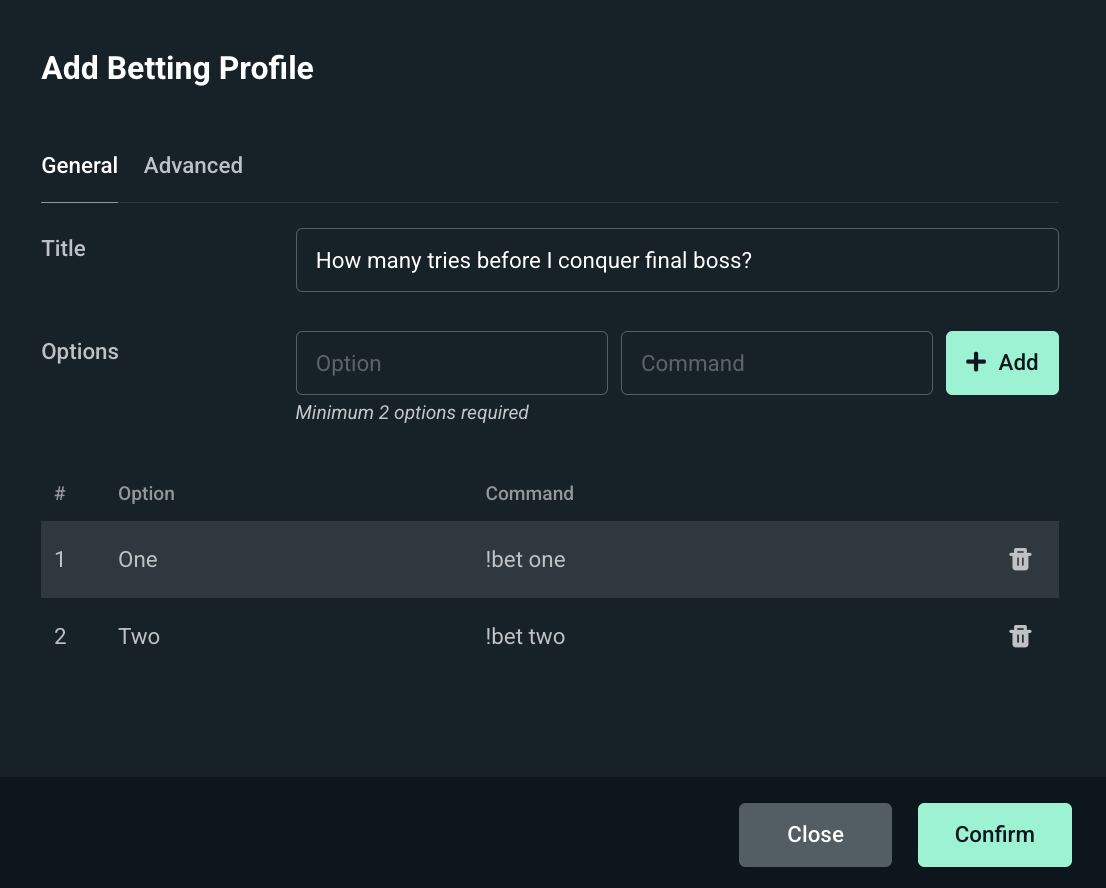
Basic
- Title: Determines what the bet is for.
- Options: The options that viewers can place their bets on. Set the option name and command here.
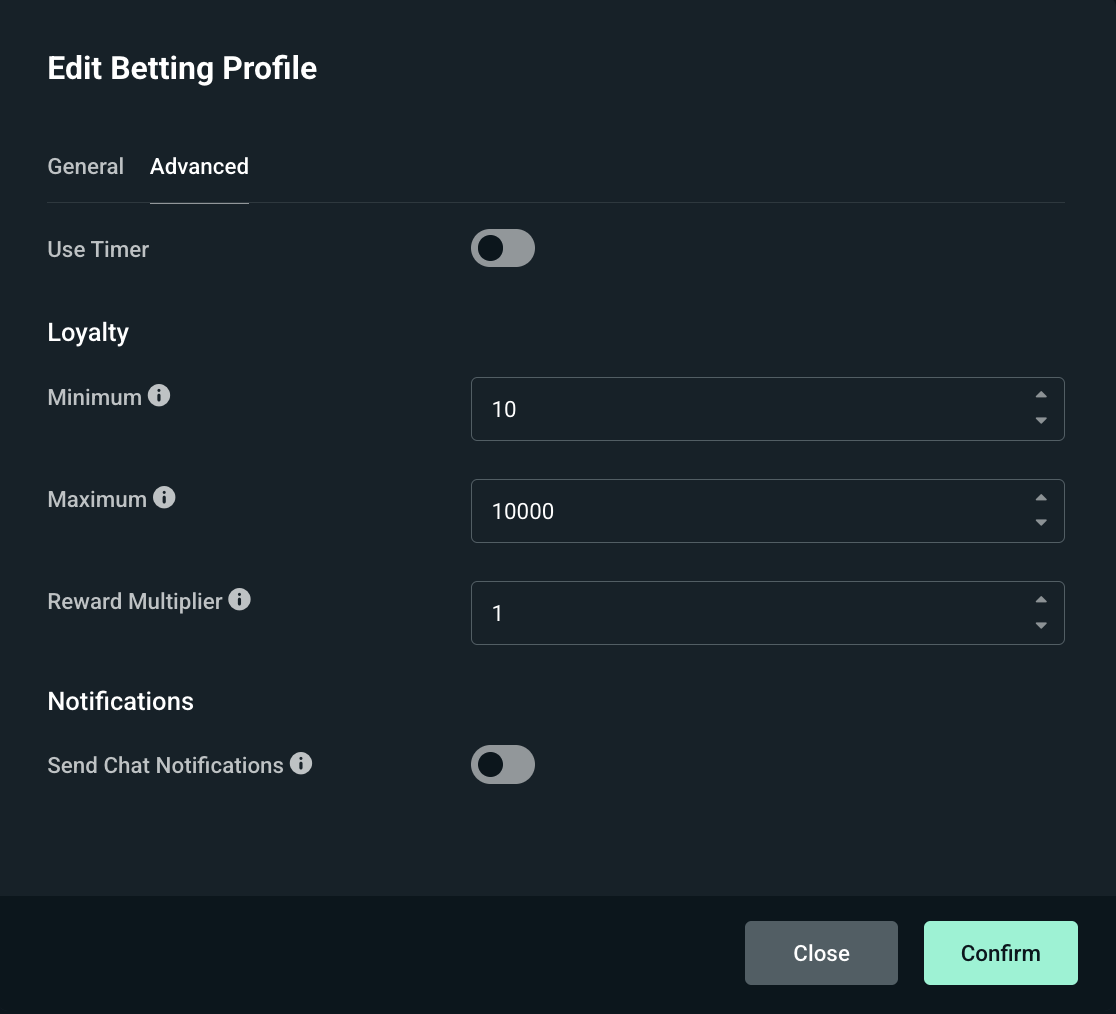
Advanced
- Use Timer: Will close the poll for you when it runs out.
- Minimum: Determines the minimum loyalty points that a user can spend on a single option.
- Maximum: Determines the maximum loyalty points that a user can spend on a single option.
- Reward Multiplier: Multiplies the final reward by the value put in this field.
- Send Chat Notification: Determines if a user is notified in chat that their bet is confirmed.
Once done configuring click Confirm and your profile will appear in the list below. Because we use profiles you are able to reuse them without having to create a new one each time.
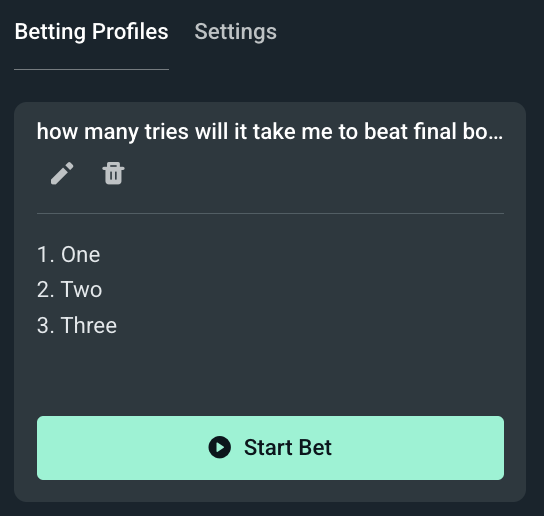
Click Start Bet to begin the betting process and launch the following screen where you can track the progress:
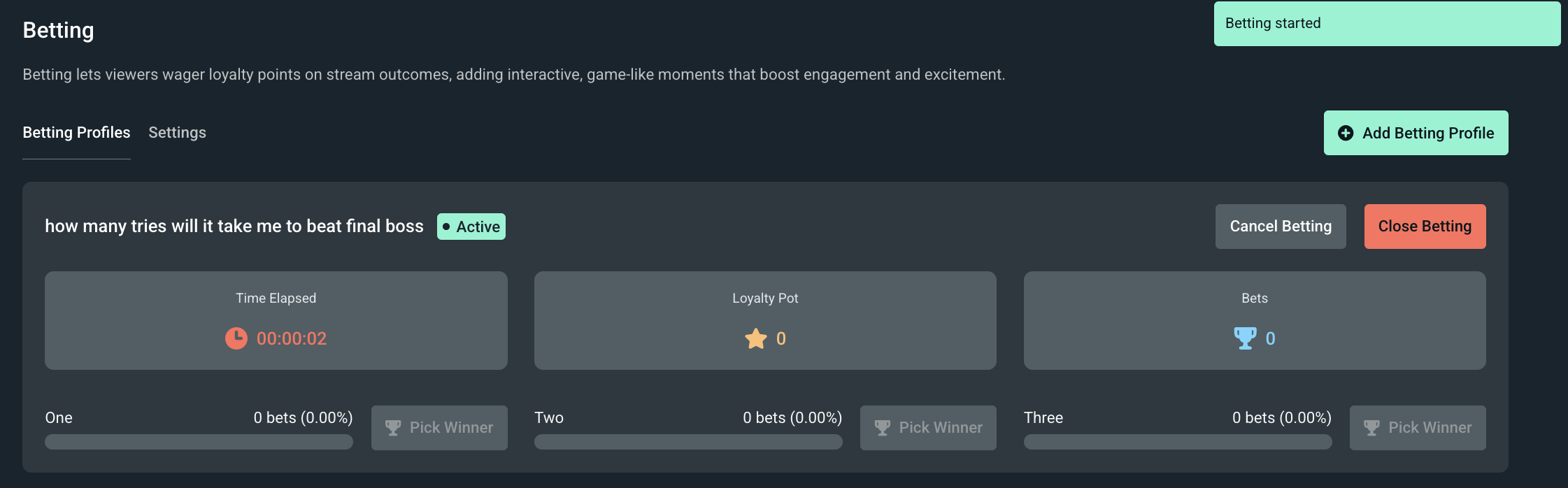
From this point on the bot will let your viewers know through chat that the bet has started and how they can places bets by using !bet <option> <amount>.
How Do Points Get Distributed?
Points get distributed through a pot system, meaning loyalty points you earn them are taken away from others that bet on the wrong option.
Here is an example for a poll with two options, A and B.
- Let’s say everyone bets on A and nobody bets on B. If A wins, viewers would be refunded their points because B didn’t have any loyalty points invested.
- However, if A has 500 loyalty and B has 1000 and A wins, the 1000 that was bet on B would be distributed between the users that bet on A and multiplied using the rewards multiplier.
This way loyalty points won’t get inflated too much unless your multiplier is set too high.
What Are Betting Settings?
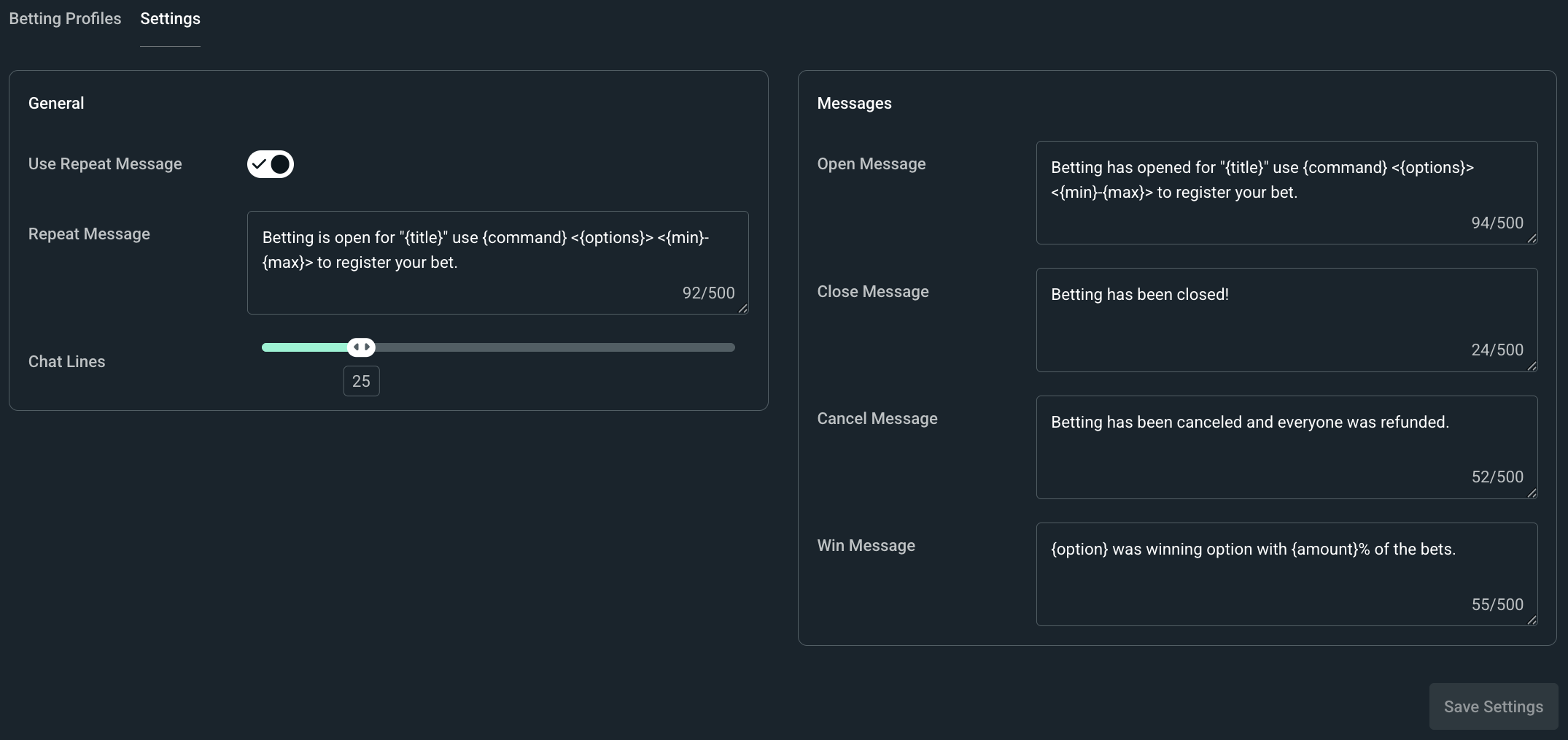
To access these settings click on the Settings tab where you will see settings that only affect the betting system including:
- Use Repeat Message: Check if you want the message alerting chat that betting is open to repeat after a set number of other messages from chat.
- Repeat Message: The content of the message you want repeated.
- Chat Lines: How many lines should pass in chat before the repeat message is posted.
- Open Message: The message sent in chat letting users know that betting is open.
- Close Message: The message sent in chat letting users know that betting is closed.
- Cancel Message: The message sent in chat letting users know if betting is cancelled.
- Win Message: The message sent in chat letting users know the outcome.
Betting using loyalty points with Cloudbot is a great way to keep your chat active and invested in your gameplay or other on-stream events. We're excited to see how you use it! If you have any questions or comments, please let us know by contacting us or joining our Discord server.