Ultra subscription.]

Live streaming is a powerful way to connect with your audience, but keeping viewers engaged for hours at a time can be a challenge. That’s where widgets come in—small interactive elements that add information, entertainment, and new ways for viewers to participate in your stream.
Streamlabs offers a wide variety of free widgets designed to enhance your live stream, some of which you may not be using yet. And with Streamlabs Ultra, you can unlock custom widget themes along with additional features like multistreaming and premium tools across the Streamlabs creator suite.
Keep reading to learn more about some of the best streaming widgets you may not be using (yet).
Streamlabs Widgets You Should Try (click to jump ahead)
- Poll Widget
- Game Pulse
- Spin Wheel Widget
- The Jar
- Event List
- End Credits
Poll Widget
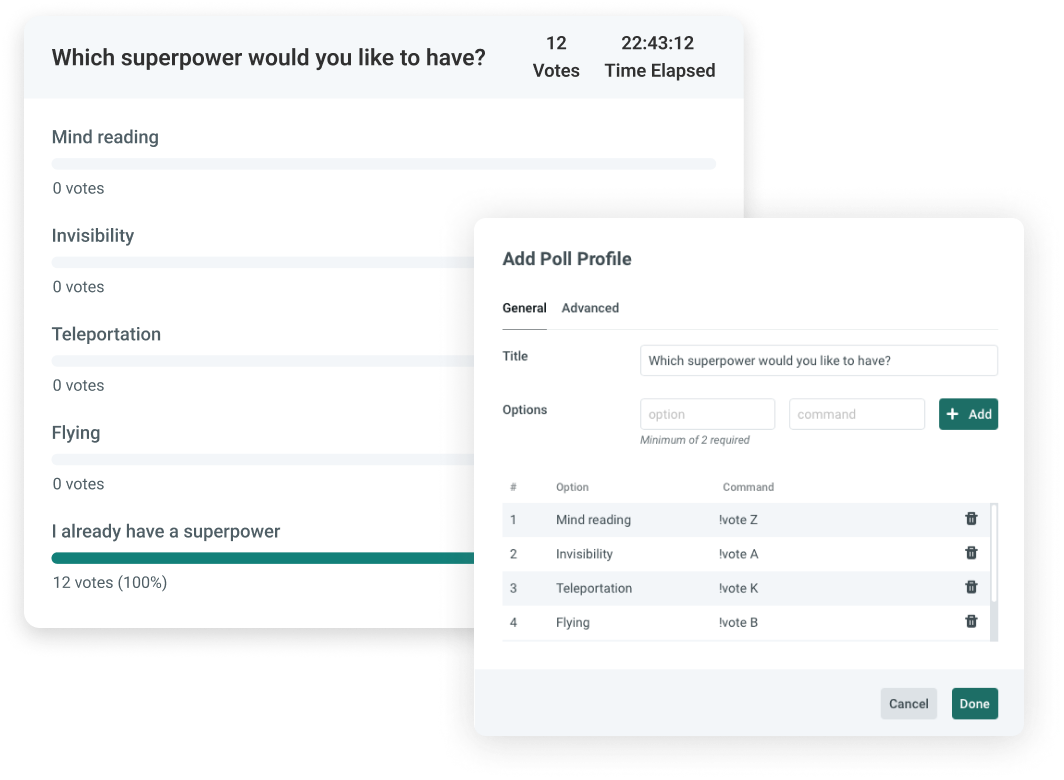
If there's one thing that chatters love, it's a good old-fashioned poll—enter the Poll Widget. By creating polls, you can ask your viewers for their opinions on various topics, such as which game to play next or feedback on your music choices.
Or you can use it to ask some of life's most pressing questions, like "Is a hotdog a sandwich?" The Poll widget can help you tailor your content to your viewers' interests and keep them engaged and invested in your stream.
Game Pulse
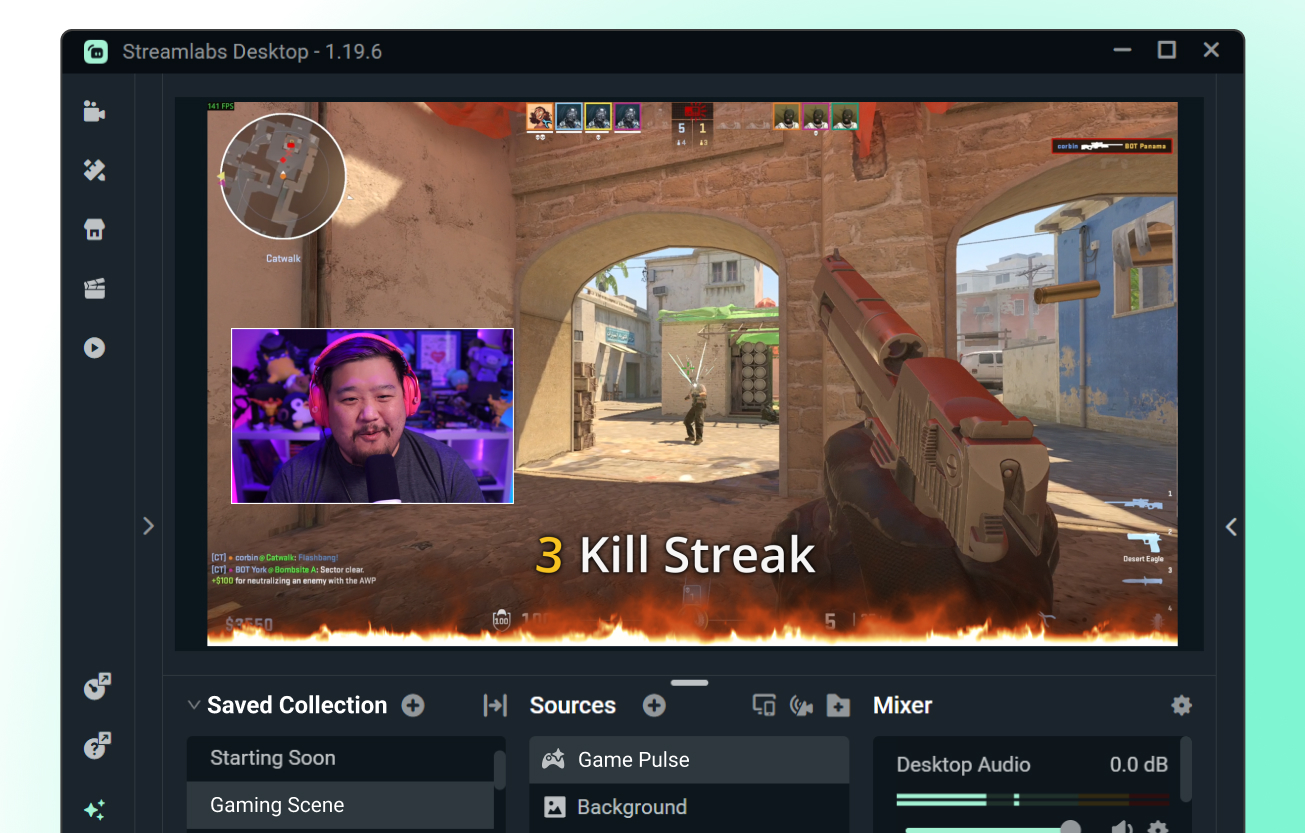
Game Pulse turns your biggest gameplay moments into instant on-stream reactions. When you hit milestones like wins or kill streaks (and even totals), the widget automatically triggers custom graphics and sound effects to help you celebrate the moment without lifting a finger. Game Pulse is a completely free widget available exclusively for Streamlabs Desktop and the Streamlabs Plugin for OBS (Windows only).
Spin Wheel Widget
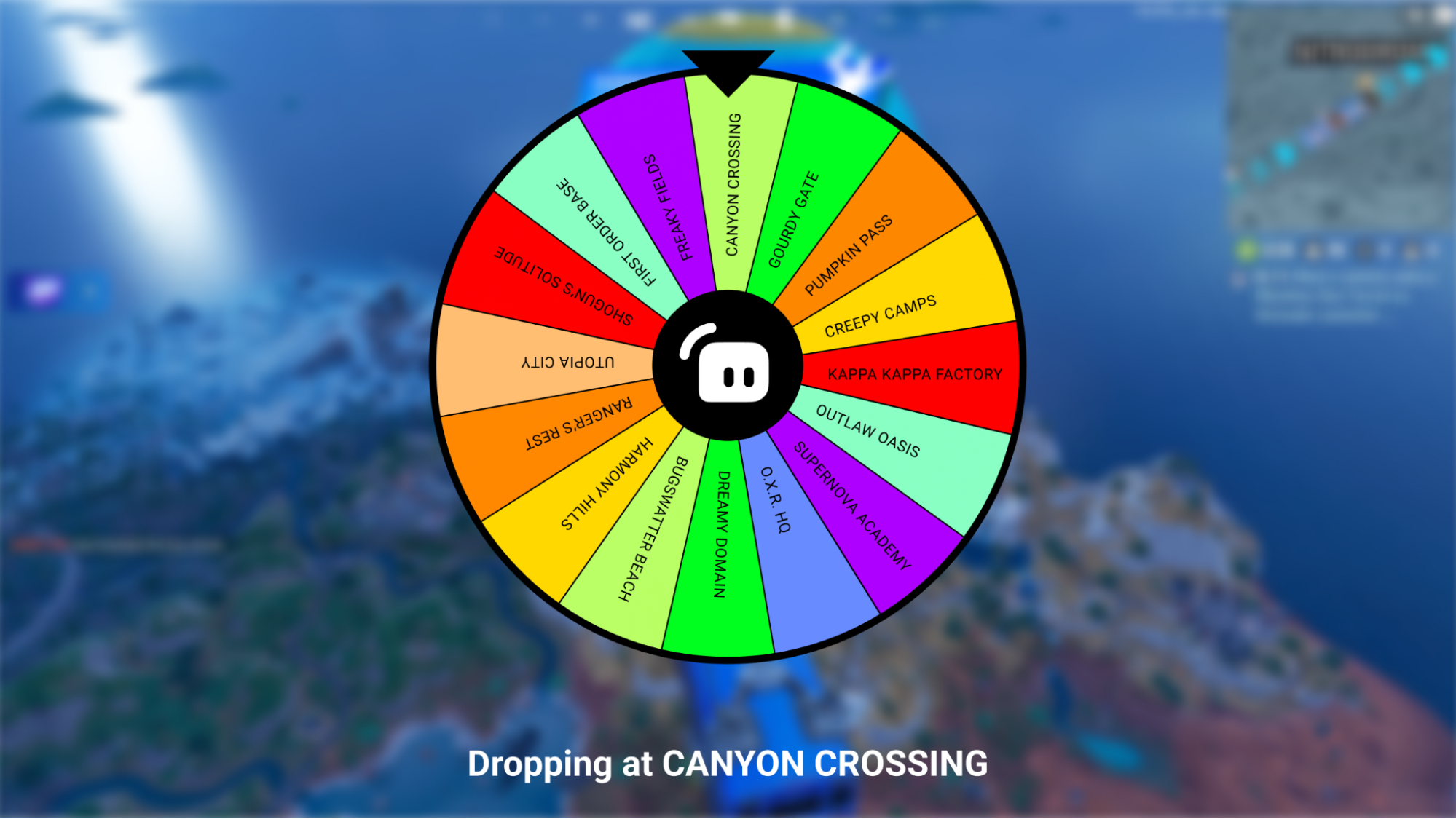
If you're looking for a fun and interactive way to engage your viewers, look no more. With the Spin Wheel widget you can customize the wheel with your own prizes, rewards, and even in-game choices for viewers to spin for a chance to win. This is a great way to incentivize engagement by gamifying your stream.
The Jar

Speaking of gamifying your stream, The Jar widget is a virtual tip jar that allows your viewers to donate to your stream by turning supporting you into a game. By visualizing tips on stream, you can encourage viewers to support your channel by seeing who can fill the jar the fastest.
Event List
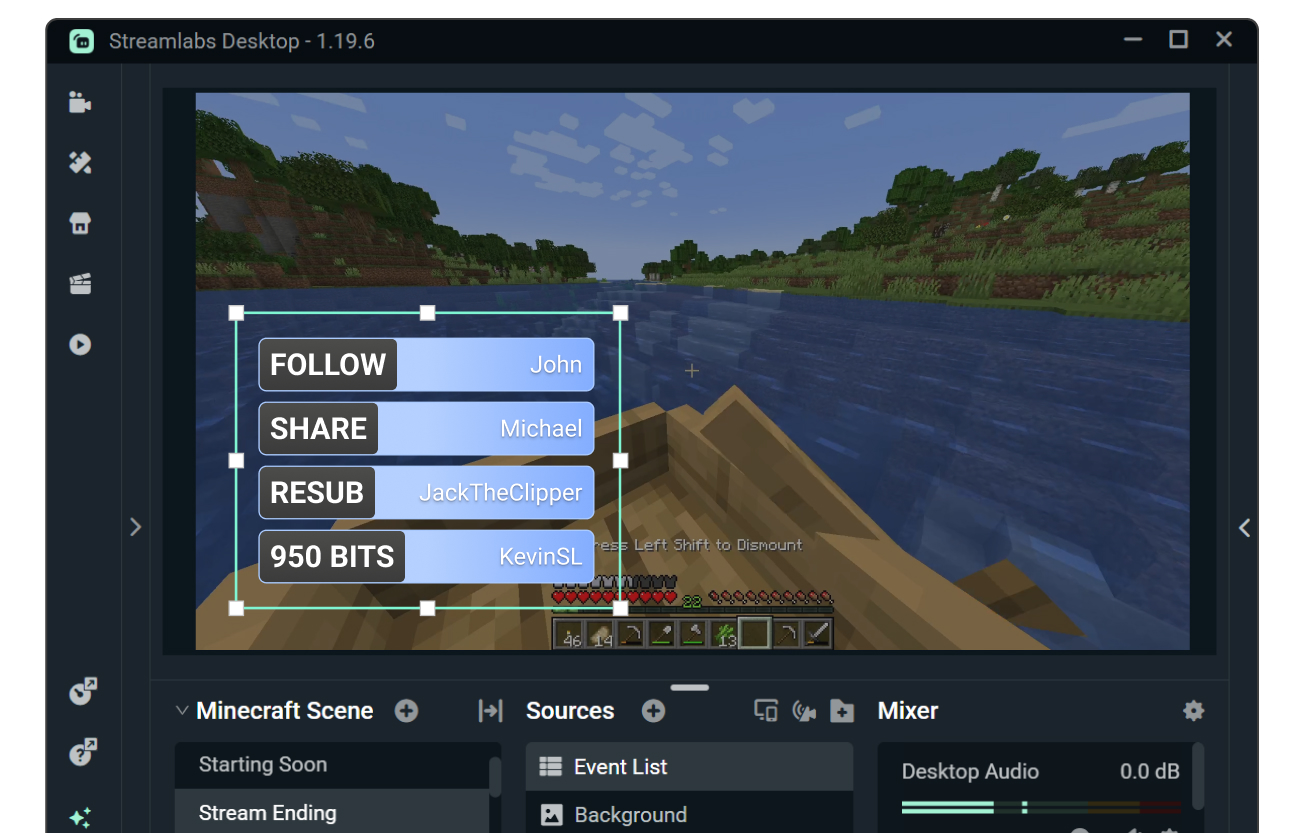
From new followers to donations, the Event List widget allows you to display recent events in a scrolling list on your stream in real-time. Your viewers will love seeing their names on stream and getting the recognition they deserve.
End Credits
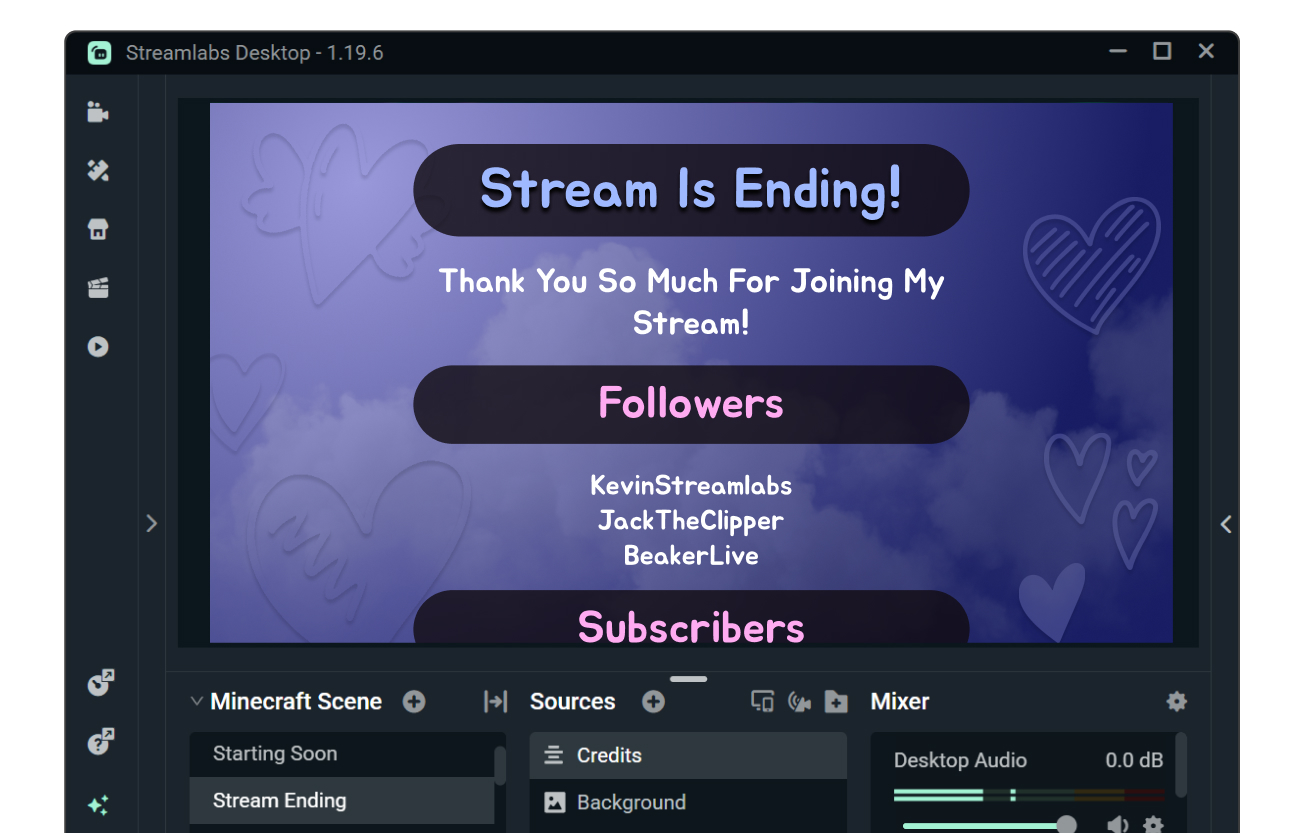
Instead of abruptly ending your next live stream, test drive the End Credits widget to wrap up your stream like a Hollywood professional. This widget allows you to take the time to thank your viewers and shout out those who contributed to your stream. It's a great way to acknowledge and thank your supporters while building a stronger community around your content.
Widgets are a valuable tool for enhancing your live stream and engaging with your viewers. By providing additional opportunities for support and engagement, widgets can help you build a stronger community around your content and keep your viewers attention for longer. Try out some of these widgets in your next live stream, and let us know how it goes on Twitter.
If you have any questions or comments, please let us know by contacting us or joining our Discord server.